
Every update is a safe update: a copy of each plugin or theme is kept first, the home page is checked after, and an update that breaks it is rolled back on its own and held back, so it is not offered again until a newer version comes out.
Before and after an update
- What’s new under each waiting plugin update shows its changelog since your version. Major marks a big version jump; Fixes a vulnerability marks an update that closes a known hole on that site.
- After updates, the page cache is cleared and new screenshots are compared with the reference (see Visual check).
- The Plugins page shows every plugin across all sites and can update one on all of them.
Autopilot
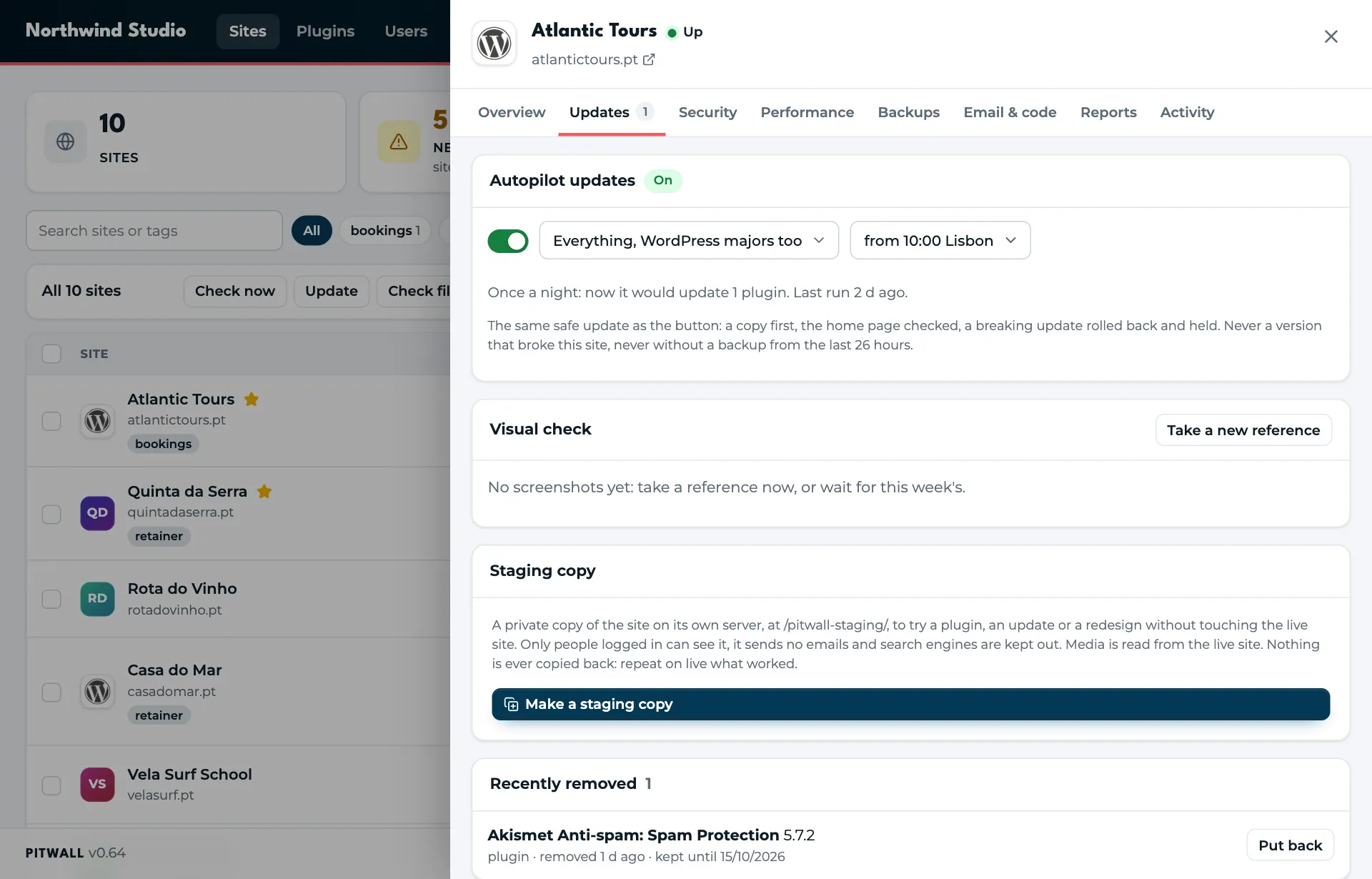
In a site’s Updates tab, Autopilot updates it at night from the hour you choose: patch releases only, minor ones too, or everything. It is the same safe update as the button, never a version that broke the site before, and never without a backup from the last 26 hours.
Install a plugin
On the Plugins page (PitwallWP Connect 0.30.0): search wordpress.org, or pick one of Your zips (premium plugins you upload once; PitwallWP reads their name and version from the zip). Tick the sites and install. With Activate after installing, each site checks its home page after activating and switches the plugin off again at once if it broke it. A site that already has it says so. This works on sites where plugin installs are off in WP admin: that block is for people in WP admin, not for PitwallWP.
Staging copy
In the Updates tab (PitwallWP Connect 0.33.0): a private copy of the site on its own server, at /pitwall-staging/, with its own database tables. It is made in short steps (usually a minute or two), with the address changed everywhere in the copy.
- Only people logged in can see it: Open staging logs you in with a one-time link. It sends no emails, runs no scheduled tasks and search engines are kept out. An orange STAGING COPY bar is always on top.
- Media is read from the live site, so nothing large is copied.
- Make it fresh from live replaces it with a new copy; Delete removes its tables and folder.
- Nothing is ever copied back to the live site: repeat there what worked.
Not available for multisite networks, WordPress in its own folder, or SQLite.
Maintenance and coming soon screens
In the Updates tab (PitwallWP Connect 0.38.0): a page in your design that visitors see instead of the site. Maintenance is for while you work on it, for a set time or until you switch it off: visitors get the page with a “back around” time, and search engines are told to come back later, so rankings are kept. Coming soon is for a site that is not open yet: it is kept out of search results, and a private link lets the client see the real site in their browser for 30 days.
- People logged in to WordPress who can edit see the real site, and so do PitwallWP’s own checks: uptime, watched pages, screenshots, PageSpeed and SEO basics keep looking at the real site behind the screen.
- Design it with a live preview: layout (centred, an image beside, or minimal), the logo (the site’s, your agency’s, one from an address, or the site’s name), colours, a background image, the title and message in the site’s language, and a contact button.
- Use this design while WordPress updates replaces the plain “Briefly unavailable for scheduled maintenance” page shown for the seconds each update takes. A site with a maintenance page of its own keeps it.
- Page caches are emptied as a screen goes on and off, and nothing is cached while it is on.
- Planned maintenance (a site’s ⋯ menu) can show the maintenance screen for the same time.
One design for all your sites. The design lives in Settings, Maintenance screens: layout, logo, colours, image, titles, messages and contact, with a live preview. Every site uses it, each with its own logo and name, and saving it updates any screen showing at that moment. In a site’s card, Design is The default (with a link to edit it) or Customised for this site, a design of its own that starts from the default. The card itself is about the site: on or off, for how long, the private link, and whether to show it while WordPress updates. Sites that had a design before keep it as their own.
PitwallWP Connect updates in stages
A new version of PitwallWP Connect reaches MultiSocial’s own sites first, and every other agency’s sites 48 hours later, so a problem shows on ours before it can reach yours. Urgent security fixes go to everyone at once.