
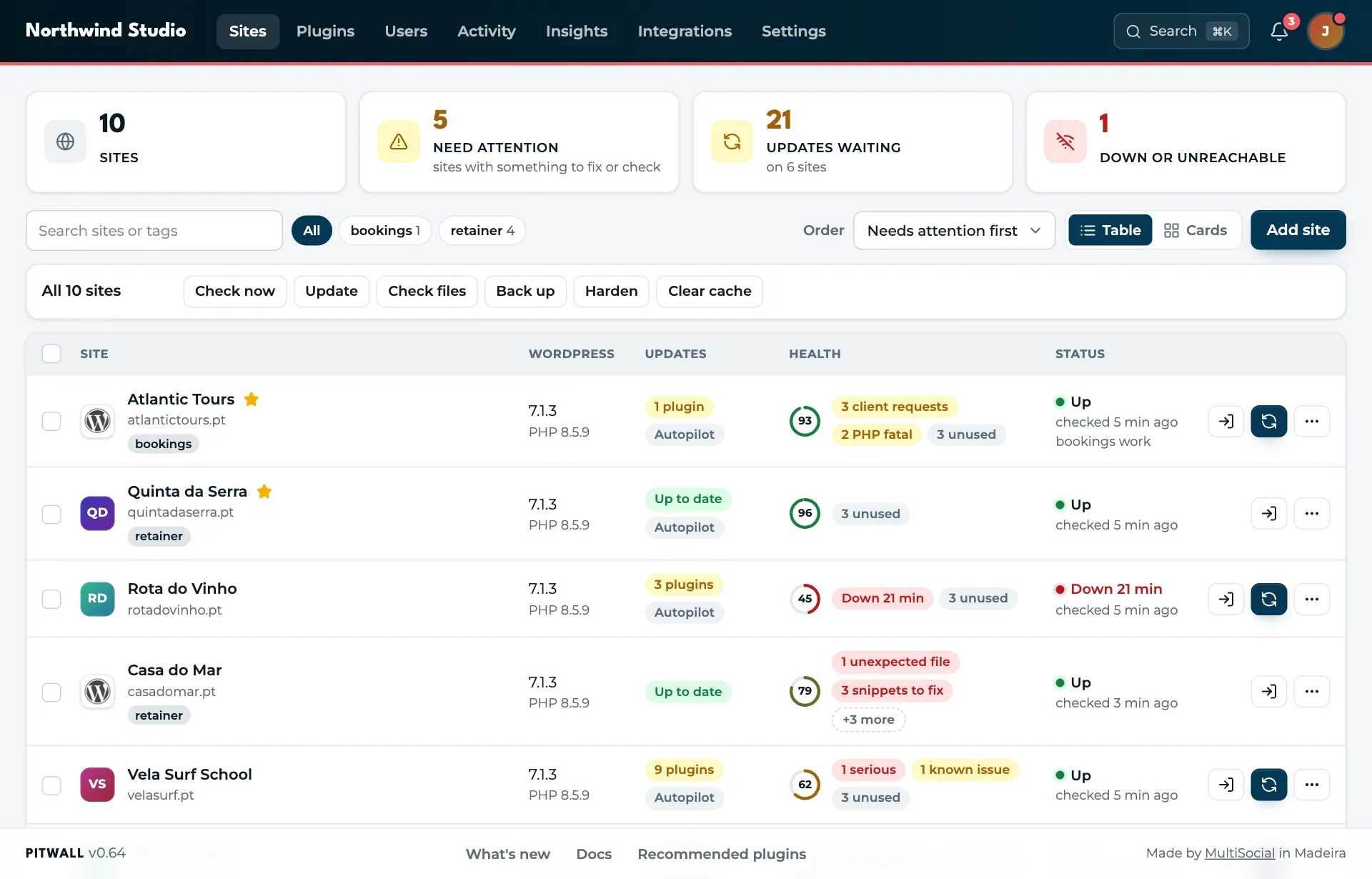
Each row shows the WordPress version, waiting updates, Health (the three most important problems, the rest behind “+N more”) and Status (up, slow or down, and when it was last checked).
Finding a site
- The numbers at the top are filters: click Need attention, Updates waiting or Down to see only those sites; click again to see all.
- Order sorts by what needs attention, name, last check, updates, speed, backups, expiry dates or setup.
- Star a site to keep it at the top. Tags (set on a site’s Overview) filter the list.
- Table or Cards (next to Order) changes how the list looks; each device remembers its choice.
- Press Cmd+K (or /) anywhere to jump to a site, a page or an action, such as Your licences.
Many sites at once
Tick sites (or none, for all the sites shown) to check, update, back up, harden or clear the cache of all of them in one go. On cards, the checkbox and star appear when you point at a card.
Health score
Every site gets 0 to 100. It starts at 100 and loses points for each problem, the worst first: down (40), unreachable (30), a serious vulnerability (25), unexpected files (up to 25), hidden from Google or no recent backup (15), an HTTPS certificate or domain about to end, updates waiting (2 each, 10 at most), PHP fatal errors, failing emails, slowness and smaller things. 90 and up is great, 75 good, 50 fair, below that poor.
Click the ring for the details: every point lost, each with a button to the tab that fixes it, the last 30 days as a chart, and the full list of what counts. Order the list by Health score (lowest first) to start with the sites that need you most.
Since your last visit
After an hour or more away (on this device), a strip at the top says what happened meanwhile. Each number opens the details.
Quick fixes
In a site’s Needs attention card, what PitwallWP can fix itself has a button with the points it gives back: Update everything, Back up now, Turn on the protections, or Fix all.
Each site shows its own icon (its WordPress Site Icon, or a sharp icon from its home page, checked weekly); the initials appear when it has none.