
The Integrations page shows everything PitwallWP works with as tiles, each with its state. Filter by Connected and on, Not set up or Coming soon. Click a tile to open its sheet.
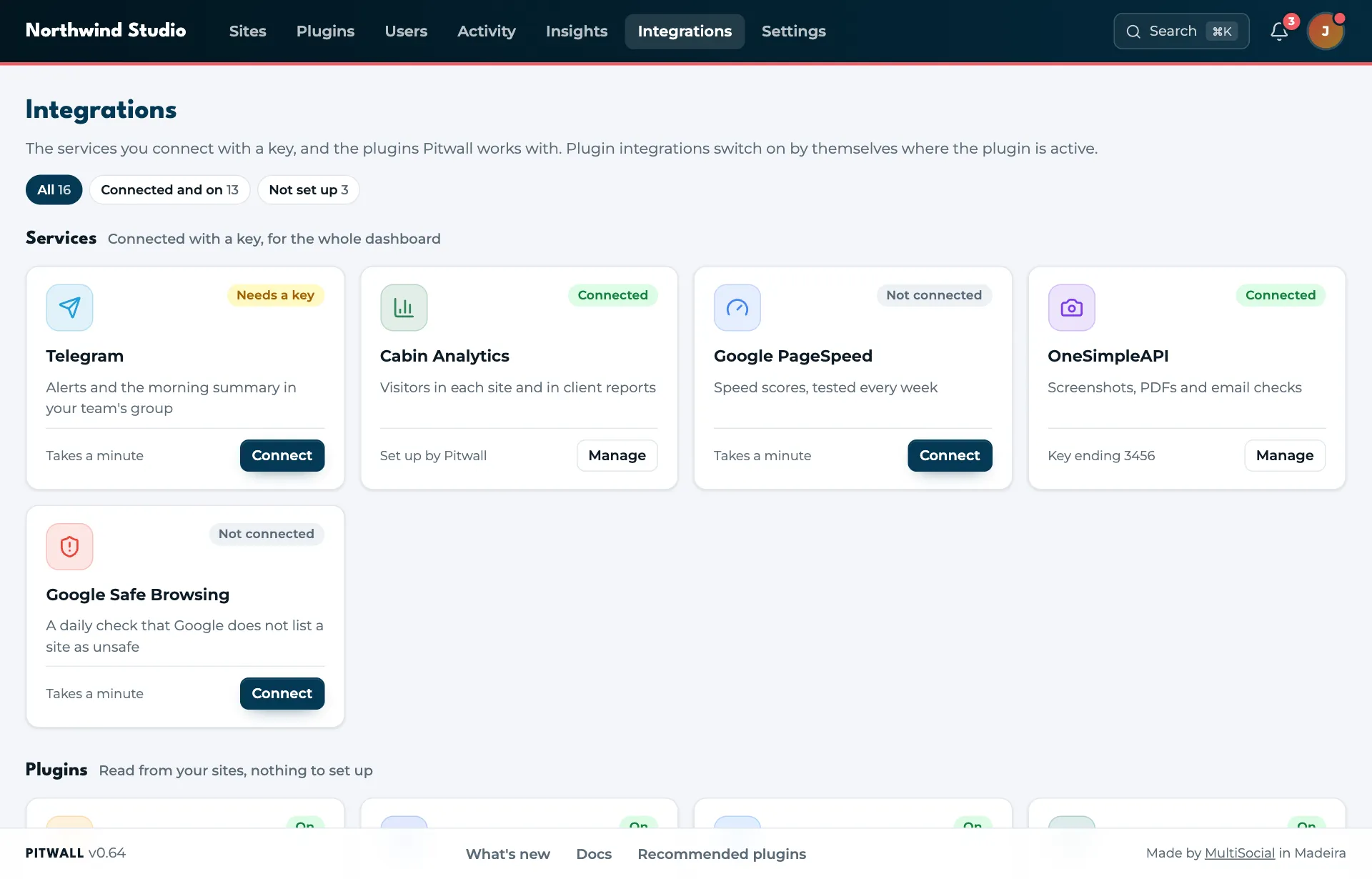
Services and plugins
- Services need a key: Telegram for alerts, Cabin for visitors, Google PageSpeed for speed scores and OneSimpleAPI for checking client email addresses (and as a second way to take screenshots and PDFs: PitwallWP takes them itself). The sheet shows what each adds and how to get the key. Paste it and Save; later, Replace or Remove it. Only the last four characters are ever shown. The test button checks the key works (for Telegram, it sends a message to your group).
- Plugins switch on by themselves where the plugin is active. The sheet lists the sites that run it and has the on/off switch: switch one off and its cards, report part and alerts stop for every site.
Fluent Forms
With PitwallWP Connect 0.29.0 or later, each site’s Overview shows the entries per form this month and last, the last entry, spam stopped, and integrations that failed this week (a CRM or email tool that did not get the entry). The client report gets Leads from your forms, compared with the month before. An alert goes out when a form that usually gets entries every week has had none for two weeks, and when a form integration fails. Only counts and form titles reach PitwallWP, never what people typed.
Premium licences
With PitwallWP Connect 0.29.0 or later, each site reports the licences of its premium plugins and theme (ACF Pro, Automatic.css, Frames, WP Grid Builder, BricksExtras, Fluent Forms Pro, Bricks and others): active, ended or not active, and the end date when the plugin keeps one. Plugins, Licences, On your sites shows them by product, problems first. An ended or inactive licence means its updates stop, so an alert goes out, and another two weeks before an end date. Keys never leave the sites; only their last four characters, to tell two keys apart. Some plugins keep their licence in a way PitwallWP cannot read for sure: those show as Key saved or Status unknown.
Your licences and the vault
Plugins, Licences, Your licences (or “vault” in Cmd+K) is the list of what you pay for: when it ends (or Never for a lifetime deal), how many sites it allows, its price (a year, a month or once) and where to renew. PitwallWP counts the sites where each product is active and shows, for example, 18 of 25; an alert goes out at 90% and when a licence is on more sites than it allows. Yearly and monthly prices add up to what your licences cost a year.
Give a licence its key and the account at the shop (email or login), and stop looking them up on each plugin’s website. They are encrypted before they are saved, with a key that is kept apart from PitwallWP’s database, and each agency’s vault has its own. The list only shows the key’s last four characters; Show opens it for 30 seconds and Copy key puts it on the clipboard without showing it. Every Show and Copy is written in Activity, with who did it. Viewers cannot open the vault. To change a key or account, edit the licence; empty fields keep what is saved.
Rank Math, reviews and shops
Rank Math (PitwallWP Connect 0.32.0): with its Analytics connected to Search Console, clicks, impressions and position (28 days, against the 28 before) and what people searched, in the Performance tab and the client report; its 404 Monitor’s busiest missing pages and its redirections. WP Social Ninja: reviews per platform (rating, count, new this month) and an alert when a feed loses its connection. FluentCart and WooCommerce: live orders and revenue by month, failed payments (an alert from 3 in a week), orders stuck in pending, and an alert when a selling shop is left in test mode. Totals only, never customers.