
PitwallWP watches each site for known vulnerabilities, unexpected files, weak settings and changes nobody planned, and tells you as soon as something turns up.
Vulnerabilities
Plugins, themes and WordPress are compared several times a day with a public database of known vulnerabilities. Each one shows how serious it is and the version that fixes it.
Not affected: sources sometimes list the wrong versions (for example a range that also covers an older, different code base). If you checked and a site’s version is not affected, Not affected hides that one vulnerability for that version only; a newer version is checked again. PitwallWP also corrects the sources it knows are wrong.
File check
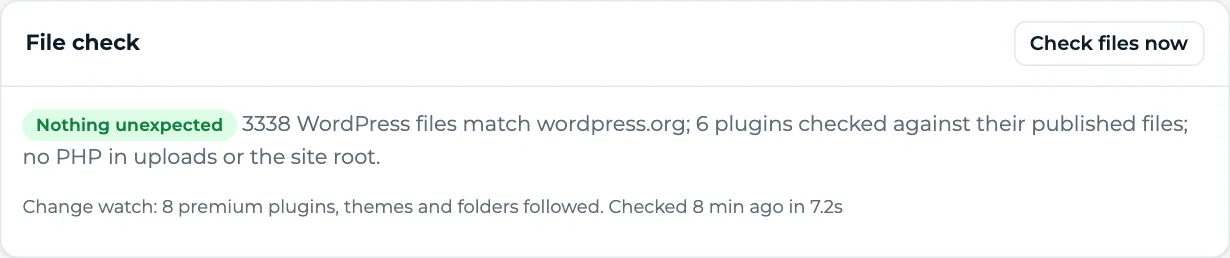
Every day: WordPress and plugin files against the official ones, PHP where it should not be, and changes to premium plugins without an update. Flagged files can be viewed, restored from the original or quarantined.
- Harmless PHP in uploads is left alone when PitwallWP Connect can read it and prove it: empty files, files that only stop folder listings, compiled template caches such as WPML’s, and files that only hold data, like the font metrics PDF invoice plugins use. Each is read token by token; anything that could run code is still reported.
- Log files (error_log, debug.log) are not code, so they are listed apart, with their size. Remove moves one into quarantine.
- Several at once (PitwallWP Connect 0.34.0): Quarantine all moves every flagged file in one go, with one home page check before and after; if the site breaks, they all go back. Remove all does the same for log files, and Delete all for good empties the quarantine.
Hardening
Seven protections, switched per site, or all at once with All. Turning them all off asks first. On sites with FluentAuth, FluentAuth handles two-factor login, the login limit and XML-RPC.
Watching for changes
- DNS watch: name servers, mail servers and addresses of each domain; a change goes to Telegram at once. Accept it in the Security tab if it was expected.
- A new administrator, a login from a new network and a site hidden from Google are reported as they happen.
- The Administrators page lists every admin on every site, those not seen for 90 days, and removes one everywhere in one go.
Google blacklist check
Once a day every site is checked against Google Safe Browsing (malware, phishing, unwanted software). A listed site gets an alert at once, a red pill and a big penalty in its score until Google clears it. It needs a Google key with the Safe Browsing API enabled: your PageSpeed key works once you enable it in its project (Integrations, Google Safe Browsing).
Spam
The Spam card on the Security tab shows the spam a site gets: comment spam in the last 30 days and what waits for approval, whether comments are open and actually used, Akismet, Fluent Forms entries marked as spam and how its forms are protected, and Contact Form 7. Needs PitwallWP Connect 0.41.0.
- Close comments: comments and pingbacks closed on every post and page, and comment spam sent straight to WordPress (wp-comments-post.php, the REST API, XML-RPC) refused. Existing comments stay shown and WooCommerce product reviews stay open. Nothing in the database changes, so switching it off brings everything back. The card says when a site really uses comments.
- Fluent Forms honeypot: Fluent Forms’ own hidden field that bots fill in and people never see. PitwallWP turns on its global setting, empties the page cache, and puts back the value it had when you switch it off.
Each change is checked as a visitor right after, and put back if the home page broke. Cloudflare Turnstile is set up in Fluent Forms, Global settings; the card shows it once it is on. Comments open with spam and nobody commenting, or form spam with no protection, show in Needs attention.