
Ticket types
A tour can sell different tickets, such as Adult, Child and Infant, instead of one price per person.
For the whole site: under Tourbo, Settings, Booking, fill in Ticket types (or click Add Adult / Child / Infant) and tick Sell these ticket types on tours that use the site's. New tours use them.
For one tour: on its Tour tab, This tour sells chooses between the site's ticket types, ticket types of its own (rows just like the site's), or one price per person.
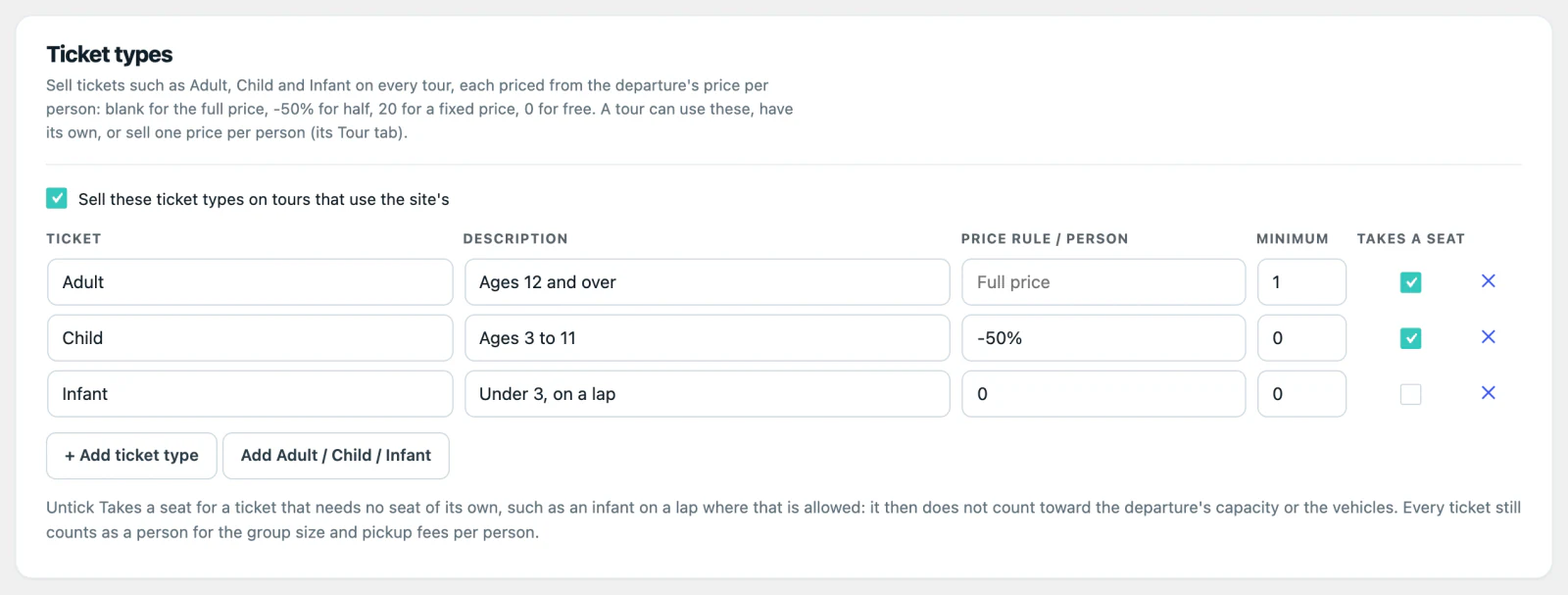
| Column | What it does |
|---|---|
| Ticket | The name customers see, for example Child |
| Description | A short note under the name, for example Ages 3 to 11 |
| Price rule / person | Worked out from the departure's price per person: blank for the full price, -50% for half, -10 for 10 off, 20 for a fixed 20, 0 for free |
| Minimum | How many of this ticket every booking needs, for example at least 1 Adult |
| Takes a seat | On by default. Untick it for a ticket that needs no seat of its own, such as an infant on a lap where your local rules allow it |
Every ticket counts as a person for the tour's minimum and maximum group size and for pickup fees per person. Only tickets that take a seat count toward a departure's capacity and the vehicles needed, so a departure with 6 seats left can take 6 adults and still a lap infant.
The booking form shows one counter per ticket, with its price, and a total that names each ticket. The cart, the order, the emails, Tour Bookings and the Daily Manifest show the breakdown, for example "2 × Adult, 1 × Child"; in a Bricks cart, use the tag {ms_cart_tickets}.
To change the tickets of a booking already in the cart, the customer removes it and books again. Staff can still change the passenger count of a booking; its ticket breakdown is then kept in the order note.