
Extras
Customers can add extras to a booking on the form, such as lunch, photos or a child seat.
For the whole site: under Tourbo, Settings, Booking, Extras, add each extra and tick Offer these extras on tours that use the site's.
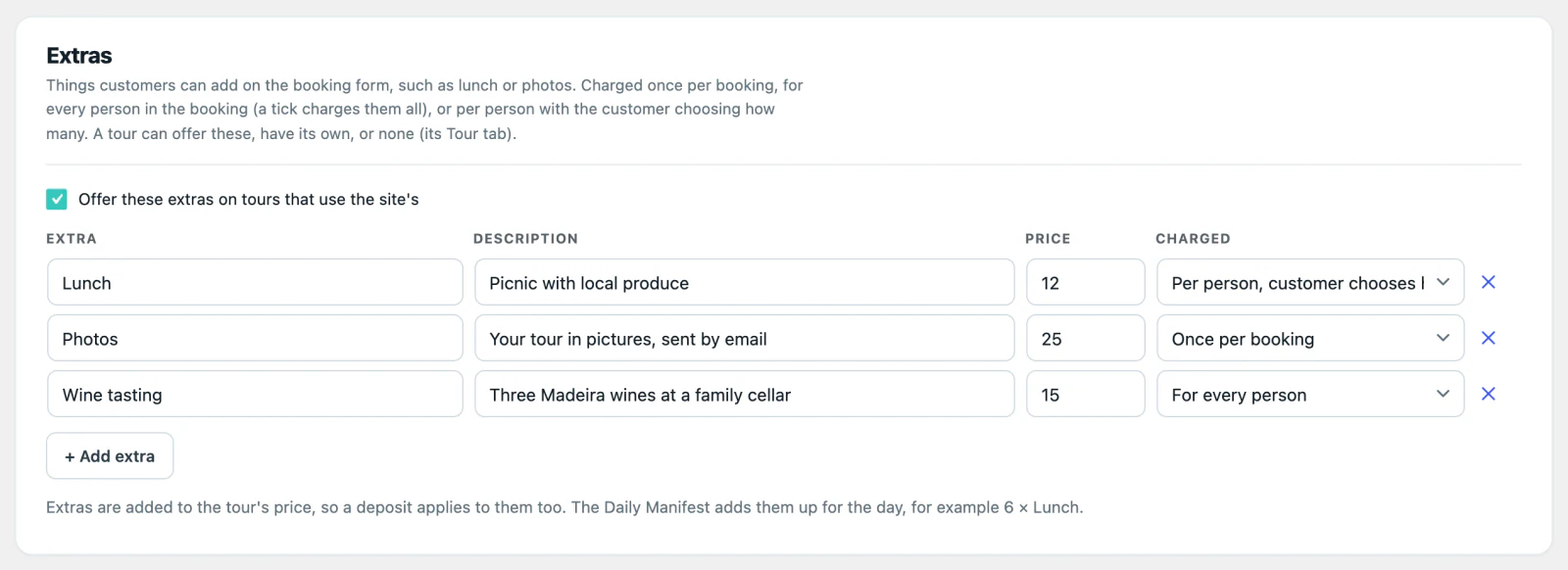
| Column | What it does |
|---|---|
| Extra | The name customers see, for example Lunch |
| Description | A short note under the name, for example Picnic with local produce |
| Price | What it costs; 0 shows it as Free |
| Charged | Once per booking (a checkbox on the form, for example Photos); For every person (a checkbox that charges everyone in the booking, for example a wine tasting for the whole group: 4 people, 4 × 30); or Per person, customer chooses how many (a counter up to the number of people, for example Lunch for 2 of the 4) |
For one tour: on its Tour tab, Extras chooses between the site's extras, extras of its own (rows just like the site's), or none.
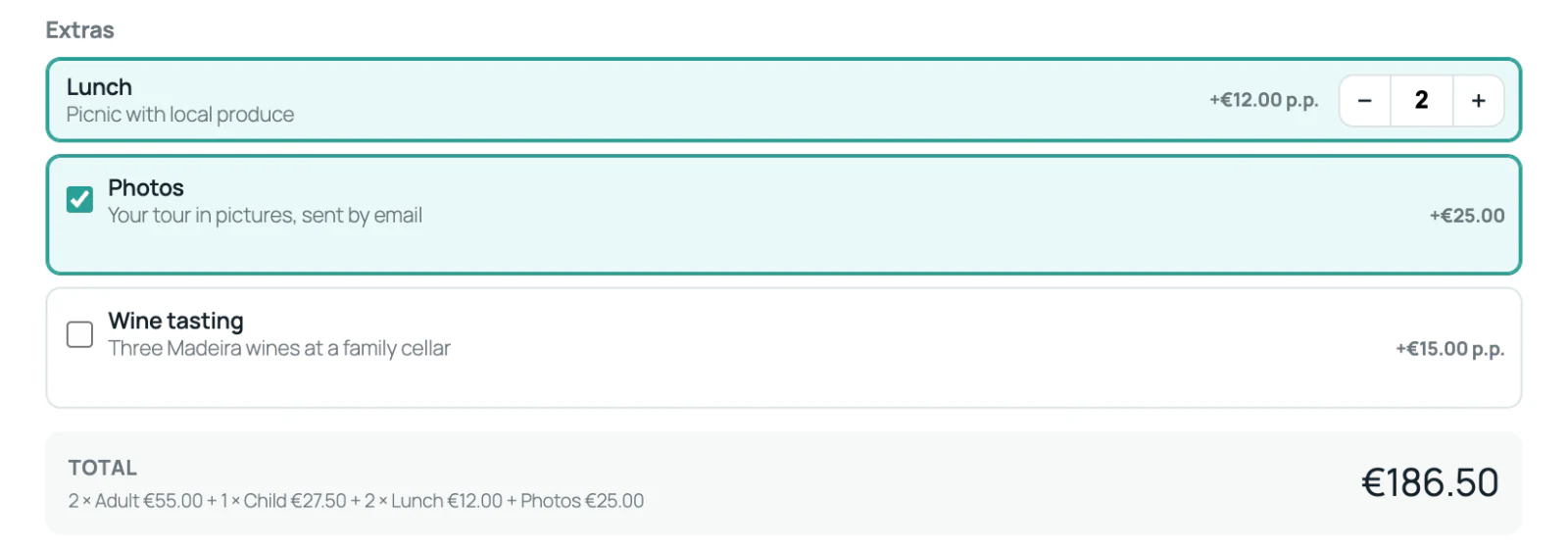
The form adds the extras to the total and names them in the breakdown, for example "2 × Lunch €12.00 + Photos €25.00". They are part of the tour's price, so a deposit is taken on them too. The cart, the order, the emails and Tour Bookings show them, for example "2 × Lunch, Photos"; in a Bricks cart, use the tag {ms_cart_extras}. The Daily Manifest shows each booking's extras and adds them up for the day, for example "Extras for the day: 6 × Lunch, 2 × Photos", in its copy text and its CSV too.
A booking keeps the extras' prices the customer was shown, even if you change them later. To change the number of people on a booking with extras per person, the customer removes it from the cart and books again.