
Running the day
Where your team finds bookings, the day's list and what needs attention.
Where things are
| Screen | What it is for |
|---|---|
| Setup | First-run checks, the checkout choice, a sample tour |
| Overview | Today at a glance |
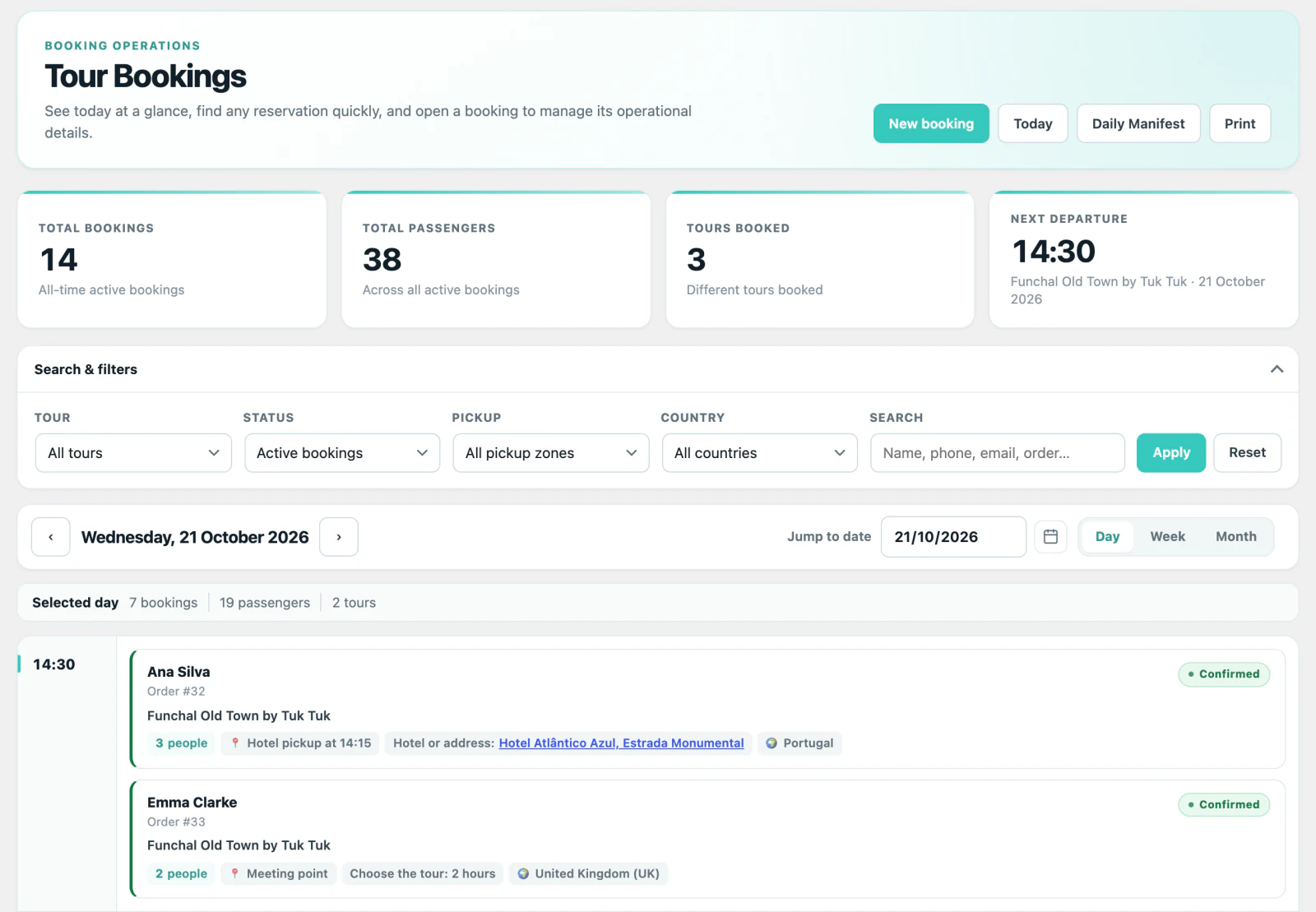
| Bookings | Day, week and month views, search, filters, every operation on a booking |
| New booking | Book a customer by phone, in person or by message (see Staff bookings) |
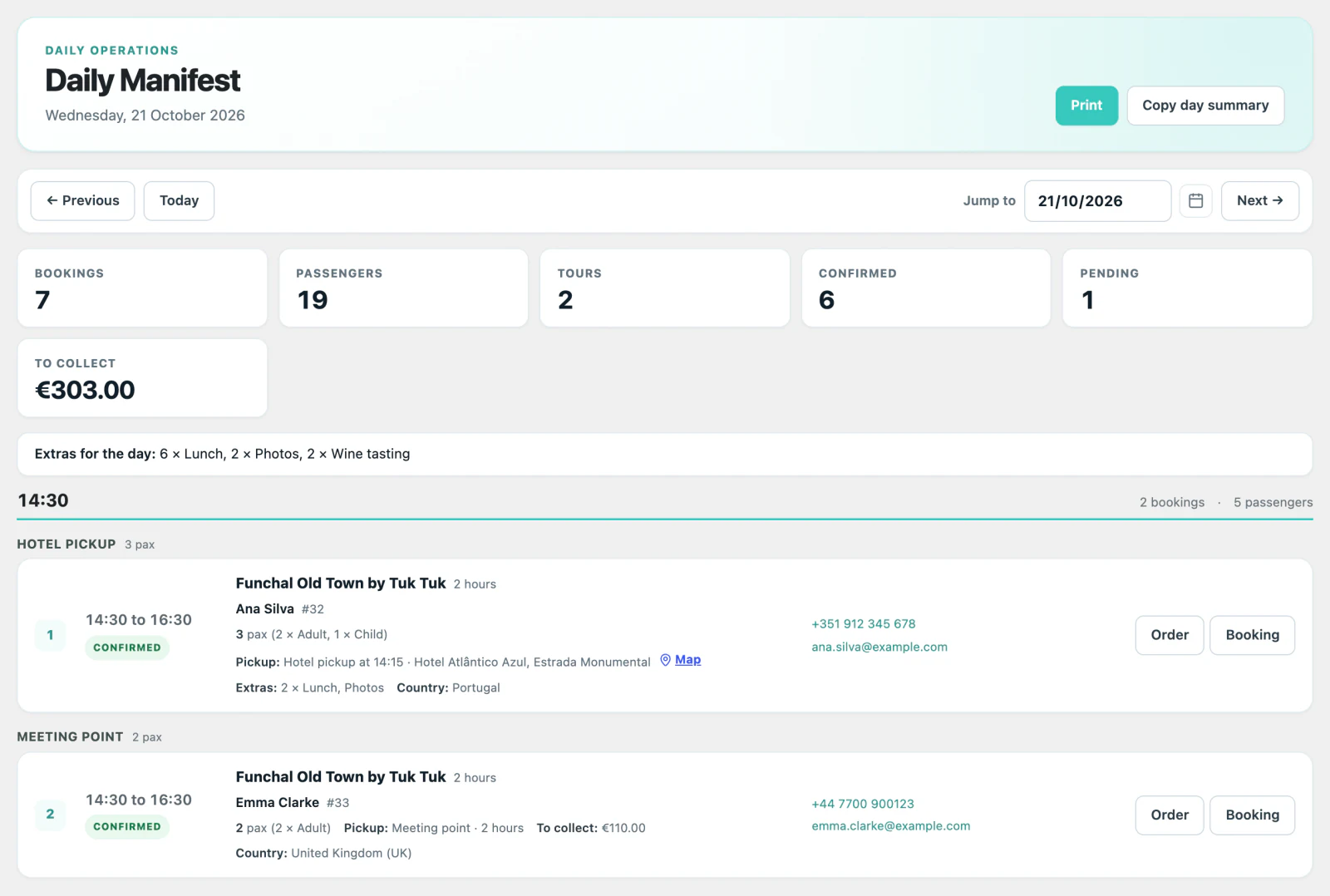
| Daily Manifest | The list to print, copy or export before departure |
| Tours | Every tour product and its next departures |
| Reports | Bookings, passengers, revenue, lead time, countries and pickups by tour date |
| Calendar | The private feed for Apple Calendar, Google Calendar or Outlook |
| Communications | WhatsApp, email and copy templates, private staff notes |
| Tools | Backups of tour configuration, exports, recovery |
| Settings | Booking rules, the booking form, customers, staff, pickup zones |
| Health | Checks on the configuration and the scheduled jobs |
| Support | Documentation, changelog, contact, the system report |
On the WordPress Dashboard
Anyone who manages bookings sees a Tourbo card on the WordPress Dashboard, first in the column until they move it:
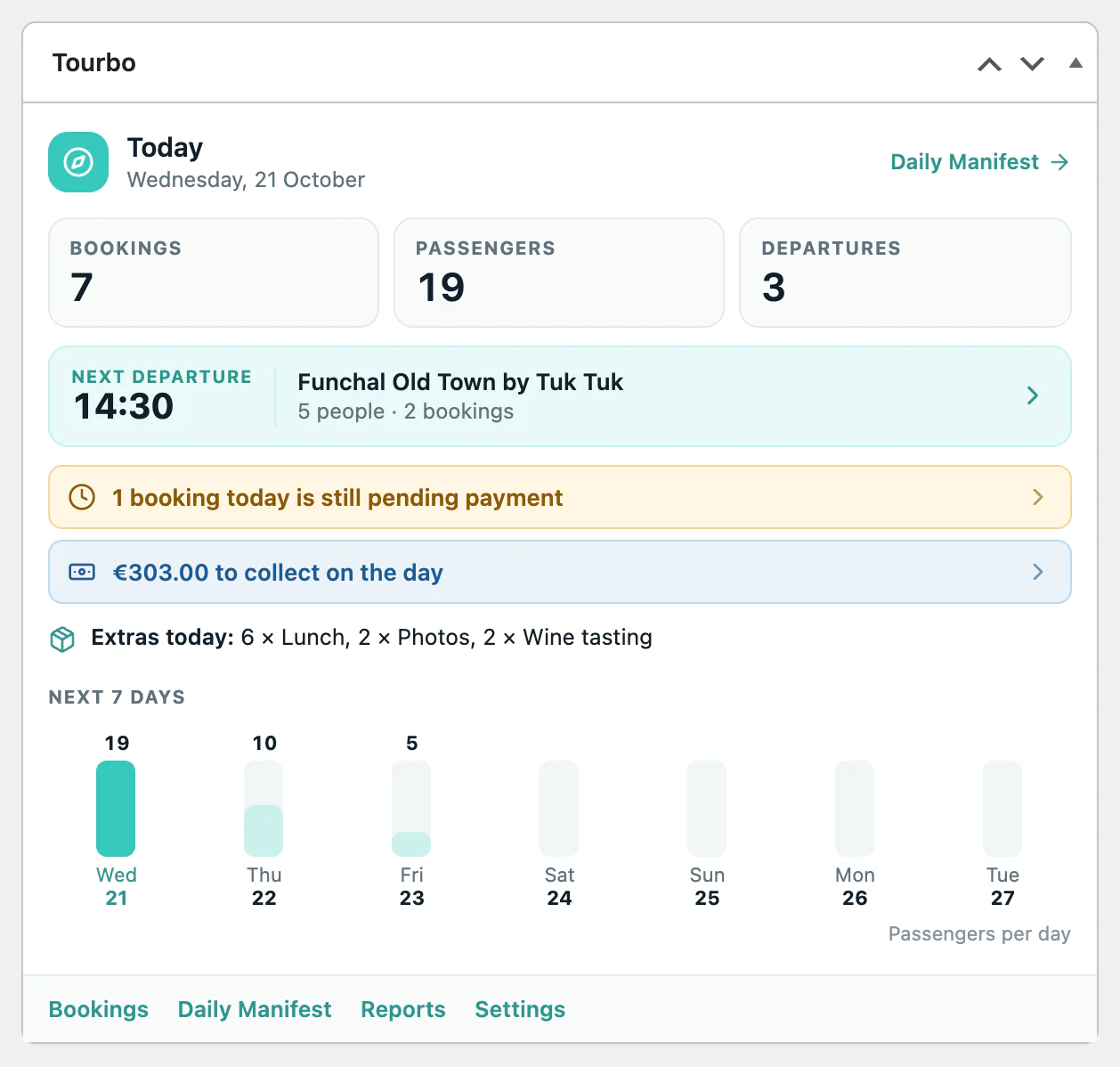
- Today: bookings, passengers and departures (or vehicles needed against the fleet, if the fleet is switched on), and the next departure with its tours, people and bookings. On a quiet day, the next day with bookings.
- Needs attention, only when it applies: bookings still pending payment, bookings missing pickup details, balances to collect on the day, tour payments that failed in the last 7 days, and a day that needs more vehicles than the fleet has. Each line opens the screen that deals with it.
- Extras today, for example 2 × Lunch.
- Next 7 days: passengers per day; each day opens its bookings.
- Booked this month against last month, for those who can see Reports.
The numbers are refreshed every few minutes. Hide or move the card from Screen Options, like any Dashboard widget.