
Deposits
Customers can pay part of a tour when they book and the rest to your team on the day.
For the whole site: under Tourbo, Settings, Booking, Deposits, tick Take a deposit on tours that follow the site's rule and choose:
| Setting | What it does |
|---|---|
| Deposit | A percentage of the booking (for example 30) or A fixed amount per person (for example 10, so 3 people pay 30 now) |
| Amount | The percentage, 1 to 99, or the amount per person in your shop currency |
| Let customers choose to pay in full instead | On by default: the form offers both. Untick it to always take the deposit |
For one tour: on its Tour tab, Deposit chooses between the site's rule, a rule of its own, or no deposit (paid in full).
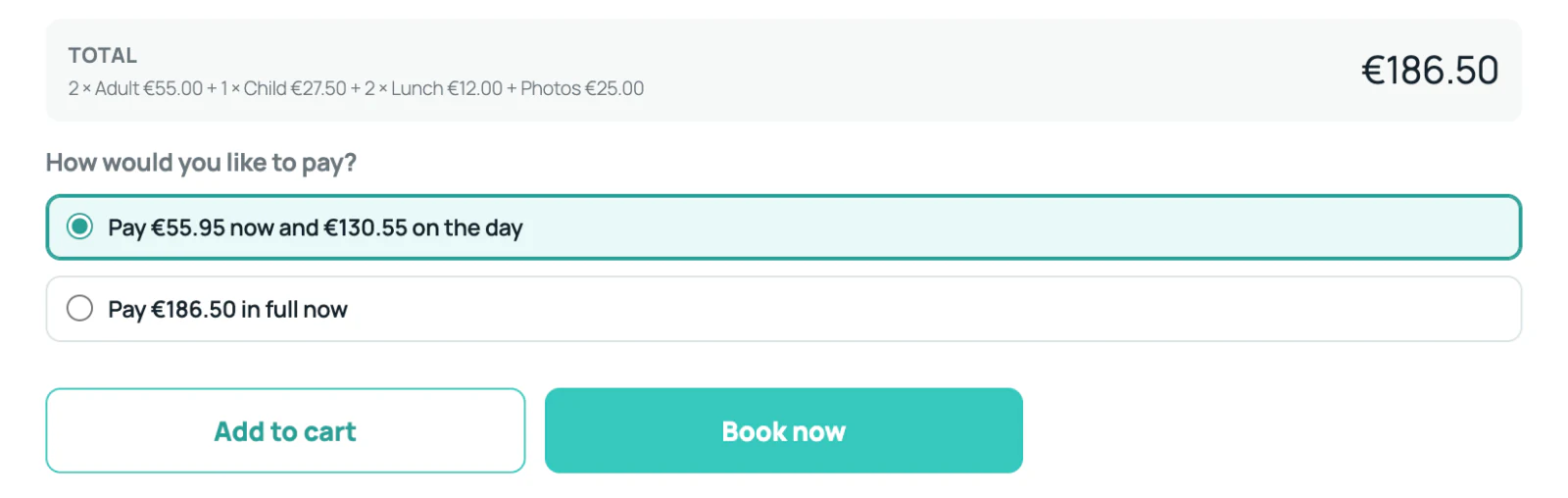
Once a departure is chosen, the booking form asks How would you like to pay?, for example "Pay €27.00 now and €63.00 on the day" or "Pay €90.00 in full now". The deposit applies to the tour's price, including ticket types; pickup fees are always paid now. A deposit as large as the booking is simply paid in full.
The cart shows Pay now and On the day on each booking and To pay on the day under the total; the order shows Deposit paid and Balance due on the day; the confirmation email reminds the customer of the balance. In a Bricks cart, use the tag {ms_cart_balance_due}. Tour Bookings shows the balance on each booking, and the Daily Manifest shows To collect per booking, in its total, its copy text and its CSV. When the customer pays, open the booking and click Mark balance paid: the order gets a note and the line reads Paid. Reports count a deposit booking at its full value.
Test deposits on a staging copy with a real test payment before you switch them on for a live site: they change what is charged at checkout.