
Getting started
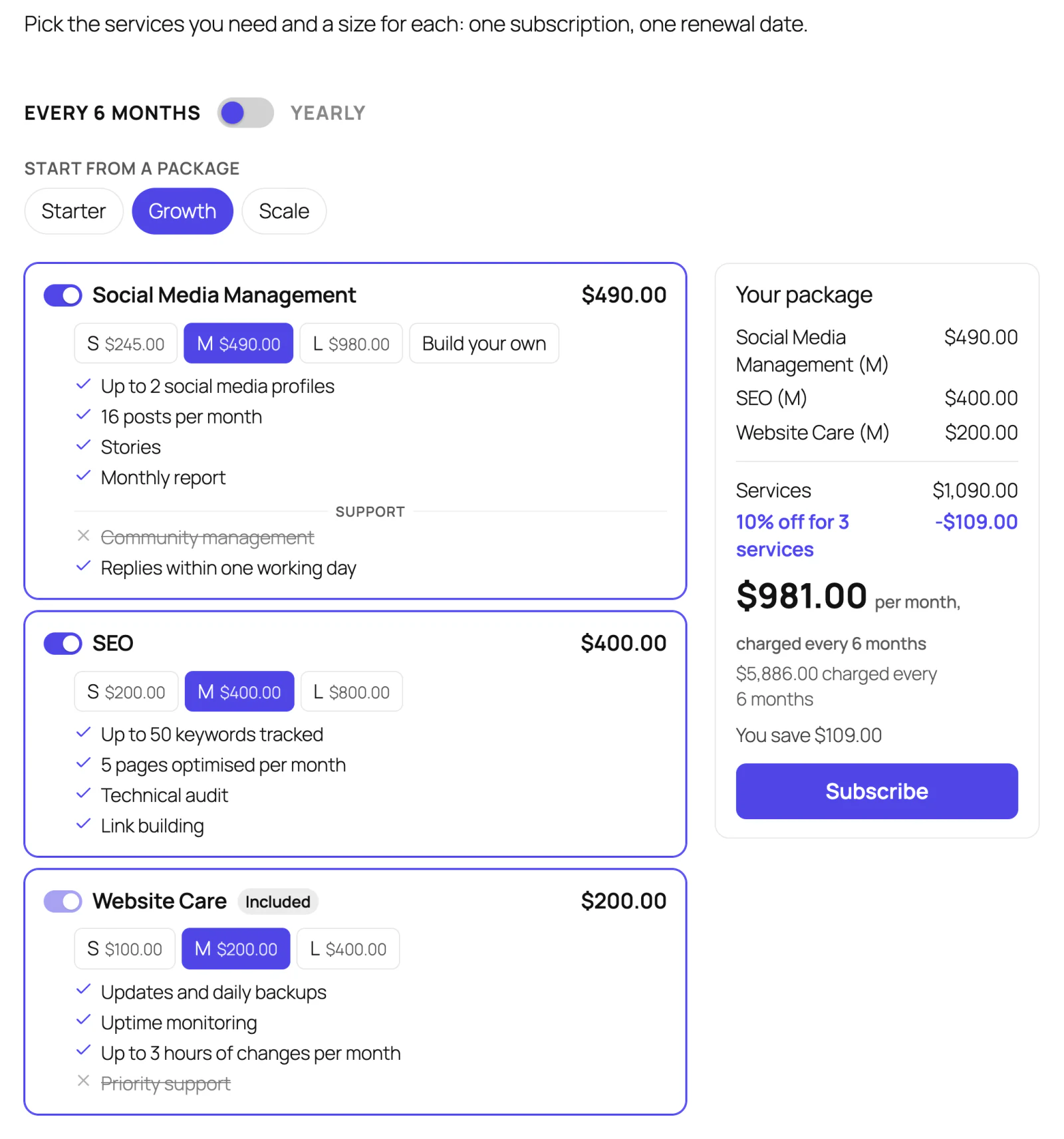
Package Builder turns one FluentCart product into a package the customer composes from your other products. Each service they add is one of your products; the size they pick for it is one of that product's subscription variations; the whole package is one subscription.
It also gives every service a feature table, with pricing cards and a Build your own section rendered from it, so the same description of what each size includes is used everywhere.
Requirements
- WordPress 6.7 or newer, PHP 7.4 or newer.
- FluentCart, with a payment method that handles subscriptions (Stripe or PayPal).
- Your services as FluentCart products with subscription variations, one per size (and per billing cycle when you offer more than one).
How it fits together
| Piece | What it is | Where you set it up |
|---|---|---|
| Service | A FluentCart product, such as Social media | FluentCart, Products |
| Size | One of its subscription variations, such as L yearly | FluentCart, the product's variations |
| Feature table | What each size includes | Packages, open the service |
| Package | A product composed of services, such as All in One | Packages, open the package product |
Set it up in five steps
- Create each service in FluentCart with a subscription variation per size and billing cycle (Services).
- Under FluentCart, Packages, open each service and describe what its sizes include in the feature table.
- Put
[fcpb_pricing]on the service's page for its pricing cards, and[fcpb_custom]if it offers Build your own (Pricing cards and Build your own). - Create the package product, open it under Packages, switch This product is a package on, and add its services, presets and discount tiers (Packages).
- Adjust the look and the words under Packages, Settings (Settings).
Where things are
Everything lives under FluentCart, Packages:
| Tab | What it is for |
|---|---|
| Products | Every FluentCart product; open one to set it up as a service or a package |
| Sold | Every package a customer composed and checked out |
| Settings | The builder's look, how prices read, the billing switch and the words on the page |
| Licence | Your licence key, for updates |
| Support | Documentation, the changelog and how to reach us |