
Pricing cards and Build your own
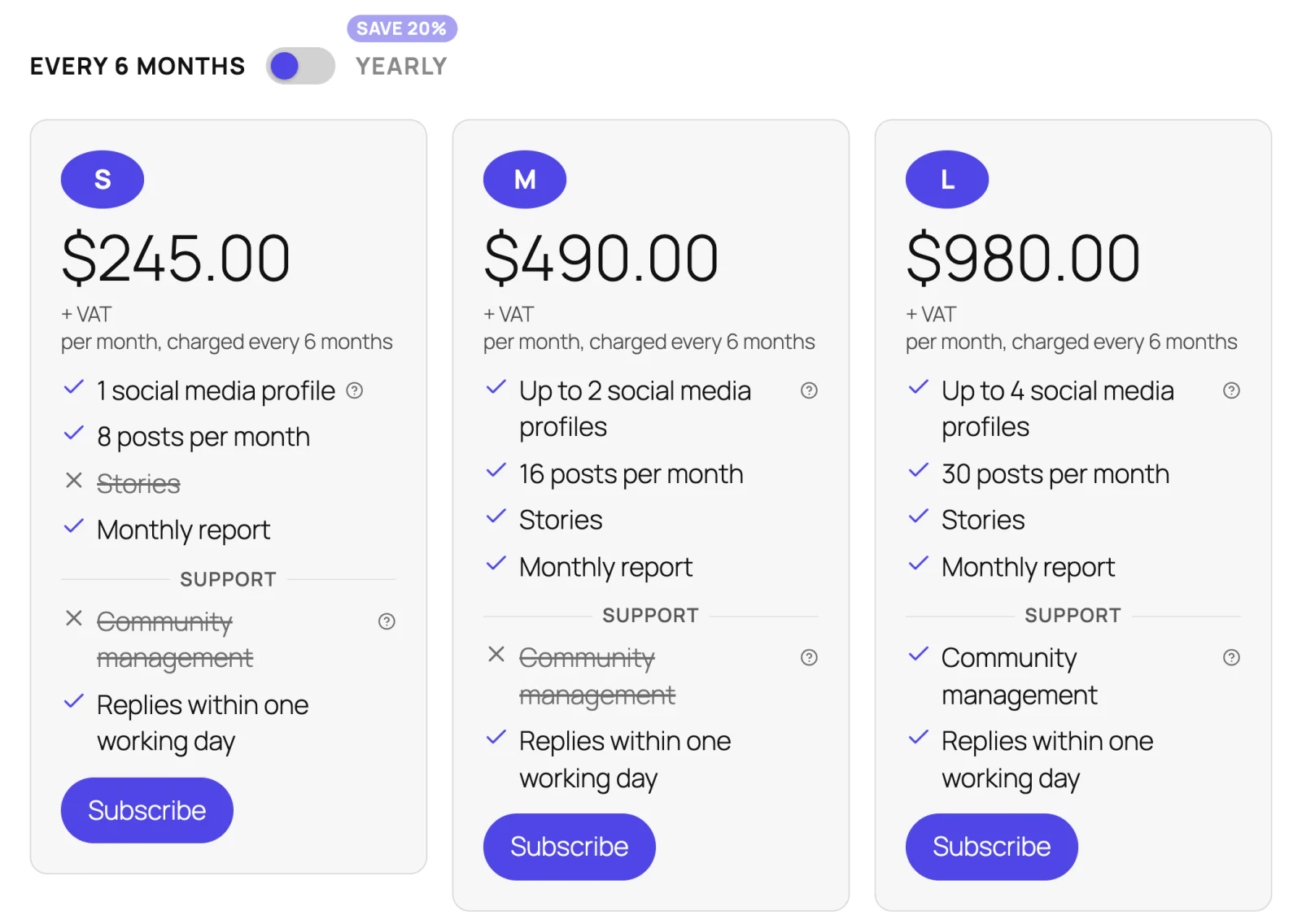
Two shortcodes render a service for customers. Both take the product of the page they are on, so they can sit in a product template, or any page with product_id.
| Shortcode | Renders |
|---|---|
[fcpb_pricing] | A card per size with its feature lines, a billing switch and a Subscribe button to FluentCart's checkout |
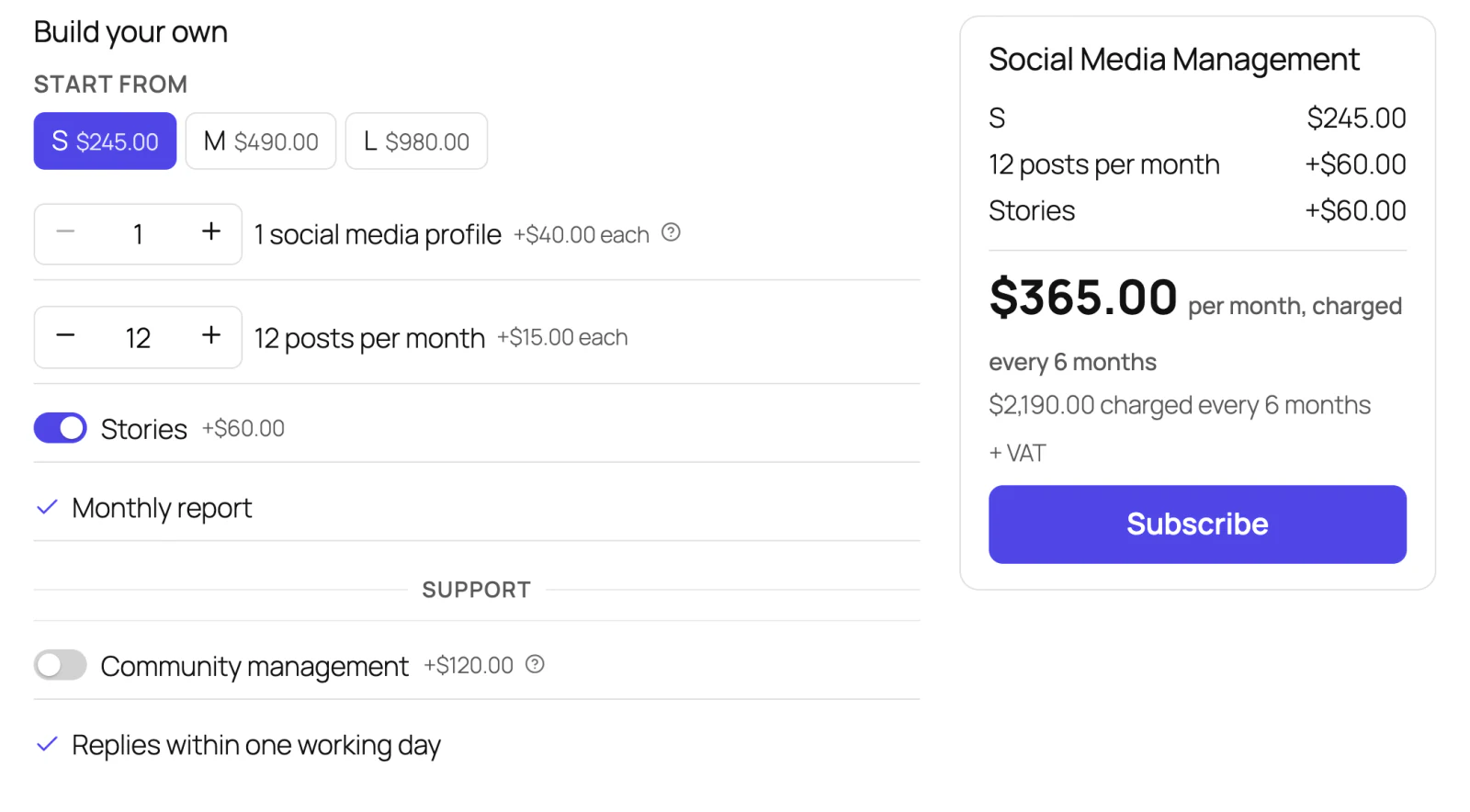
[fcpb_custom] | Build your own: the feature controls with a live price and one Subscribe |
When both are on the page, Build your own follows the cards' billing switch.
Attributes
| Attribute | On | What it does |
|---|---|---|
product_id="123" | Both | The service; defaults to the product of the page |
note="+ TAX" | Both | Small text beside the price |
per_month="0" | Both | 1 shows prices per month ("per month, charged yearly"), 0 the amount per cycle; blank follows Settings |
button="Subscribe now" | Both | The button label; defaults to the one in Settings |
name="1" | [fcpb_pricing] | Shows the service's name on every card (by default the cards show the size only) |
title="..." | [fcpb_custom] | The section's heading; defaults to the Build your own label |
Build your own
Open the service under FluentCart, Packages and switch Offer Build your own for this service on. The customer starts from a size and adds options and quantities on top, with a live price.
- Label: the name customers see; blank reads "Build your own".
- Starts from: the size whose amounts are included. Its variation price is the base; the customer adds above it.
- Cycle factors: extras are priced per month, and each billing cycle multiplies them. Blank follows the saving your sizes already give: yearly priced at thirty percent off monthly makes the factor 12 × 0.7 = 8.4, so extras are discounted the same way.
Inside a package, Build your own is a Custom size on the service.
Sold through Build your own alone
Switch on Sell this service through Build your own alone to hide the service's pricing cards: a template with both shortcodes then shows the Build your own section only, and in the package builder Custom is the only choice for that service. Presets can still pin a size.
Prices per month
By default every price reads per month with what is charged underneath: "116.67 per month, charged yearly", and the summary adds "1,400.00 charged yearly". Packages, Settings, Prices switches to amounts per cycle, and per_month changes it for one placement.