
Packages
A package is a FluentCart product composed of your services. The customer picks the services, a size for each, and subscribes to one subscription for the lot.
Make a package
- Create the product that will be the package, for example "All in One", with any price (it is not used).
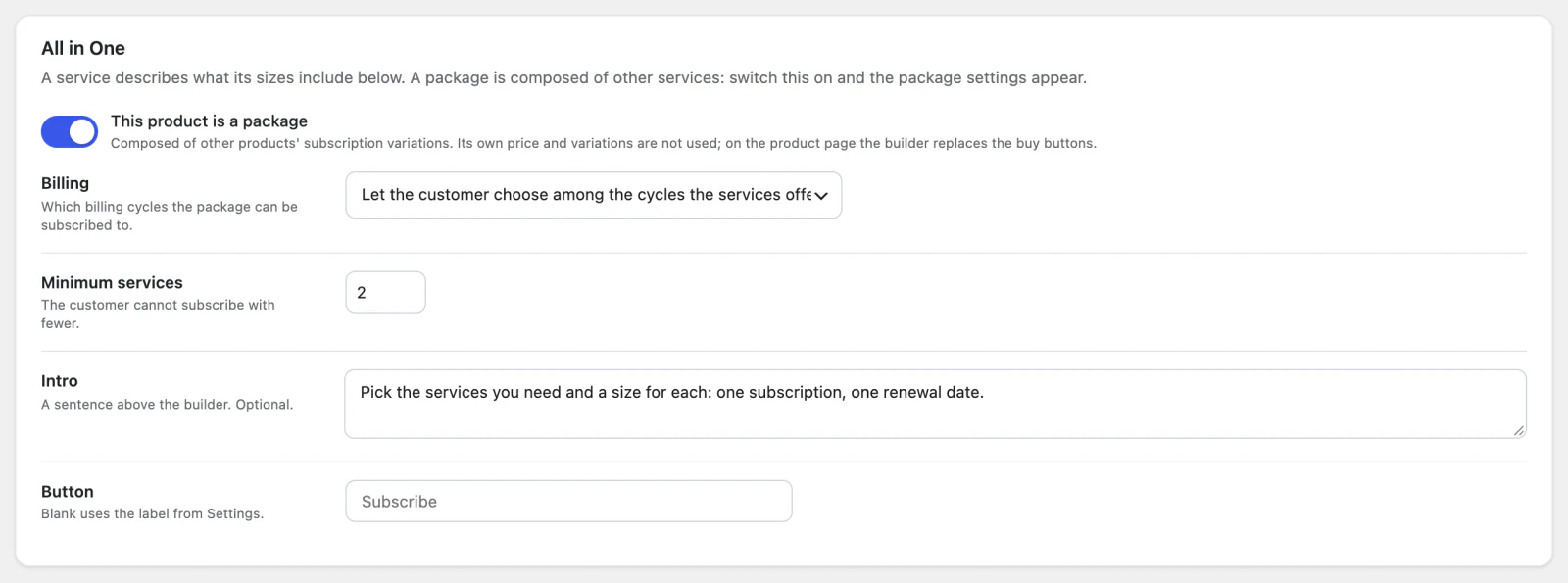
- Under FluentCart, Packages, open it and switch This product is a package on. The package settings appear.
| Setting | What it does |
|---|---|
| Billing | Which cycles the package can be subscribed to: one cycle, or the customer's choice among the cycles the services offer |
| Minimum services | The customer cannot subscribe with fewer |
| Intro | An optional sentence above the builder |
| Button | The Subscribe label for this package; blank uses the one in Settings |
Services
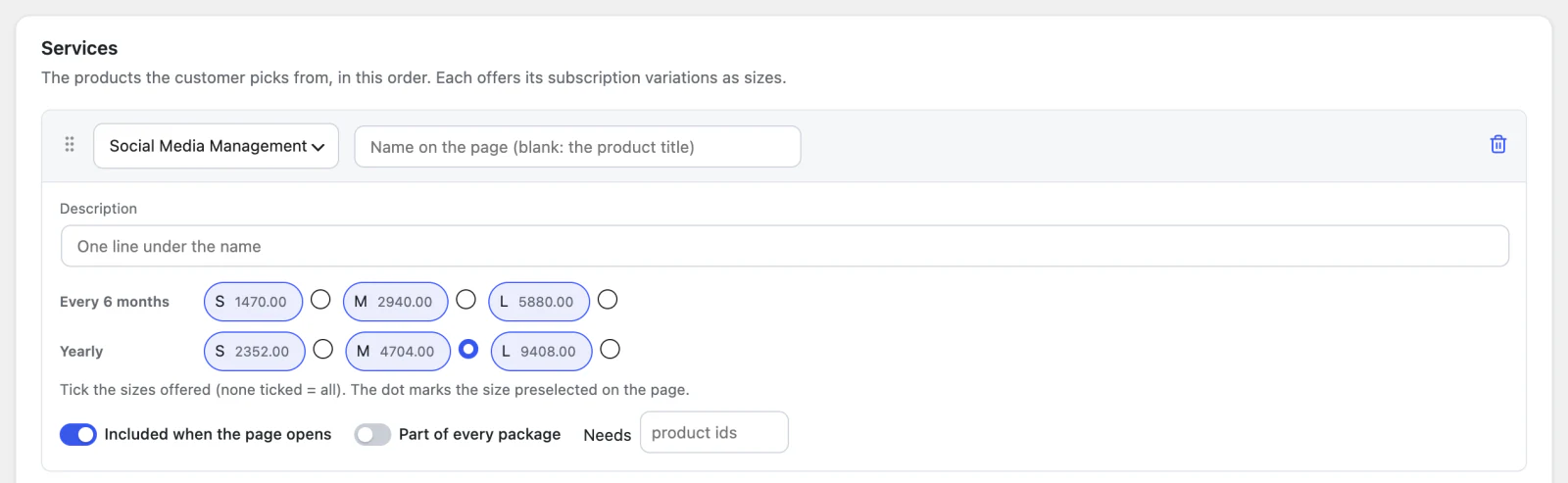
Add each service product, in the order the customer should see them. For each one:
- Tick which sizes it offers in the package; none ticked means all.
- Mark the size preselected when the page opens.
- Choose whether it is Included when the page opens (the customer can remove it) or Part of every package (always in).
Presets
A preset fills the whole package in one click. It picks, for every service, the size whose name matches: "L" picks the L of each service, and a service without an L is left out. Add "XS" to "XL", give each the label shown on the page, and reorder them as you like. The customer can still change any service afterwards.
Discounts
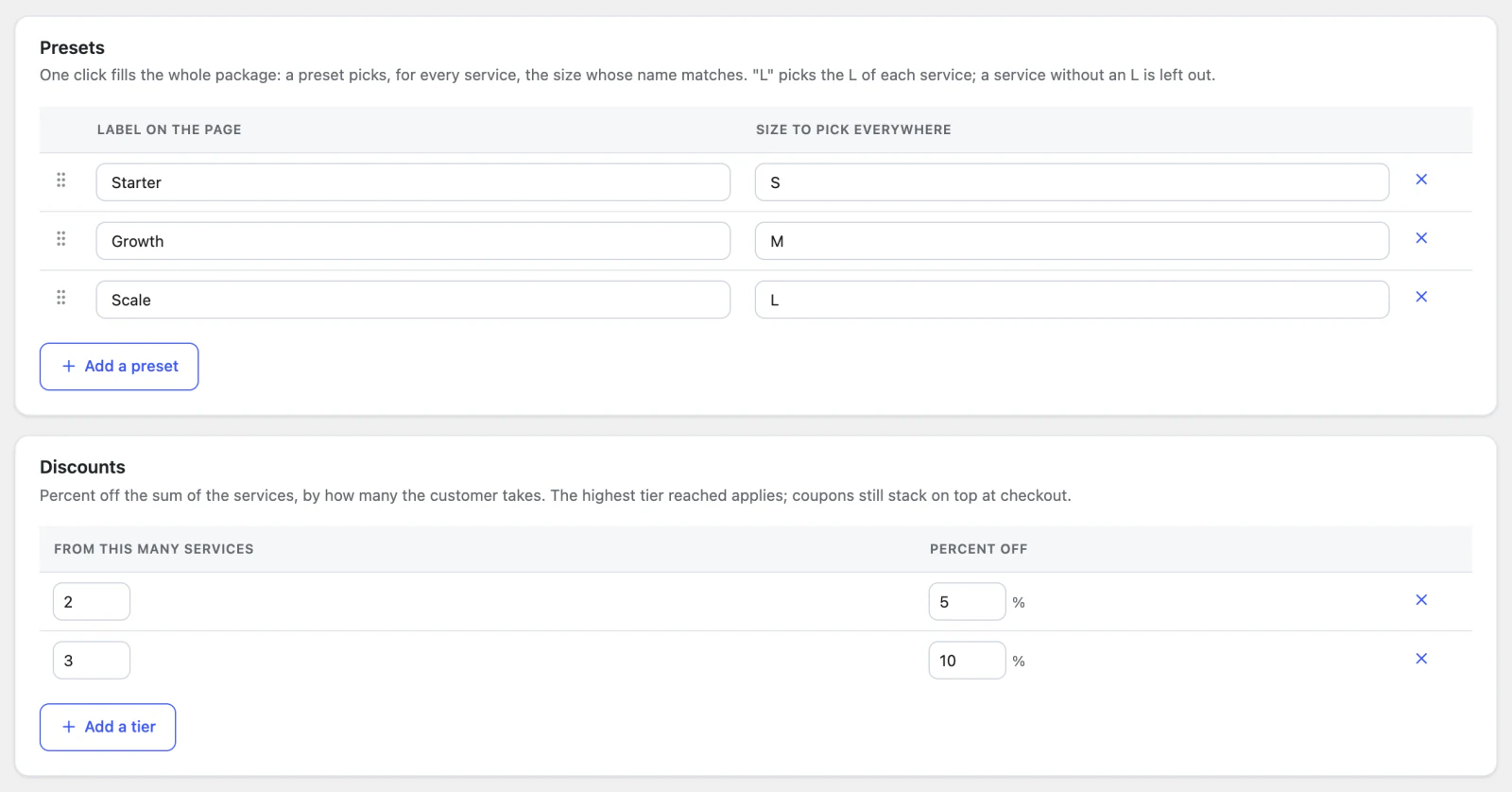
Discount tiers take a percentage off the sum of the services by how many the customer takes: from 3 services 10% off, from 5 services 15% off. The highest tier reached applies, the builder shows how much more one more service would save, and coupons still stack on top at checkout.
Placing the builder
On FluentCart's own product page the builder replaces the buy buttons by itself. In a Bricks template or any other page, use the shortcode [fcpb_builder product_id="123"].
What the customer gets
One subscription named after the package, with the services and sizes, the billing cycle and the discount listed on the cart, the checkout, the order and the emails. It renews as one amount.
Prices always come from the services' variations at the moment of purchase, so raising one updates the next package sold. Every price is worked out on the server: a browser can never change what is charged.
Packages sold
Packages, Sold lists every package a customer composed and checked out: its services, billing cycle, total, order, status and date, with a search. Drafts nobody paid for disappear after a day.
Changing a package later
FluentCart's plan change works between variations of one product, and a composed package is not that. To change the mix, cancel the subscription and compose a new one.