
Settings
FluentCart, Packages, Settings sets how the builder, the pricing cards and Build your own look and read on every page. The builder inherits your theme's fonts and colours; these settings adjust the rest.
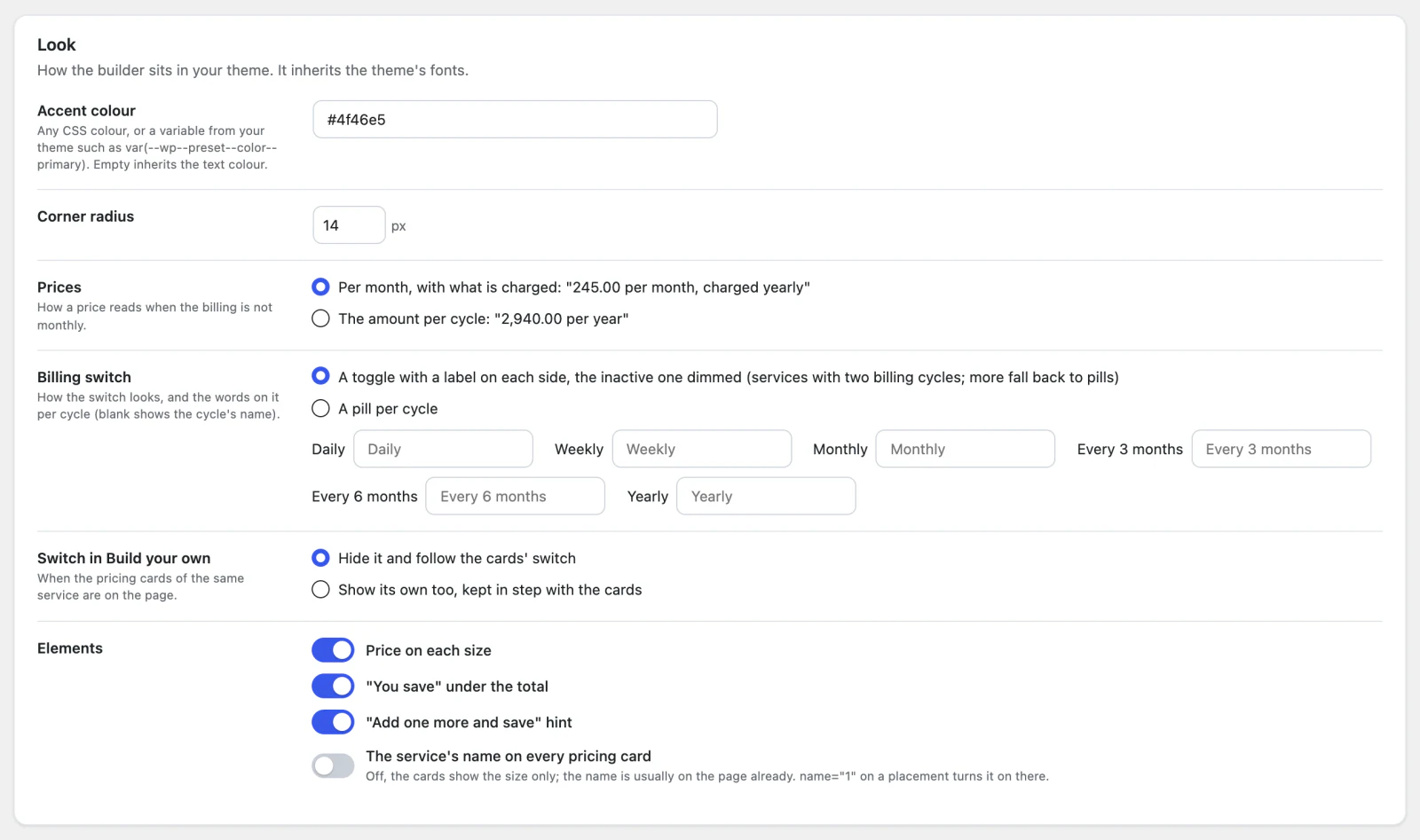
Look
| Setting | What it does |
|---|---|
| Accent colour | Any CSS colour, or a variable from your theme such as var(--wp--preset--color--primary). Empty uses teal (#0f766e). Text on the accent turns dark by itself when the colour is light |
| Corner radius | The roundness of cards and controls, in pixels |
Prices
How a price reads when the billing is not monthly:
- Per month, with what is charged: "245.00 per month, charged yearly" (the default).
- The amount per cycle: "2,940.00 per year".
A placement can change this with per_month.
Billing switch
- Style: a toggle with a label on each side, the inactive one dimmed (for services with two cycles; more fall back to pills), or a pill per cycle.
- Words: the text on the switch for each cycle, such as "Pay yearly". Blank shows the cycle's name.
- Switch in Build your own, when the pricing cards of the same service are on the page: hide it and follow the cards' switch, or show its own too, kept in step with the cards.
Elements
| Switch | What it shows |
|---|---|
| Price on each size | The price next to every size in the builder |
| "You save" under the total | The discount in money under the package total |
| "Add one more and save" hint | How much more one more service would save |
| The service's name on every pricing card | Off by default: the name is usually on the page already. name="1" turns it on for one placement |
Words
The labels on the page: the Services heading, Size, Billing, the Presets heading, the Summary heading, the Subscribe button and the "Included" badge. A package can override its own button.