
Print queue
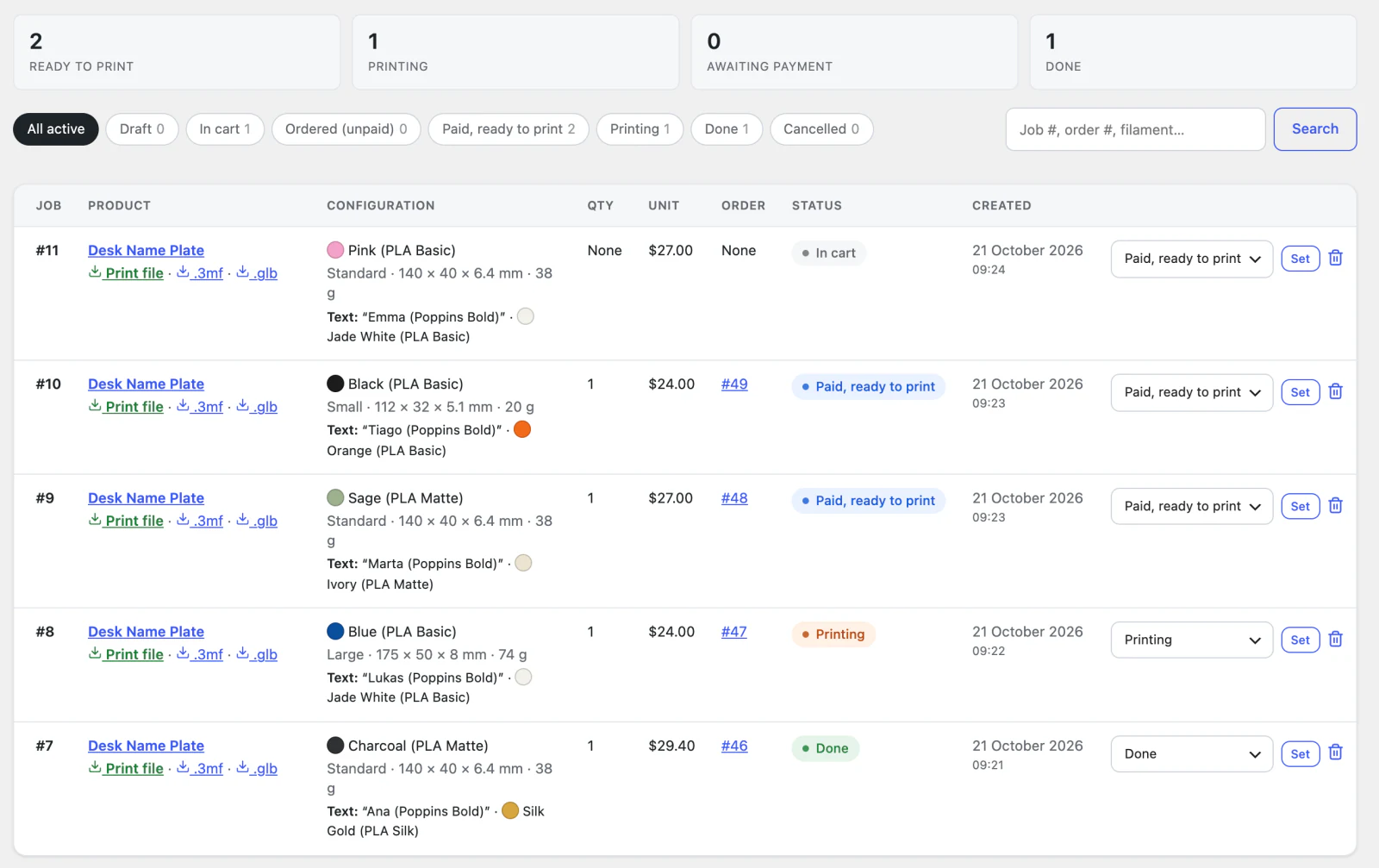
Every configured print a customer adds to the cart becomes a job. The queue under 3D Print is where you see what to print, download the files and move each job along.
Statuses
| Status | Meaning |
|---|---|
| Draft | Configured on the product page, not in a cart yet. Old drafts are removed automatically. |
| In cart | In a customer's cart |
| Ordered (unpaid) | An order exists, payment pending |
| Paid, ready to print | The one to look for. The counter on the menu is these. |
| Printing | You set this when the print starts |
| Done | Printed and shipped |
| Cancelled | Final |
Paid, Printing, Done and Cancelled are yours to set, from the dropdown on the row. Status only moves forward. Every change can fire the webhook if you use one.
Files
Each row links the files for that job:
- Print file: the model exactly as ordered. Typed 3D text is real geometry, parts hidden by an option are left out, the ordered size is baked in, and each part carries the colour the customer chose, both as a standard 3MF material and, for Bambu Studio and OrcaSlicer, as the filament slot it is assigned to. Part names say which filament to load. Drop it in the slicer and print.
- .3mf / .stl and .glb: the catalogue files you uploaded, for when you want to start from scratch.
The print file is only built when the catalogue file would be wrong (text, hidden parts, a size other than 100%). Switch it off under Settings, Print files if you prefer to apply those yourself in the slicer.
What a row shows
The product and variant, the filament with its colour, the size and the dimensions at that size, the estimated or measured weight (see Products), any typed text with its colour, the quantity ordered, the unit price, a link to the FluentCart order, and when the job was created.
Filtering
The pills above the table filter by status; the search box finds a job by its number, an order number or a filament name.
Deleting
The bin icon on a row deletes the job and its print file after a confirmation. The FluentCart order is untouched.
Automation
The queue is also available as a REST API, and every status change can call a webhook. See Automation and API.