
Options
Options are what the customer chooses besides colour and size. They are built on the product's Options tab, appear on the product page in the order you set, and everything they add to the price is computed on the server when the order is placed, so a browser can never change a price.
Types
| Type | Use it for |
|---|---|
| Buttons | A short list of choices shown as pills |
| Radio cards | Choices with a description each, or a picture |
| Dropdown | A long list |
| Checkboxes | Several extras at once, optionally capped at "choose up to N" |
| Toggle | One yes/no extra |
| Text | A name or a short line, optionally as 3D text on the model |
| Text area | Notes or instructions |
| Number | A quantity, priced per unit or as a flat fee |
| Scale slider | A free size between limits instead of size buttons |
| Filament picker | A second colour, for the parts you name (text, a lid) |
| Section | A heading with a line of help, to group what follows |
| Image upload | A photo or logo the customer provides |
Every option has a label, help text shown under it, a required switch, and a price. Choices of a Buttons, Radio, Dropdown or Checkboxes option each have their own price (as a percentage of the base price or a fixed amount), can set the size of the print, can show parts of the model, can switch the 3D file to a model variant, can carry a picture, and can be marked unavailable: still listed, greyed out, cannot be chosen, for "we are out of these" without losing the choice.
3D text
A Text option can be built into the model: pick the part of the model that is the sample text in your file, the font, and what happens when the customer types nothing (hide the part or keep the sample). The customer sees their name on the model as they type, in the text colour if you add a Filament picker for it. Characters the font does not have are refused before the order, with a message saying which ones.
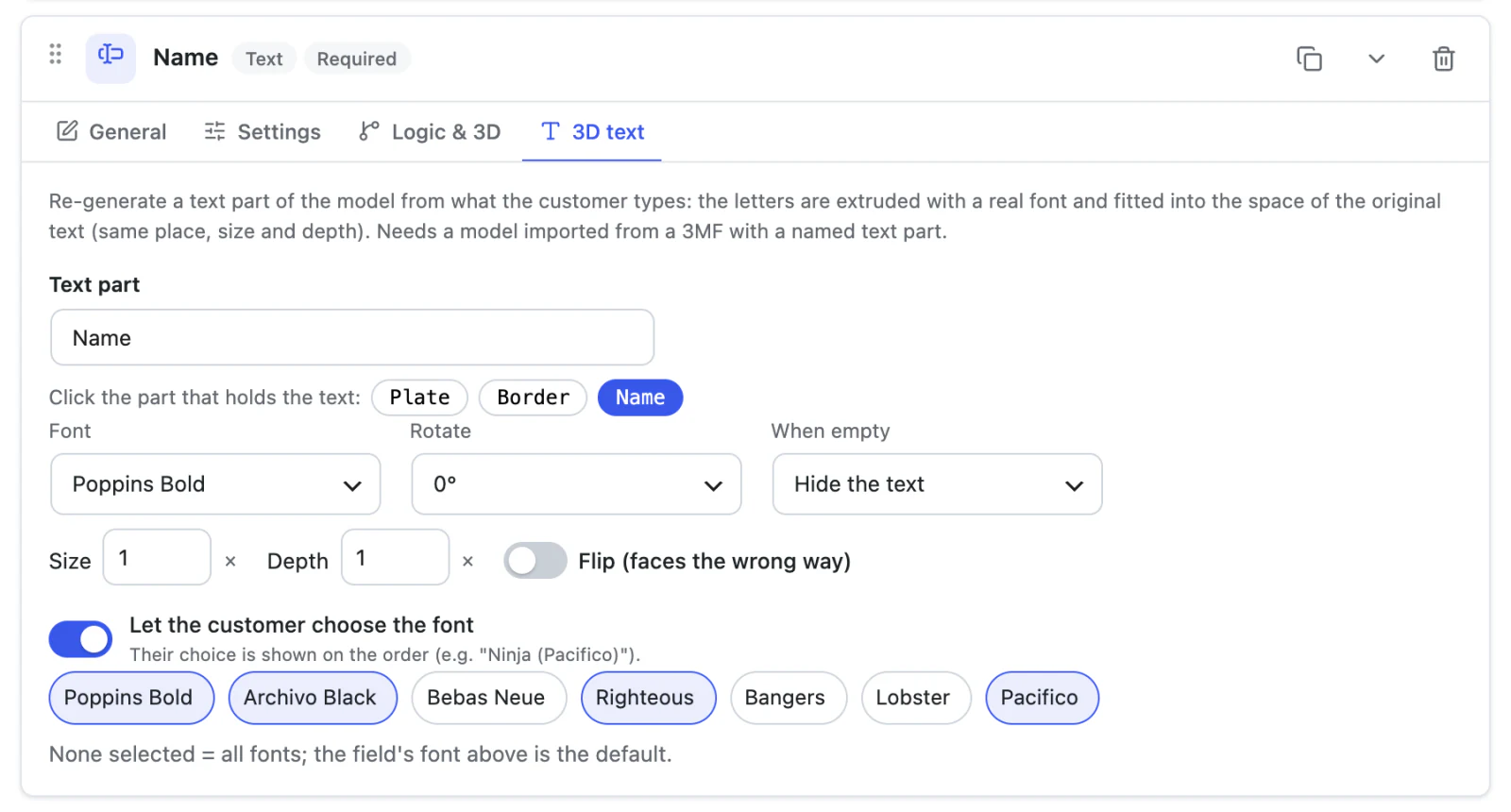
The print file the queue receives has the typed text as real geometry, so there is nothing to redo in the slicer.
Showing and hiding parts
A toggle or a choice can list parts of the model that only appear while it is selected. Those parts are hidden the rest of the time, in the viewer and in the print file, so an optional hook or a second bowl is a real option, not a separate product.
Conditional logic
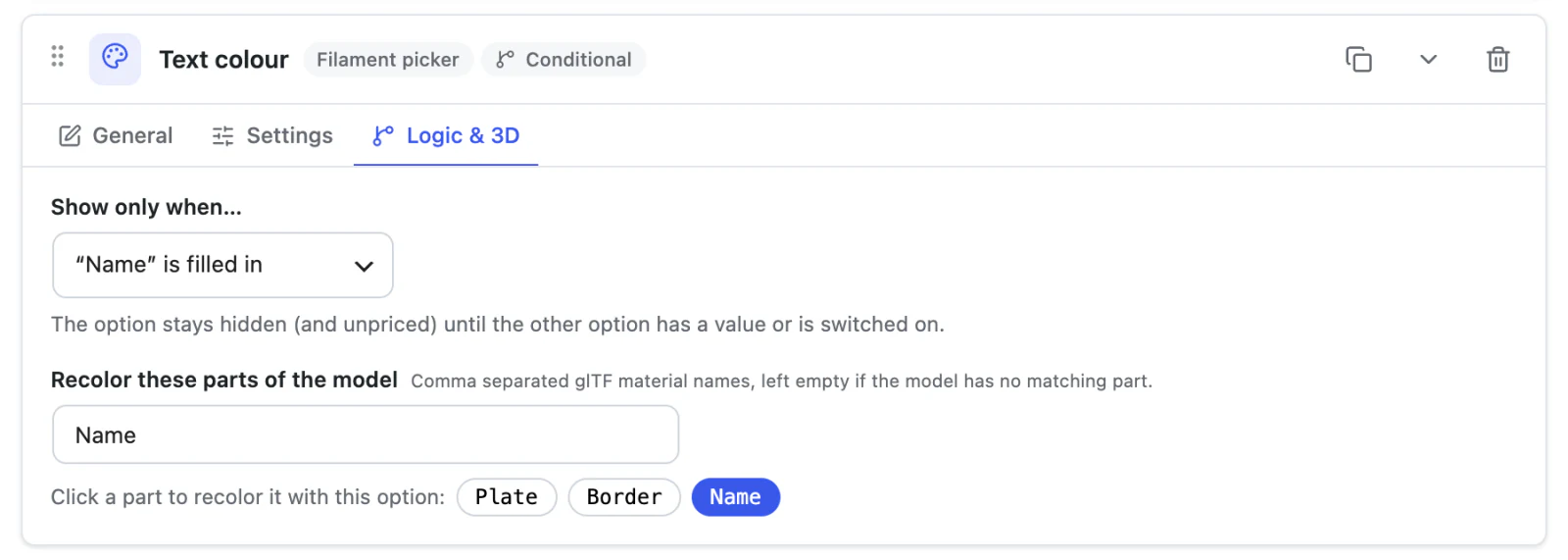
Under Logic, an option can depend on another one: shown only when that option is filled, or only when it is one of the choices you tick. Engraving only for Metal; an extra-large lid only for Large; a hook colour only when the Hook extra is ticked. A hidden option is never priced or recorded, whatever a browser sends.
Limits
- Choose up to N on a Checkboxes option greys the rest out once N are ticked, with a counter.
- Maximum length on a text option shows a live character count.
- Min, max, step on a number option.
Copy and duplicate
Duplicate on an option makes a copy below it, with its choices, prices and logic. Copy options from at the top of the tab brings another product's whole set over. Both keep the rules between options intact.