
Comments moderation
Approve and remove comments on every site from one place.
69 things an agency needs, checked against what WP Umbrella, ManageWP and MainWP publish themselves. Including the few they have and we do not, yet.
PitwallWP vs
Hosted SaaS. €1.99 per site a month, almost everything included; Security and hourly backups extra.
Read the comparisonPitwallWP vs
Hosted SaaS (GoDaddy). Free core; add-ons $1 to $2 per site a month each, or $150 a month for everything up to 100 sites.
Read the comparisonPitwallWP vs
Self-hosted (your own WordPress). Free core; Pro $29 a month, $199 a year or $499 once, for 30+ extensions.
Read the comparison| Feature | PitwallWPHosted, all included | WP UmbrellaHosted SaaS | ManageWPHosted SaaS (GoDaddy) | MainWPSelf-hosted (your own WordPress) |
|---|---|---|---|---|
| Updates | ||||
Bulk updates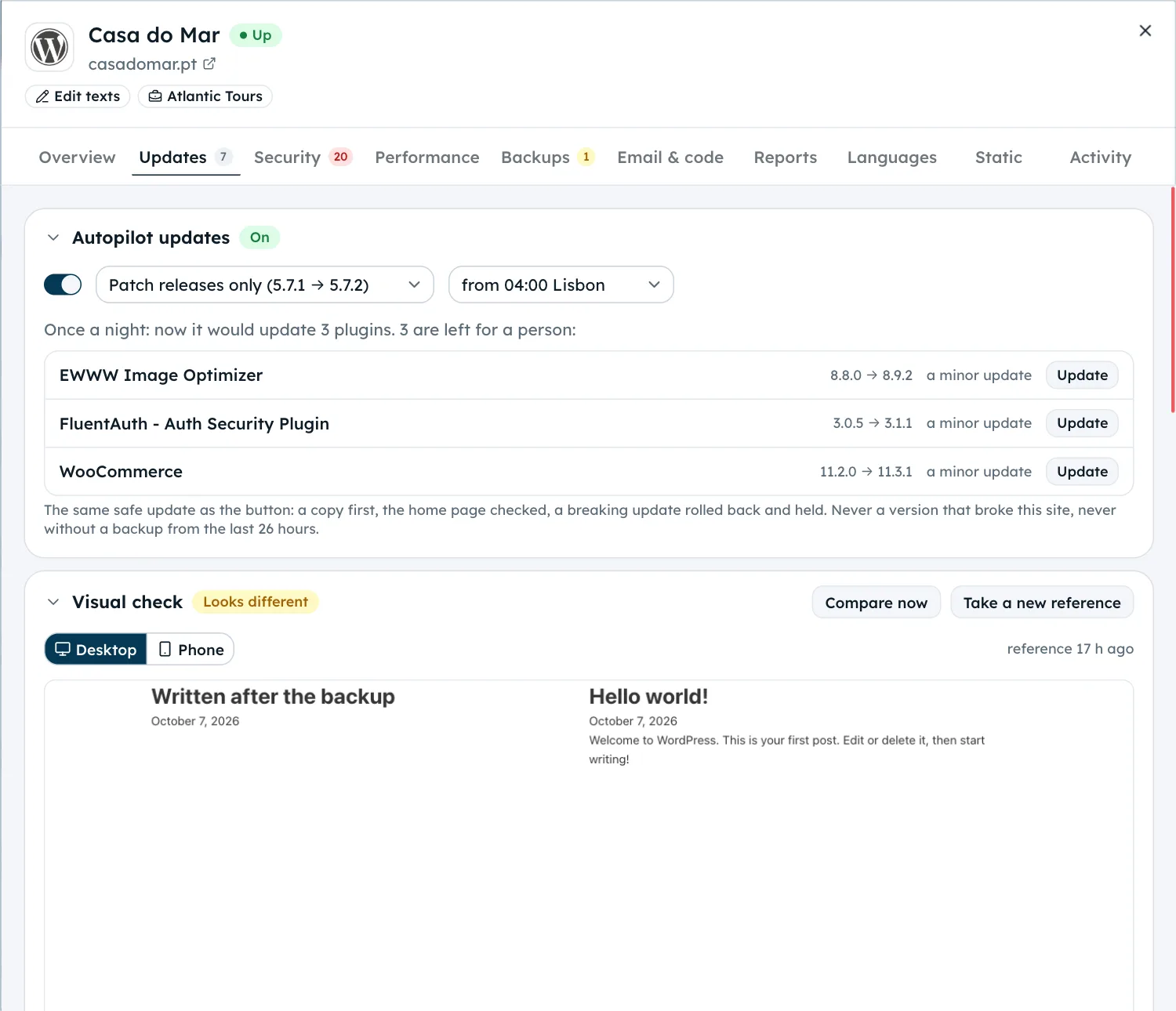 Updates Bulk updatesEvery update waiting on every site, in one list. Update one site, a few, or all of them at once, and read what changed before you press the button.
| ✓ | ◐ | ◐ | ◐ |
Safe updates with a visual check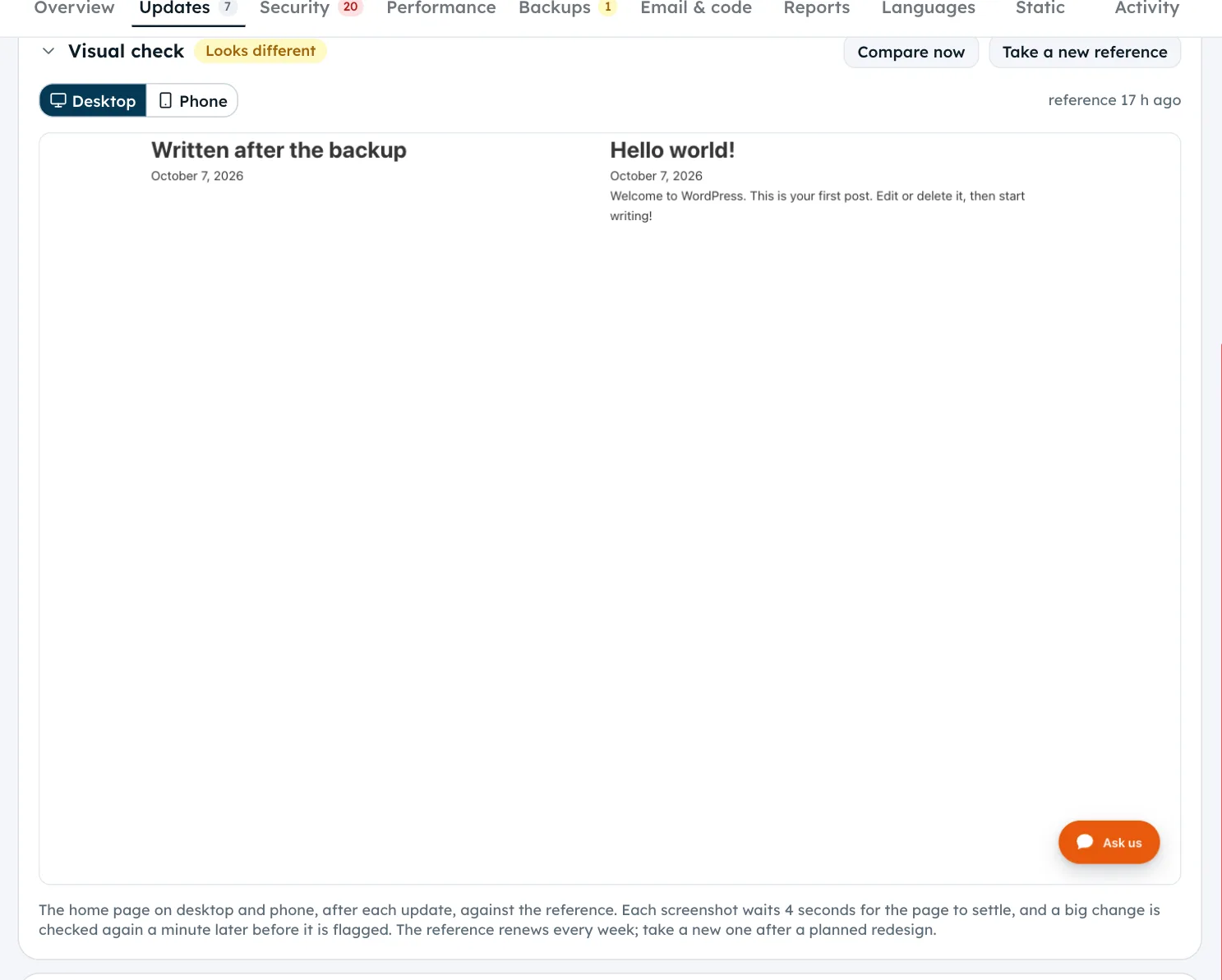 Updates Safe updates with a visual checkPitwallWP takes a copy before it updates, then looks at the site the way a visitor does. If an update breaks the page, only that plugin goes back to the version before. The rest of the updates stay.
| ✓rolls back only the plugin that broke the site | ◐ | ◐Safe Updates | ◐via a backup extension |
Autopilot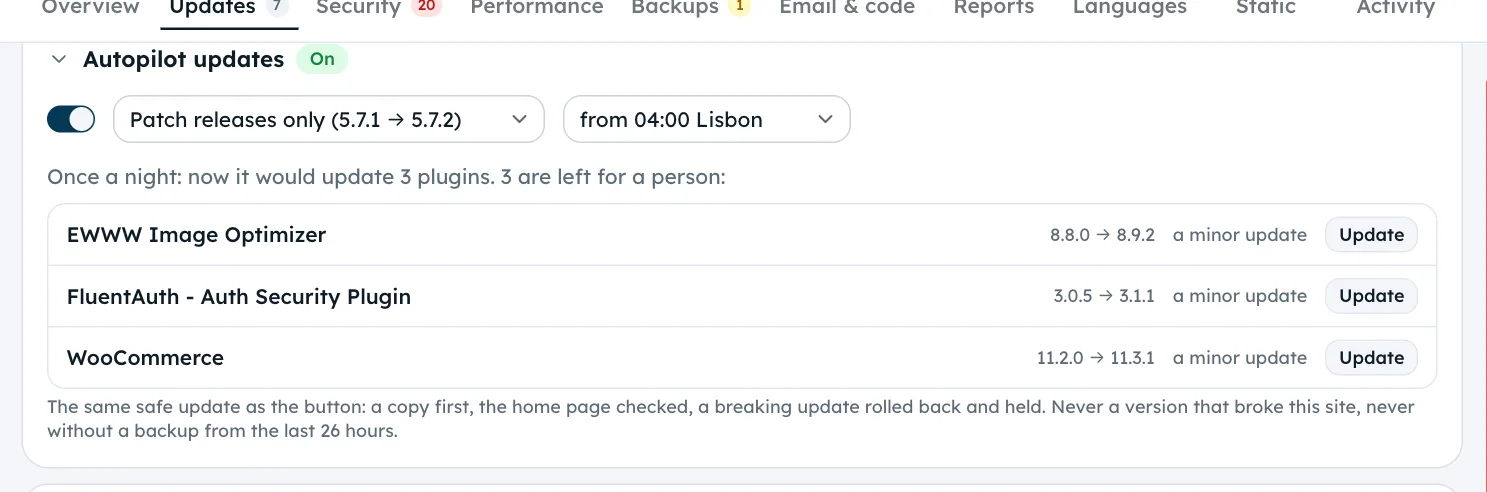 Updates AutopilotChoose the days and the hours for each site, and PitwallWP updates it then. Each run takes the backup, does the visual check and rolls back what breaks, exactly as when you click.
| ✓ | ✓ | ✓ | ✓ |
Plugins across sites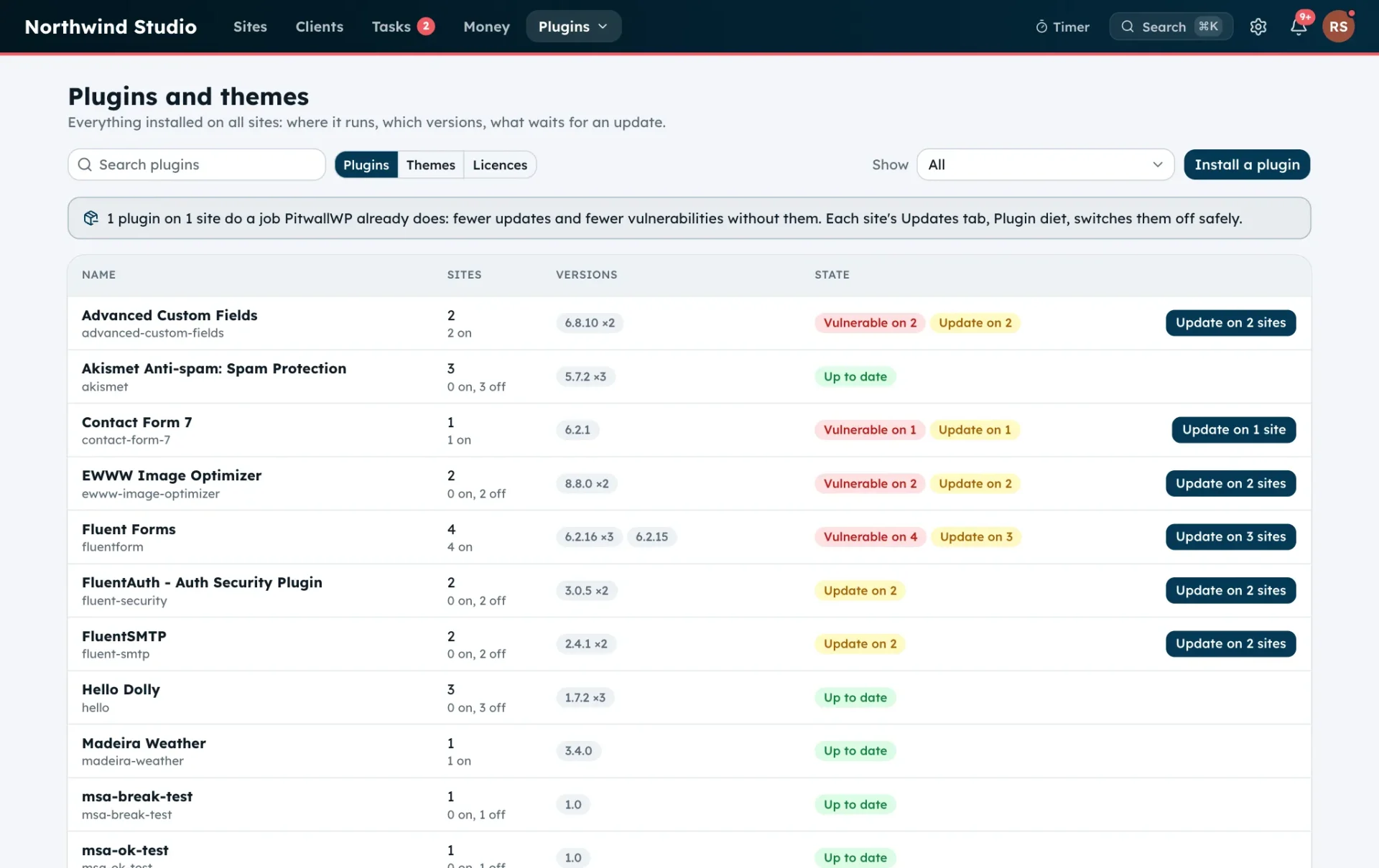 Updates Plugins across sitesOne page lists every plugin and theme on all your sites: where each one runs, which versions, and what waits for an update. From there, install a plugin on several sites in one go.
| ✓ | ? | ✓ | ✓ |
| Backups | ||||
Backups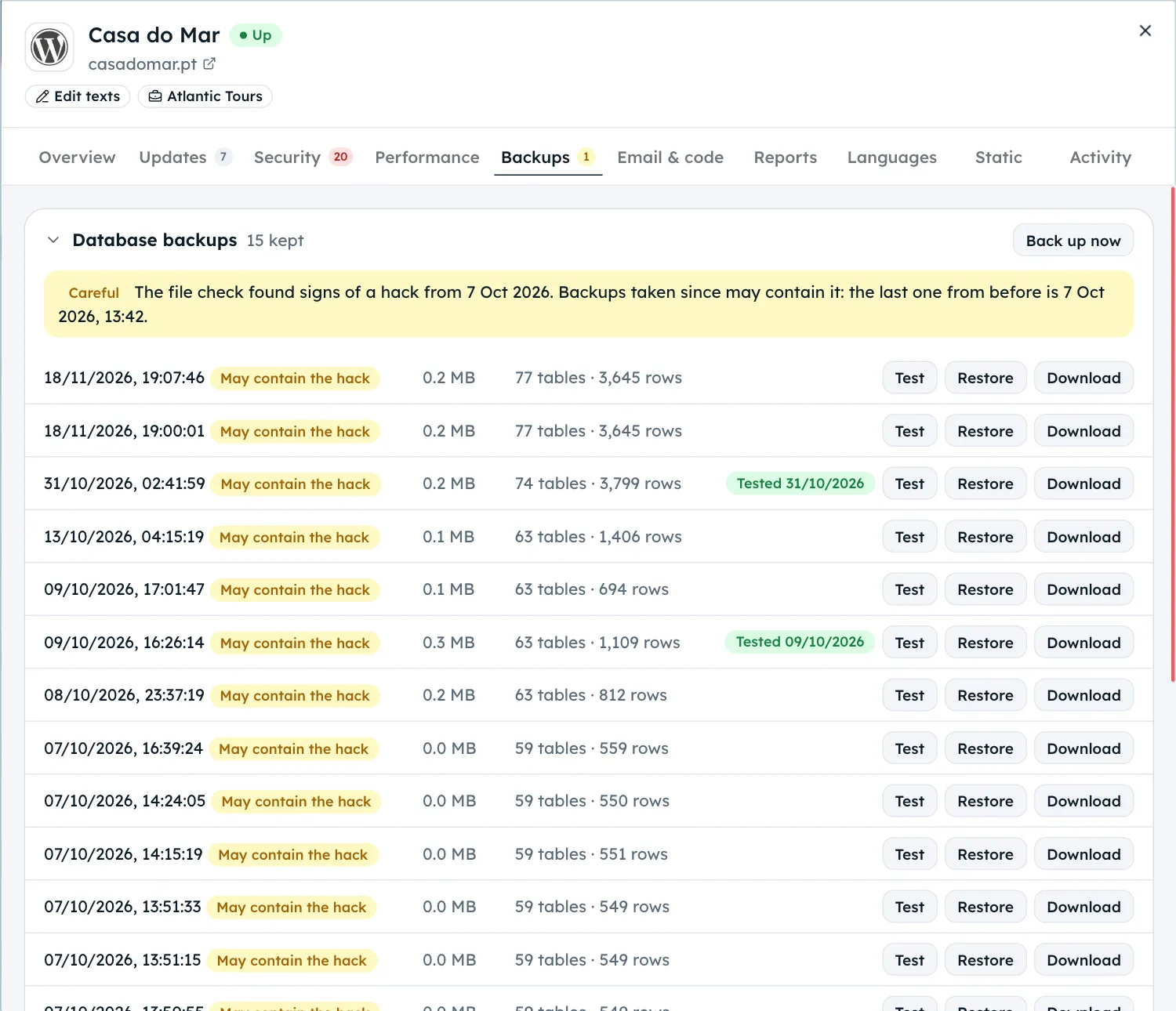 Backups BackupsEvery site’s database is backed up each night and its files each week, kept off the server and encrypted with your agency’s own key. Each week PitwallWP restores the newest backup to check it can be used.
| ✓ | ◐ | ◐monthly free, more paid | ◐UpdraftPlus, WPvivid |
Staging copies Backups Staging copiesMake a copy of a client’s site to try a new plugin, a redesign or a big update. The copy runs on the same server with outgoing emails switched off, so customers never hear from it.
| ✓nothing is pushed back to live | ✓ | ◐clone to a staging destination | +Staging extension |
Site migration Backups Site migrationBuilt the new site on a staging address? PitwallWP puts it on the client’s domain as a clean start. Fresh backups come first, every address changes, and the old site waits 7 days in case you need it back.
| ✓ | ? | ✓ | ✓ |
| Hourly backups Backups Hourly backups | – | €add-on | €add-on | +depends on plugin |
| Security | ||||
Vulnerability alerts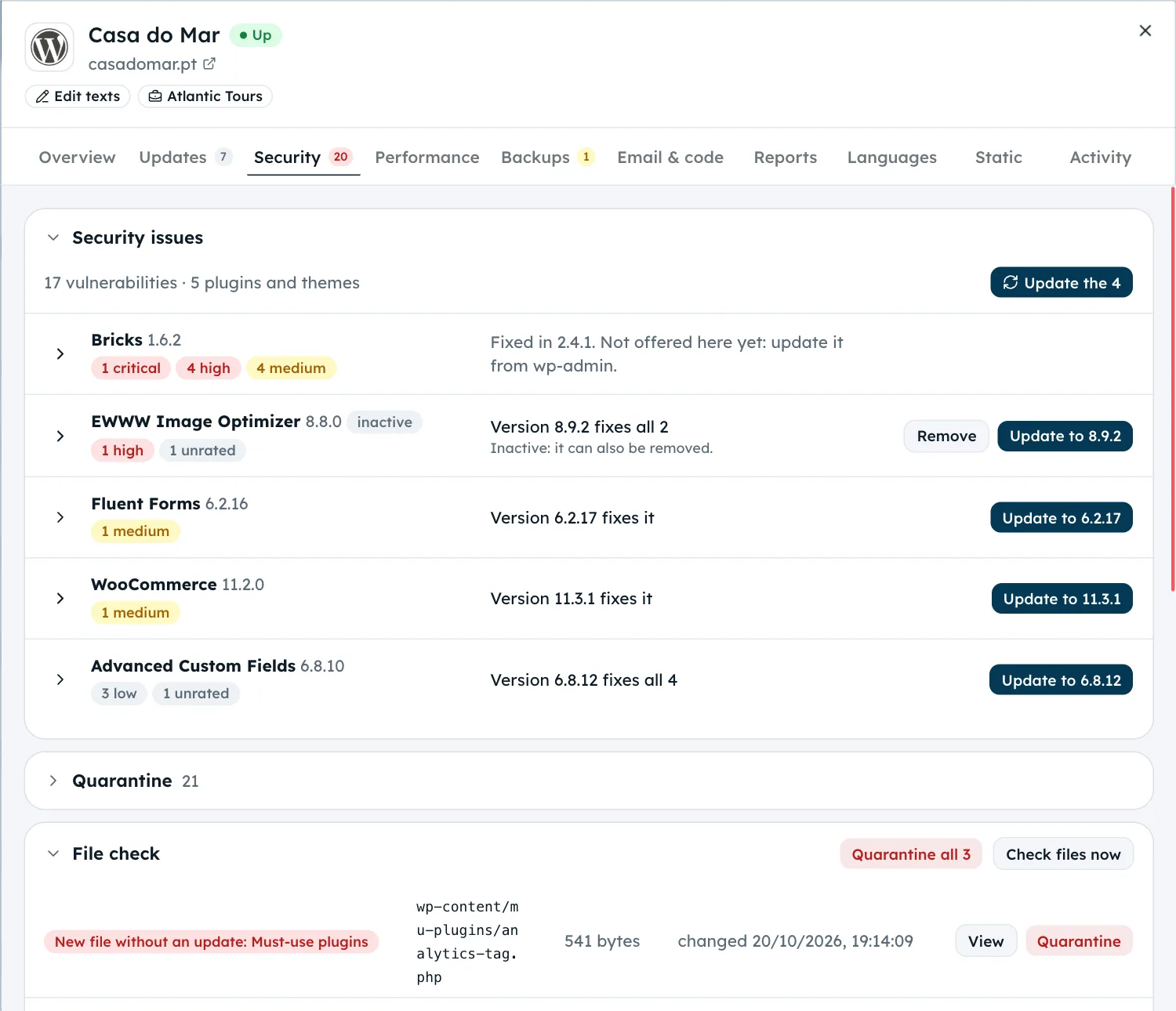 Security Vulnerability alertsEvery plugin, theme and WordPress version on your sites is checked every 6 hours, and the moment a plugin changes. When one is vulnerable you get an alert, how serious it is, and the version that fixes it.
| ✓ | ◐ | ◐$2 per site | ◐Jetpack Protect, free |
File check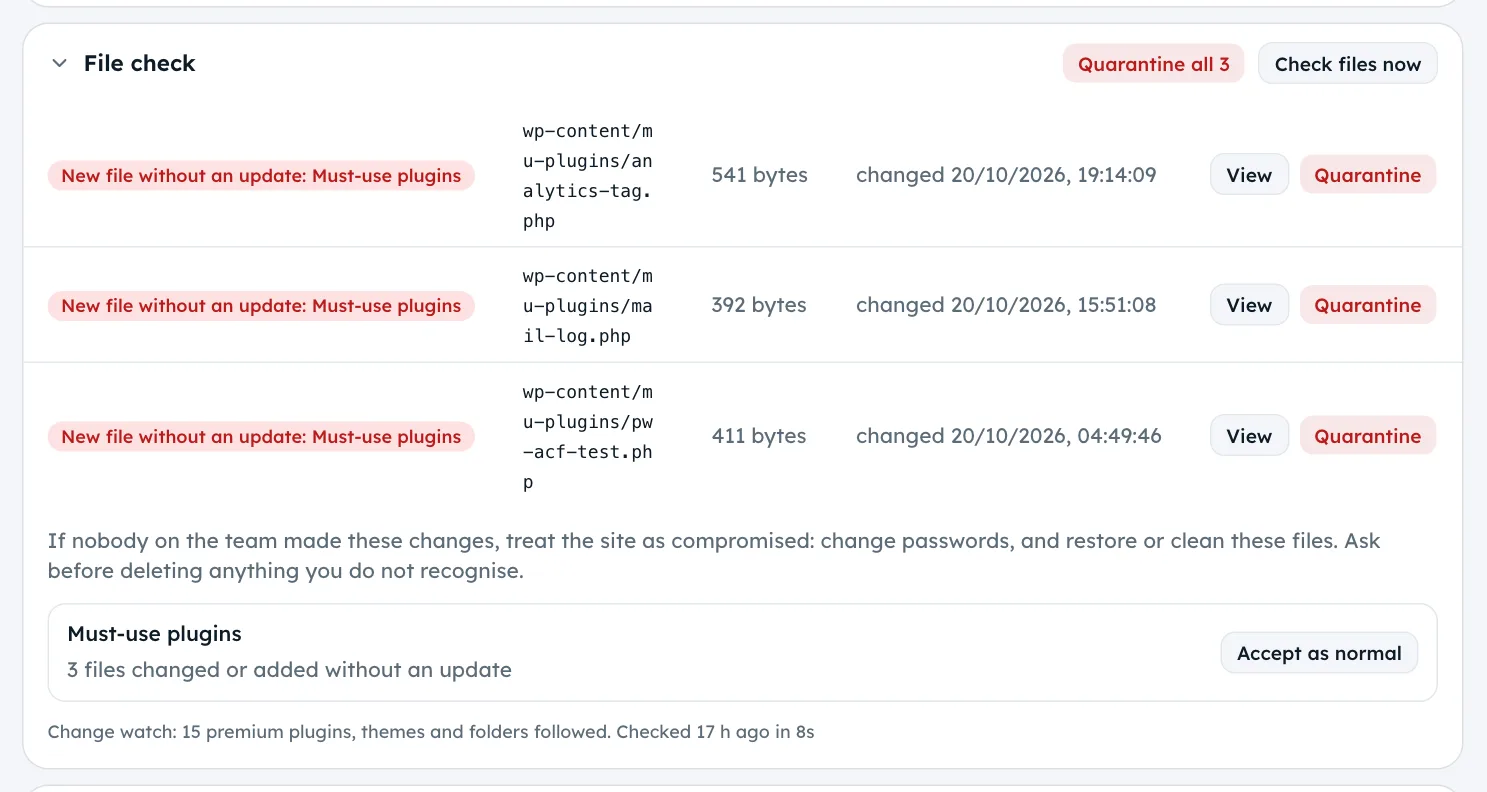 Security File checkPitwallWP compares each WordPress and plugin file with the original and finds what was changed or added. It knows the files that look strange but are harmless, so you see the ones that matter.
| ✓ | ◐ | ◐malware scan via Sucuri | ◐security plugins |
Spam shield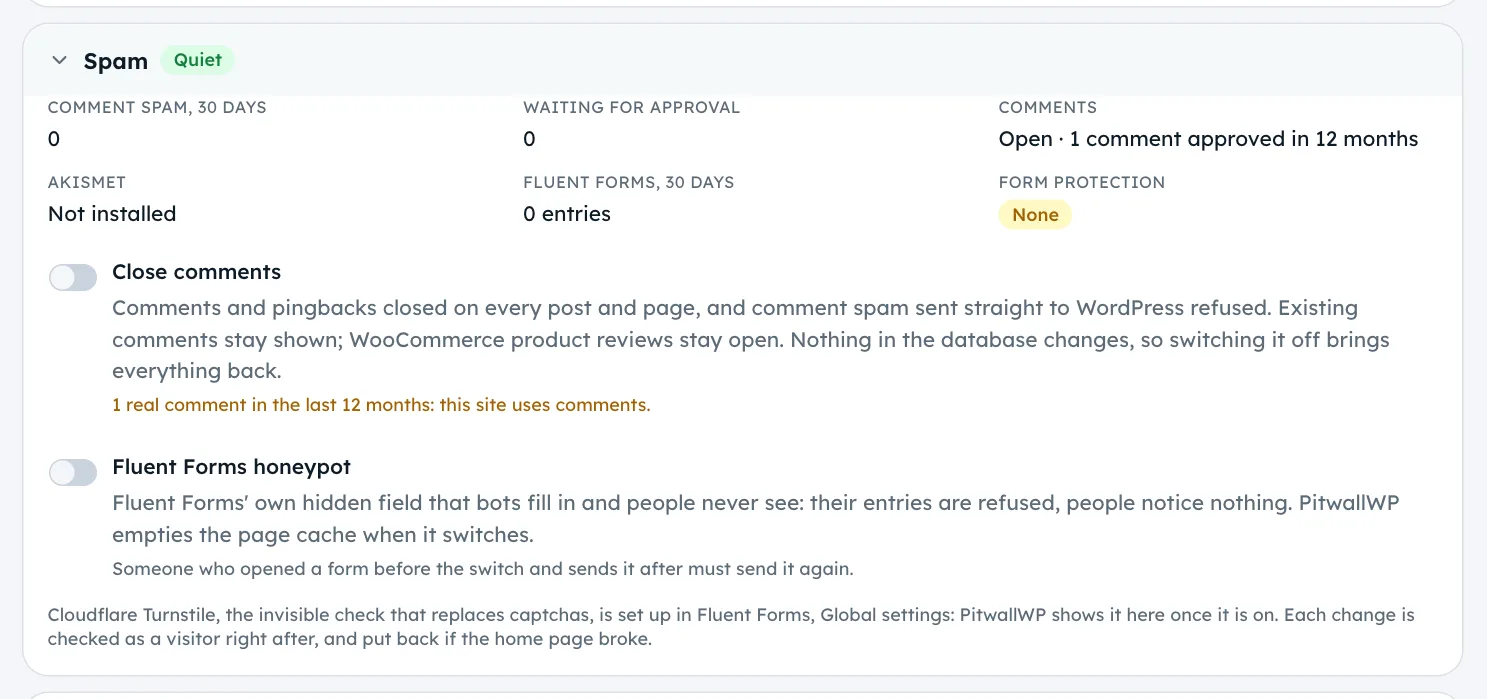 Security Spam shieldSee how much spam each site receives and close the doors it comes through. Each switch is checked as a visitor after it is turned on, and turning it off puts things back exactly as they were.
| ✓ | – | ◐ | – |
WP admin options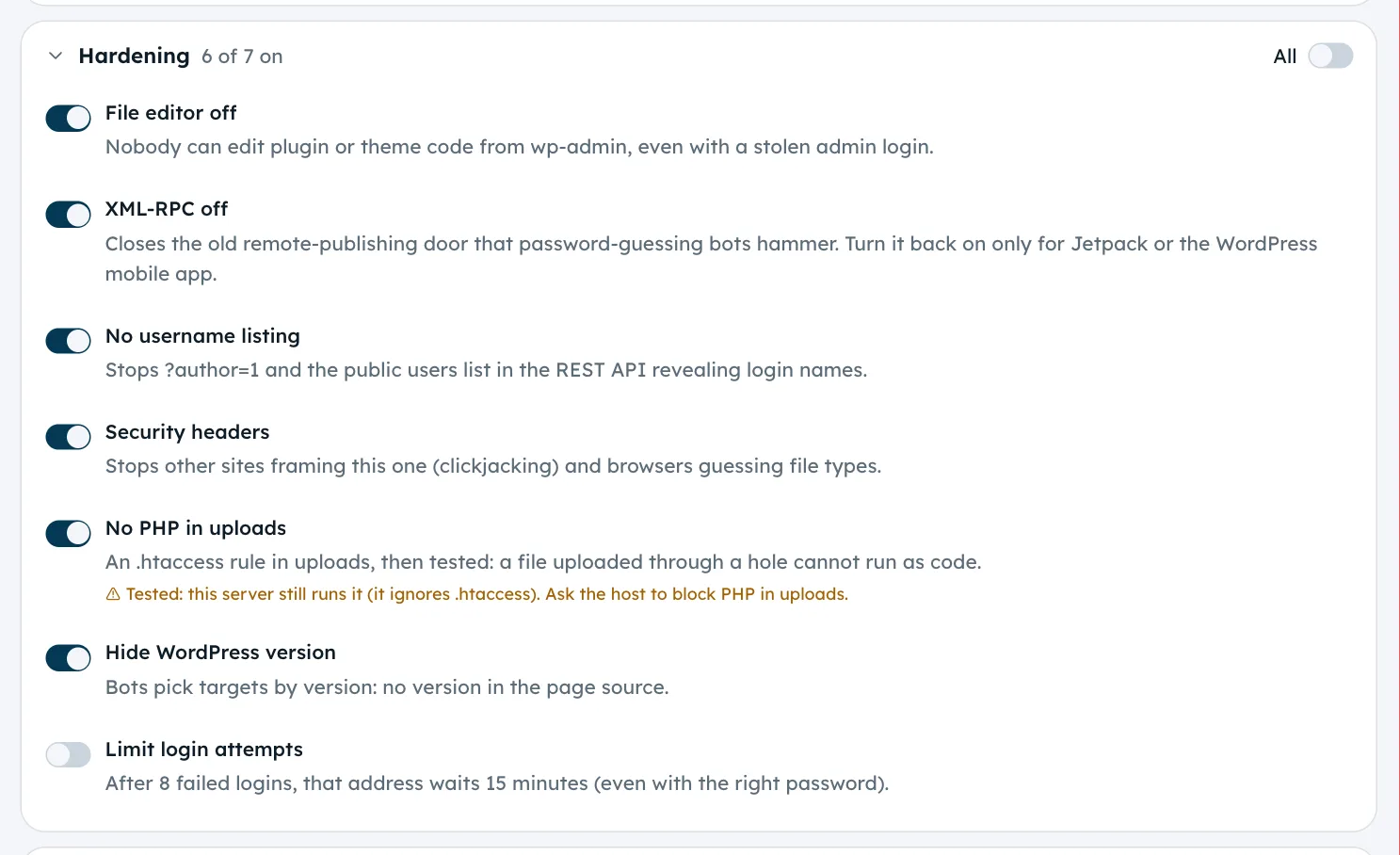 Security WP admin optionsSwitch on the settings every WordPress site should have, from the dashboard, for one site or many. Hide the update buttons in WP admin so updates only happen through PitwallWP, with its checks.
| ✓ | ◐ | ◐ | ◐security extensions |
Administrators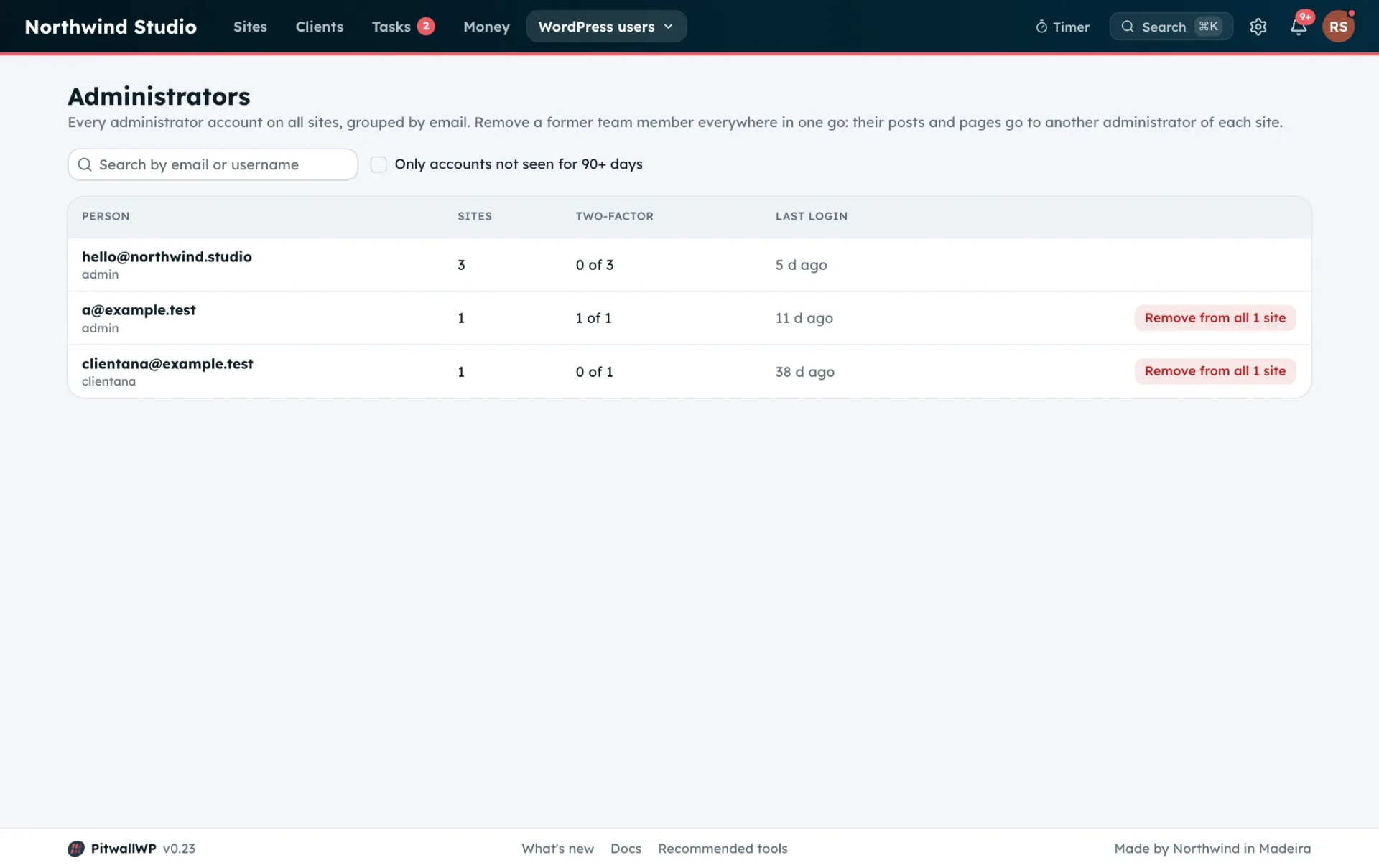 Security AdministratorsOld accounts are a common way in. PitwallWP lists every administrator on every site with their last sign-in, removes the ones nobody uses, and tells you when a new one appears.
| ✓ | ◐ | ? | ◐ |
Safe sign-in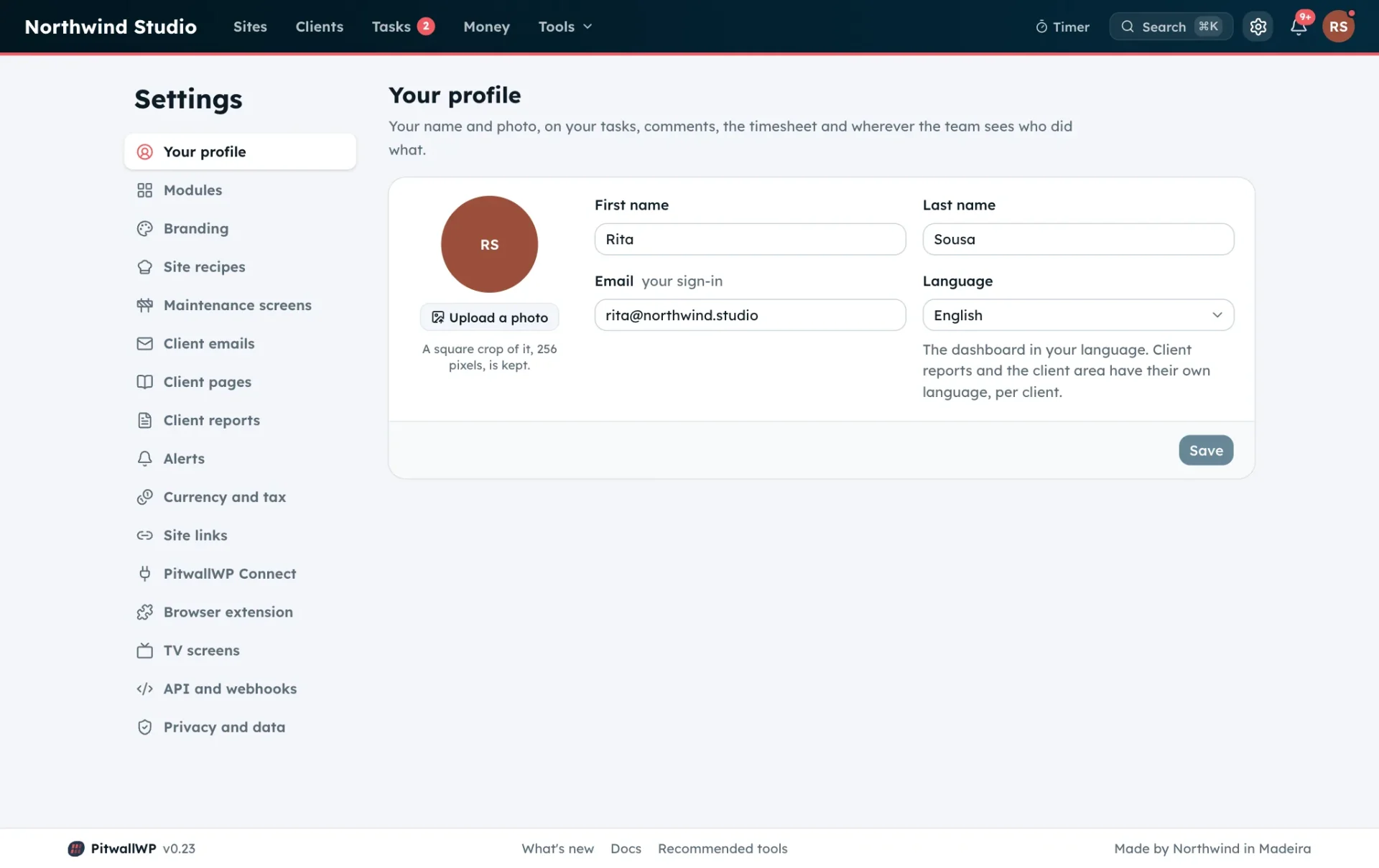 Security Safe sign-inSign in to PitwallWP with your face, your fingerprint or your device PIN. On client sites, one button on the login page lets each person in as themselves, after a sign-in with two-factor.
| ✓ | ? | ? | ? |
Your data, in Europe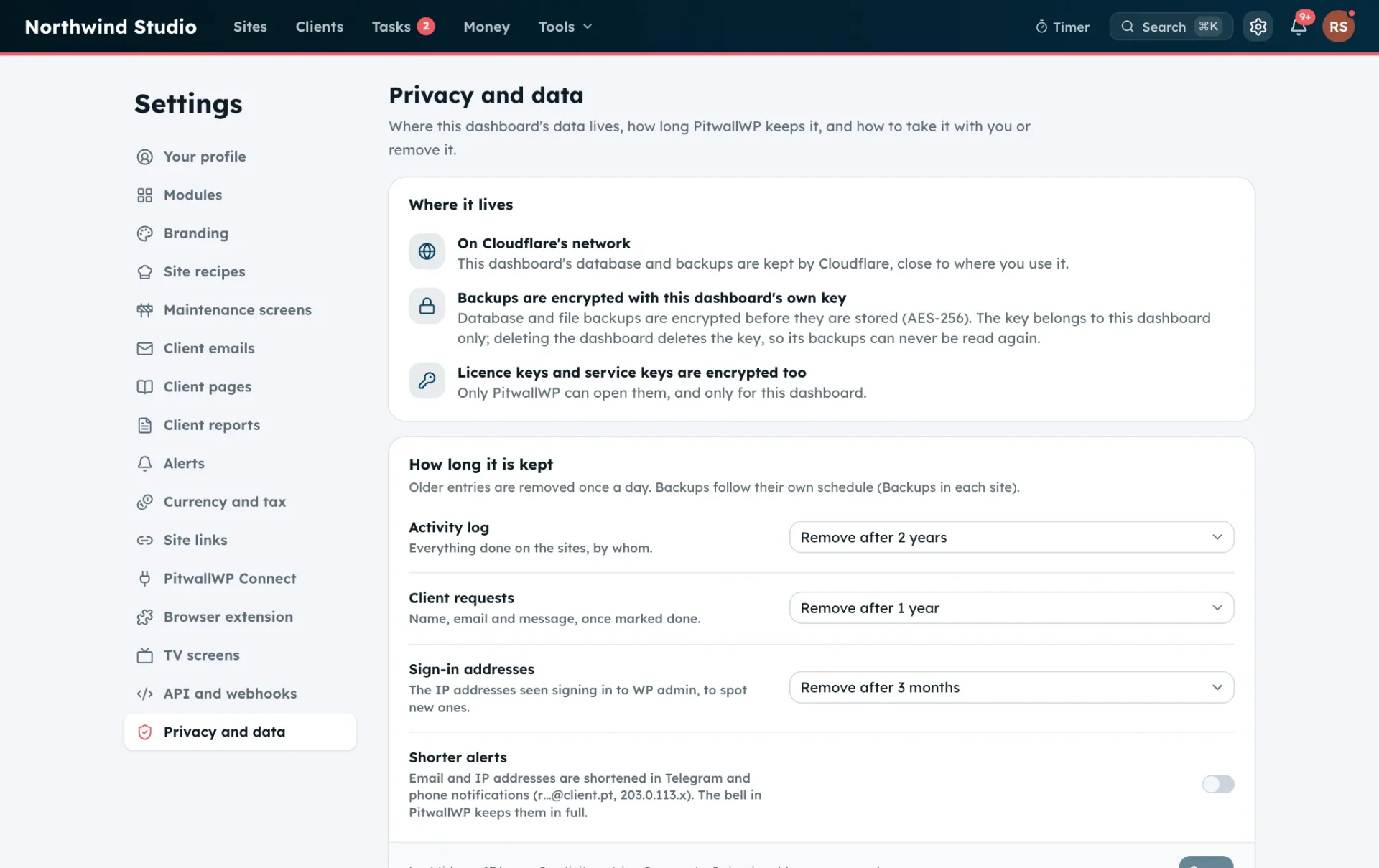 Security Your data, in EuropeIf your agency is in Europe, your dashboard and your backups stay in Cloudflare’s EU jurisdiction. You choose how long things are kept, export everything in one file, and delete the account for real.
| ✓ | ? | ? | ◐self-hosted: wherever you host it |
| Monitoring | ||||
Uptime monitoring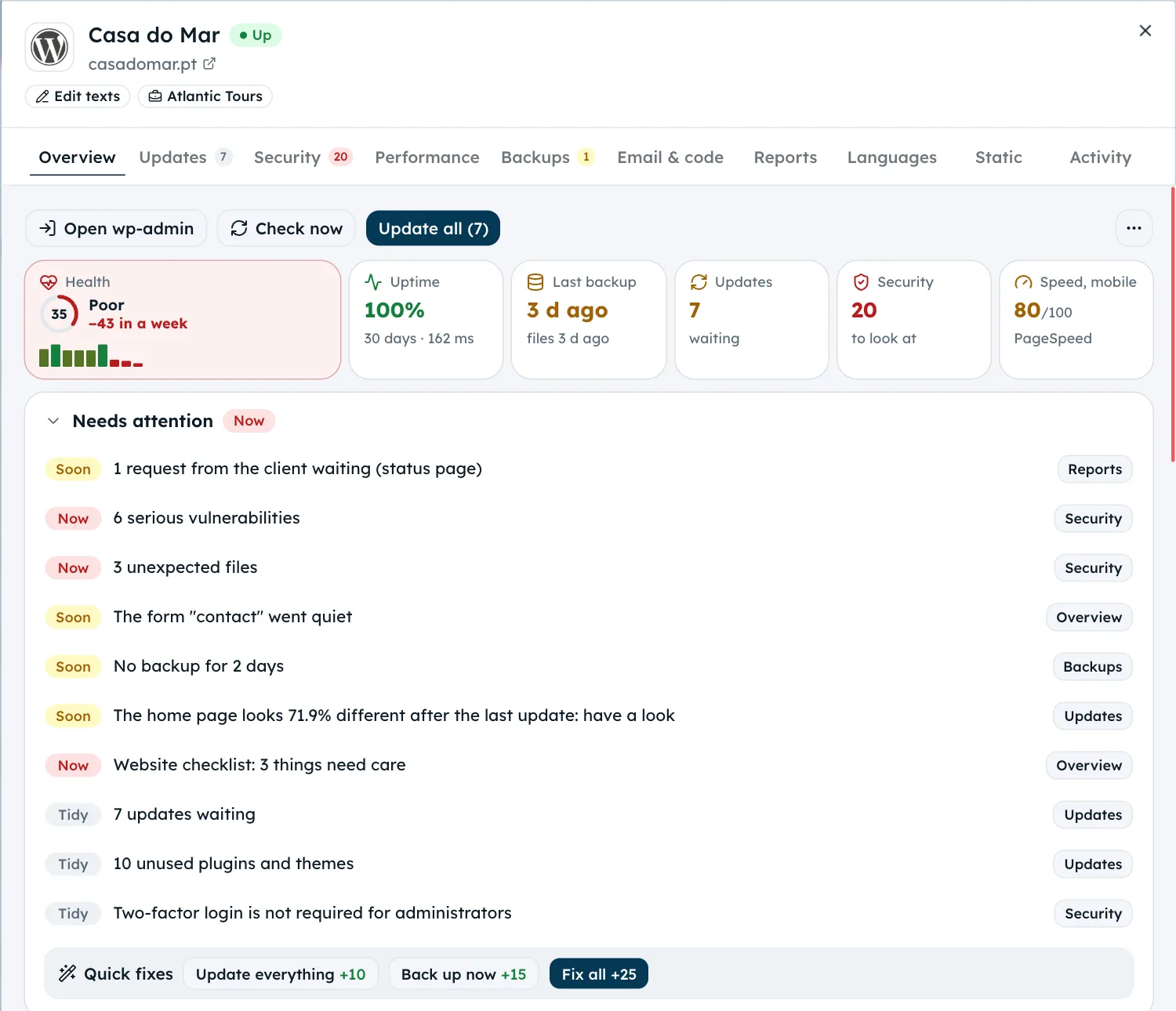 Monitoring Uptime monitoringPitwallWP checks every site every 5 minutes and tells you when it is down or slower than usual. A firewall’s block page never passes for a working site: PitwallWP names the firewall and gives you a message for the host.
| ✓ | ◐ | ◐$1 per site | ◐ |
Health score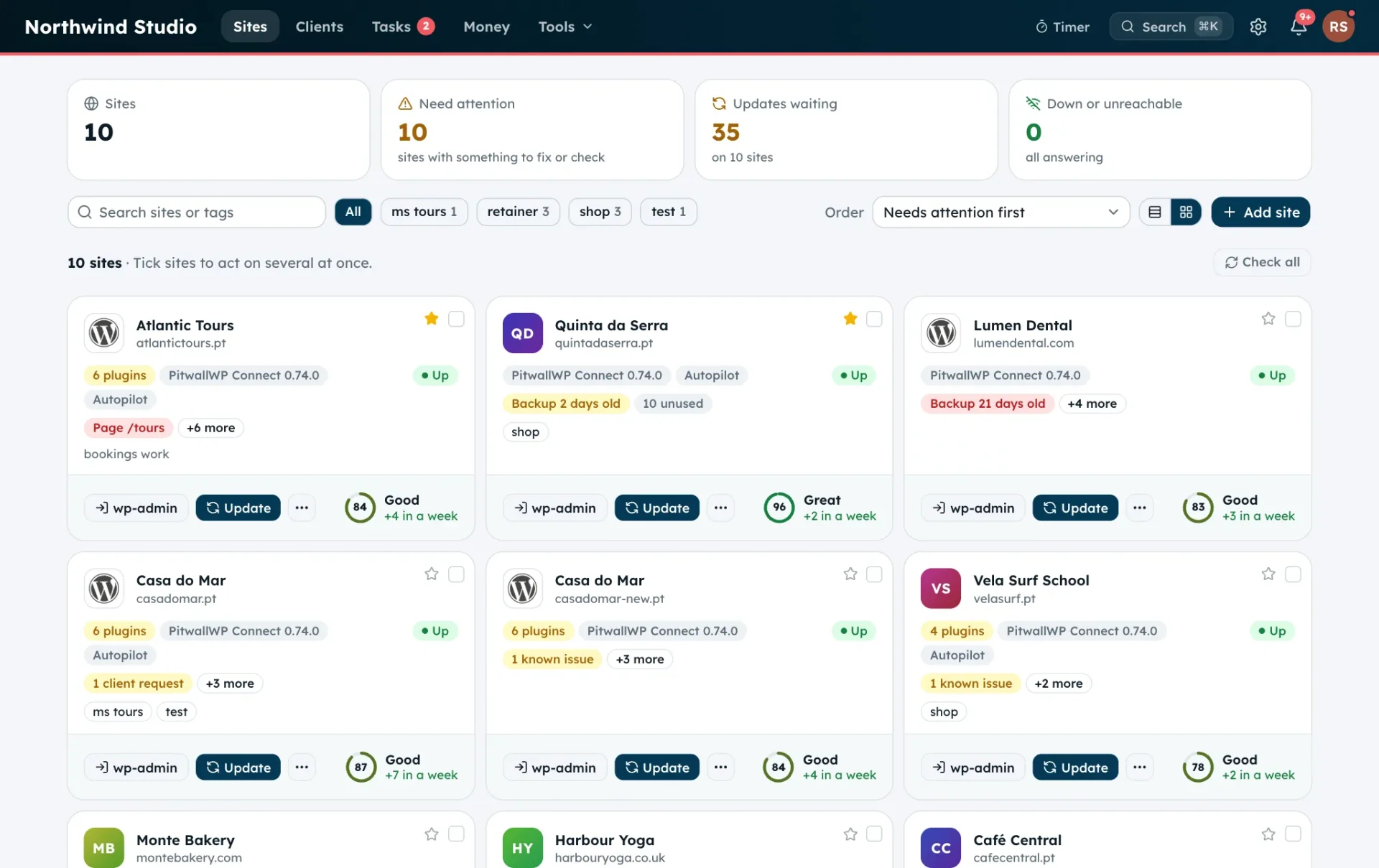 Monitoring Health scoreEach site gets one score from 0 to 100. Every point it loses is explained in plain words, next to the button that fixes it, and you see how the score moved over 30 days.
| ✓ | ◐ | ◐ | ◐ |
Sales and bookings still work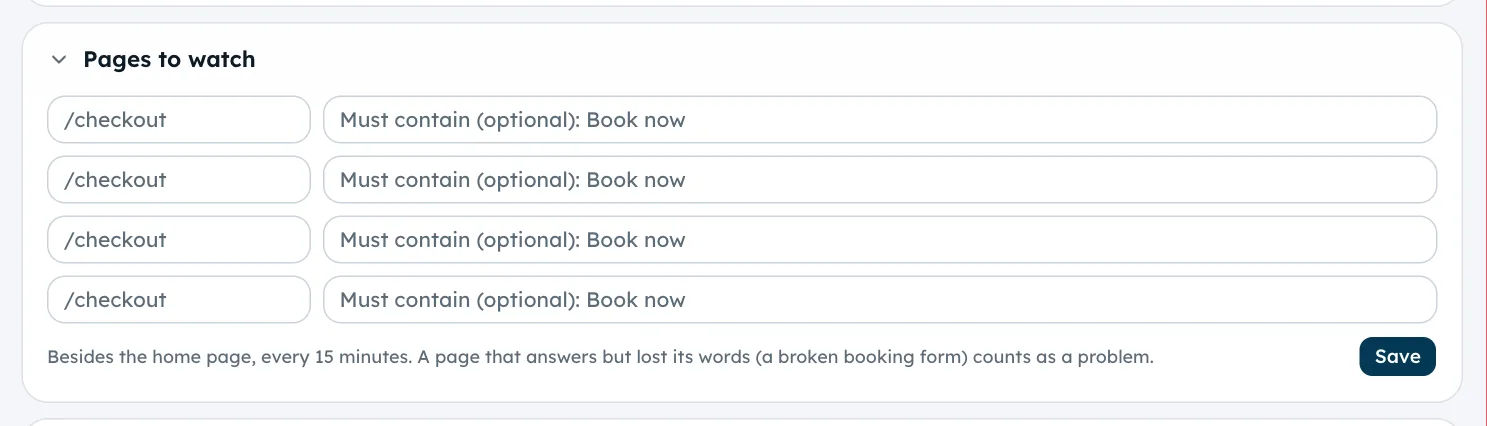 Monitoring Sales and bookings still workA site can be up while the checkout is broken. PitwallWP watches the pages that make your clients money and tells you when orders or enquiries stop coming at the usual pace.
| ✓ | ? | ◐keyword monitoring in Uptime | ◐ |
PHP errors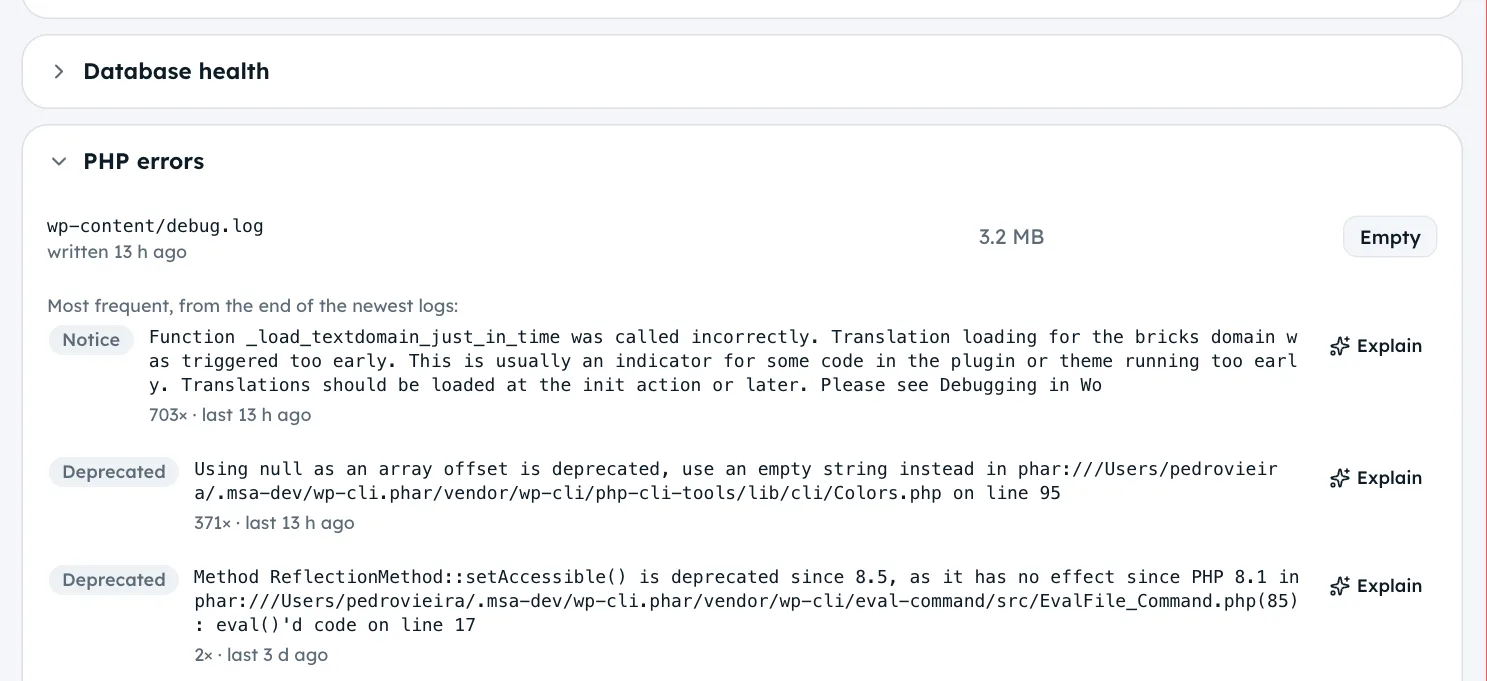 Monitoring PHP errorsPitwallWP reads each site’s PHP errors and groups the repeated ones, so a page of noise becomes a short list. A fatal error sends an alert straight away.
| ✓ | ✓ | ? | ? |
Email deliveryOnly PitwallWP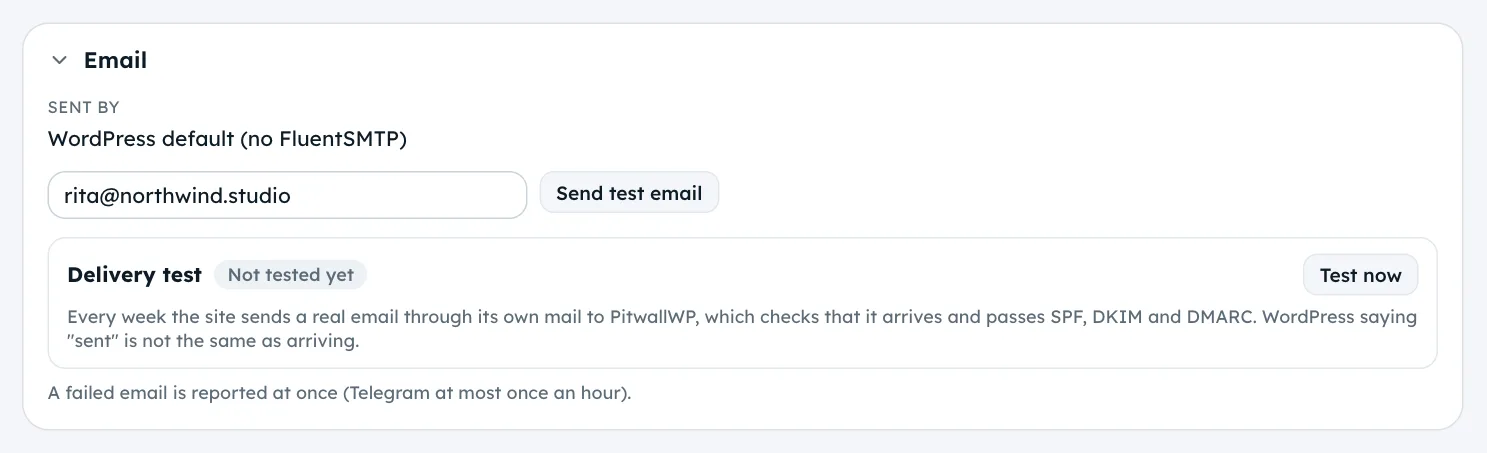 Monitoring Email deliveryContact forms that never reach the client cost them money. PitwallWP reads failed emails, checks the records that let email arrive, and sends a real test email from each site every week.
| ✓ | ? | ? | ? |
Domain, certificate and DNSOnly PitwallWP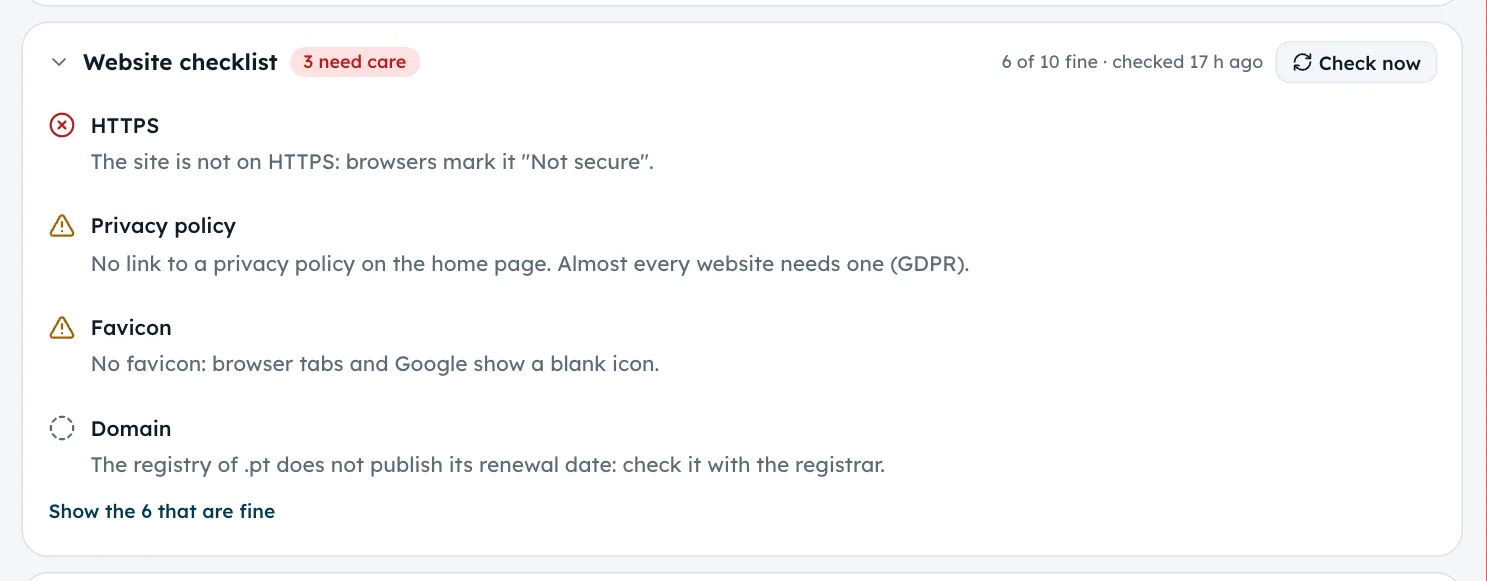 Monitoring Domain, certificate and DNSA forgotten domain renewal takes a site down for days. PitwallWP warns you well before the date, and tells you when a site’s name servers or mail servers change, a common sign of a hijack.
| ✓ | – | – | – |
| Speed | ||||
Performance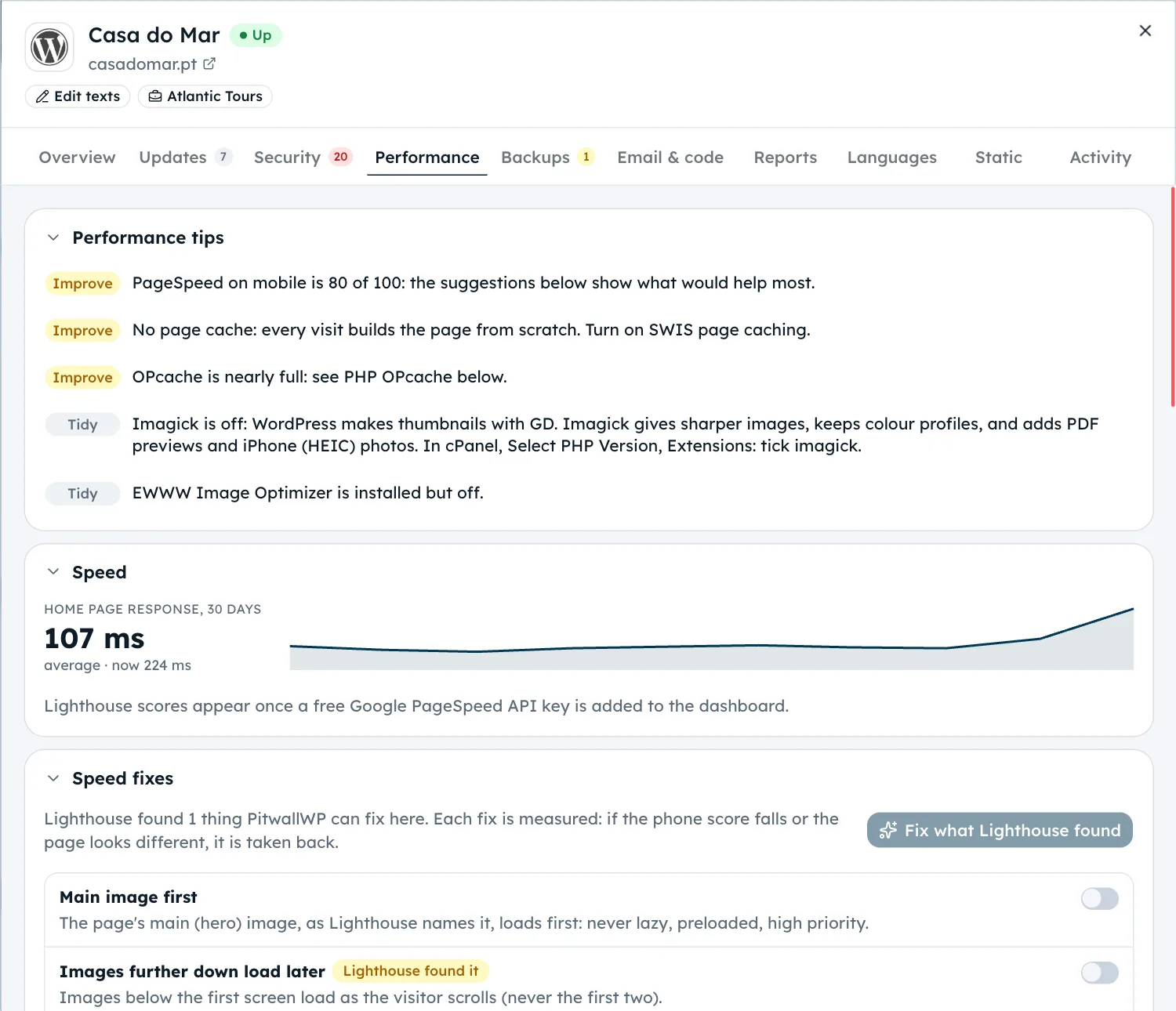 Speed PerformanceSee how fast each site is for phones and computers, how it changes over time, and what to fix first. Then apply the fixes from PitwallWP and see each one measured.
| ✓ | ◐ | ◐$1 per site | ◐Lighthouse extension |
Server checksOnly PitwallWP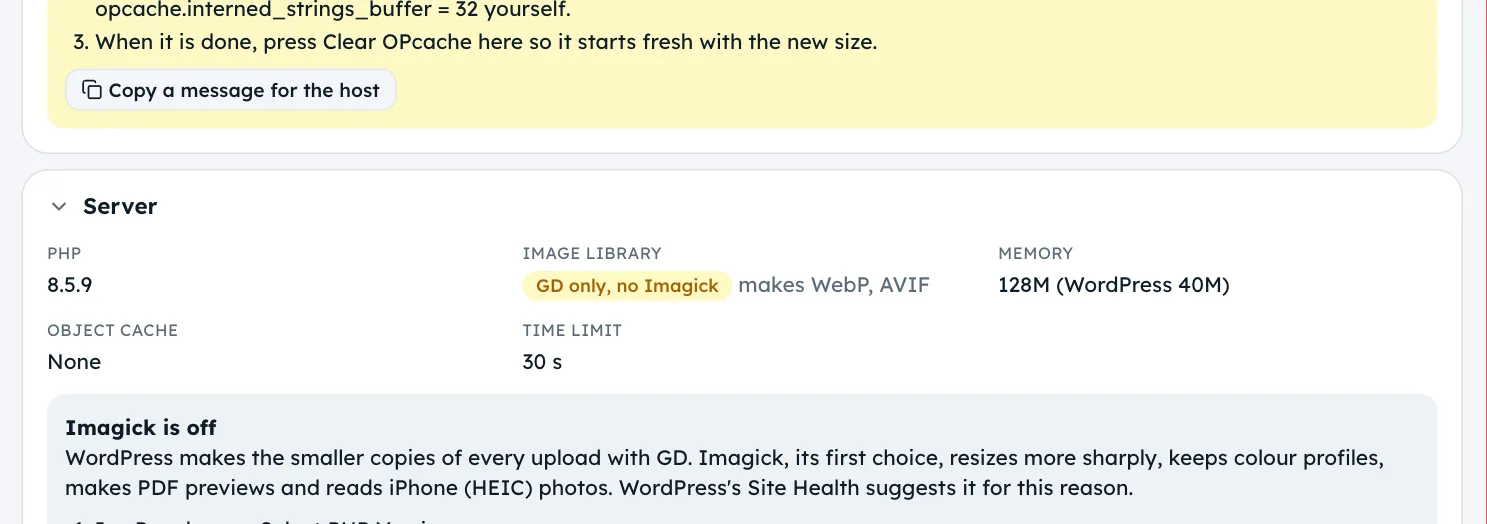 Speed Server checksSome slow sites are a server problem. PitwallWP shows how each server is doing and writes the message to send the host when something is too small.
| ✓ | – | – | – |
Static modeOnly PitwallWP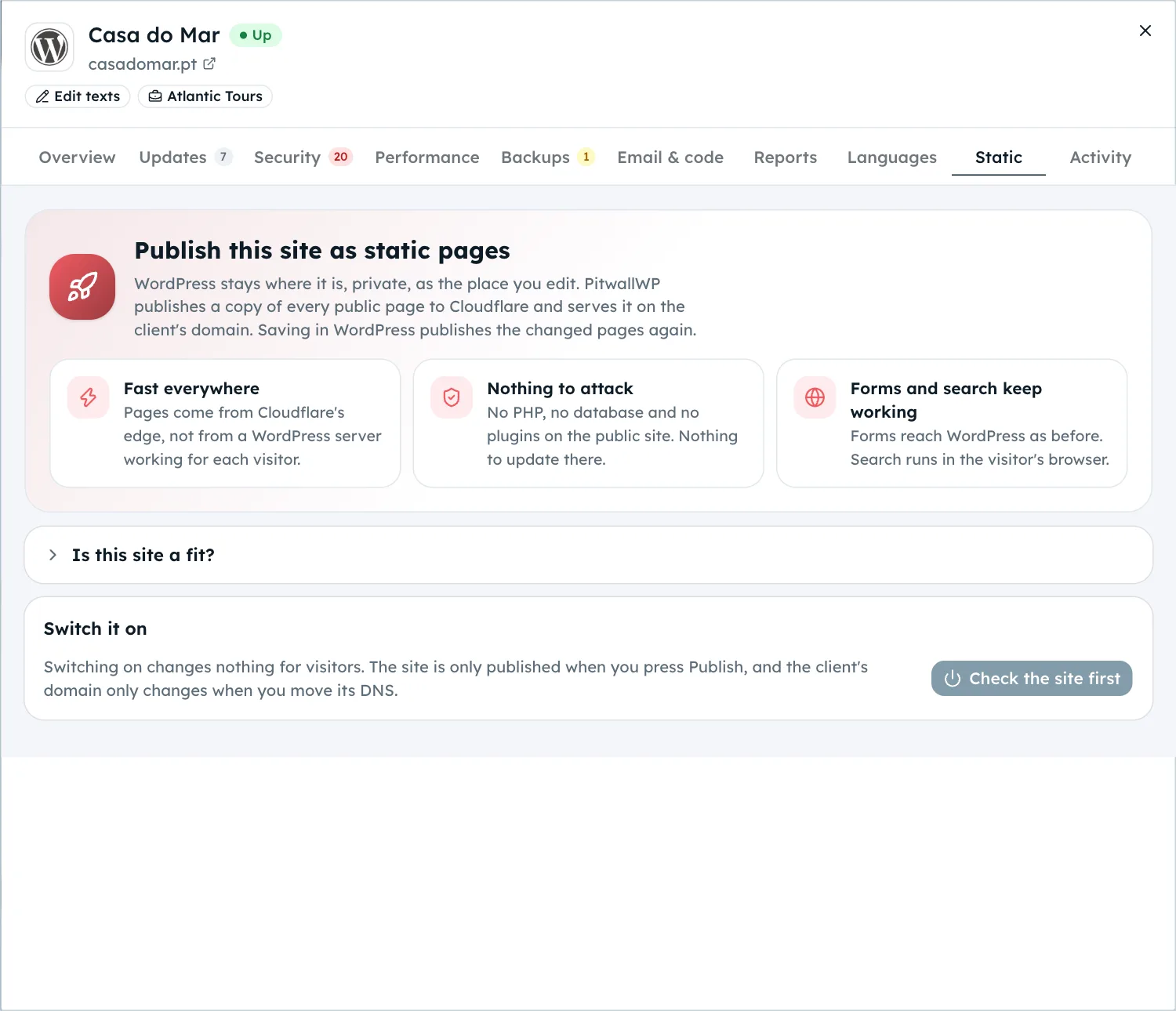 Speed Static modePublish a brochure site as static pages on Cloudflare, on the client’s own domain. Visitors get a fast site with nothing to attack, and WordPress stays private as the place you edit. Saving a page publishes it again in seconds.
| ✓ | – | – | – |
Plugin dietOnly PitwallWP Speed Plugin dietMany sites carry backup, login and management plugins that PitwallWP makes unnecessary, and developer tools left on. PitwallWP finds them and switches them off, checking the home page before and after.
| ✓ | – | – | – |
| SEO | ||||
Search descriptions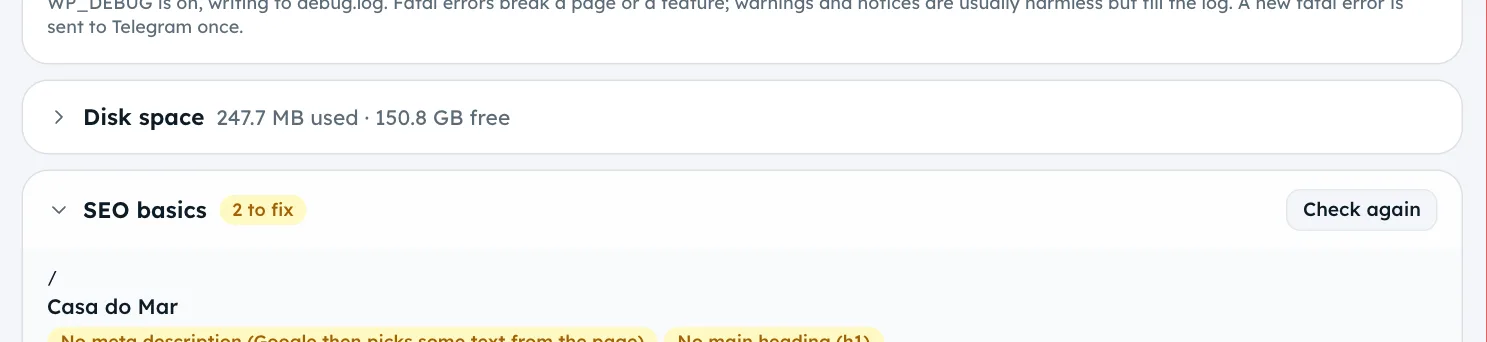 SEO Search descriptionsSee every page of a site with the description Google shows. Claude writes the missing ones from the page’s own text, and you read and save them.
| ✓ | – | – | ◐inside each SEO plugin, one page at a time |
Social share imagesOnly PitwallWP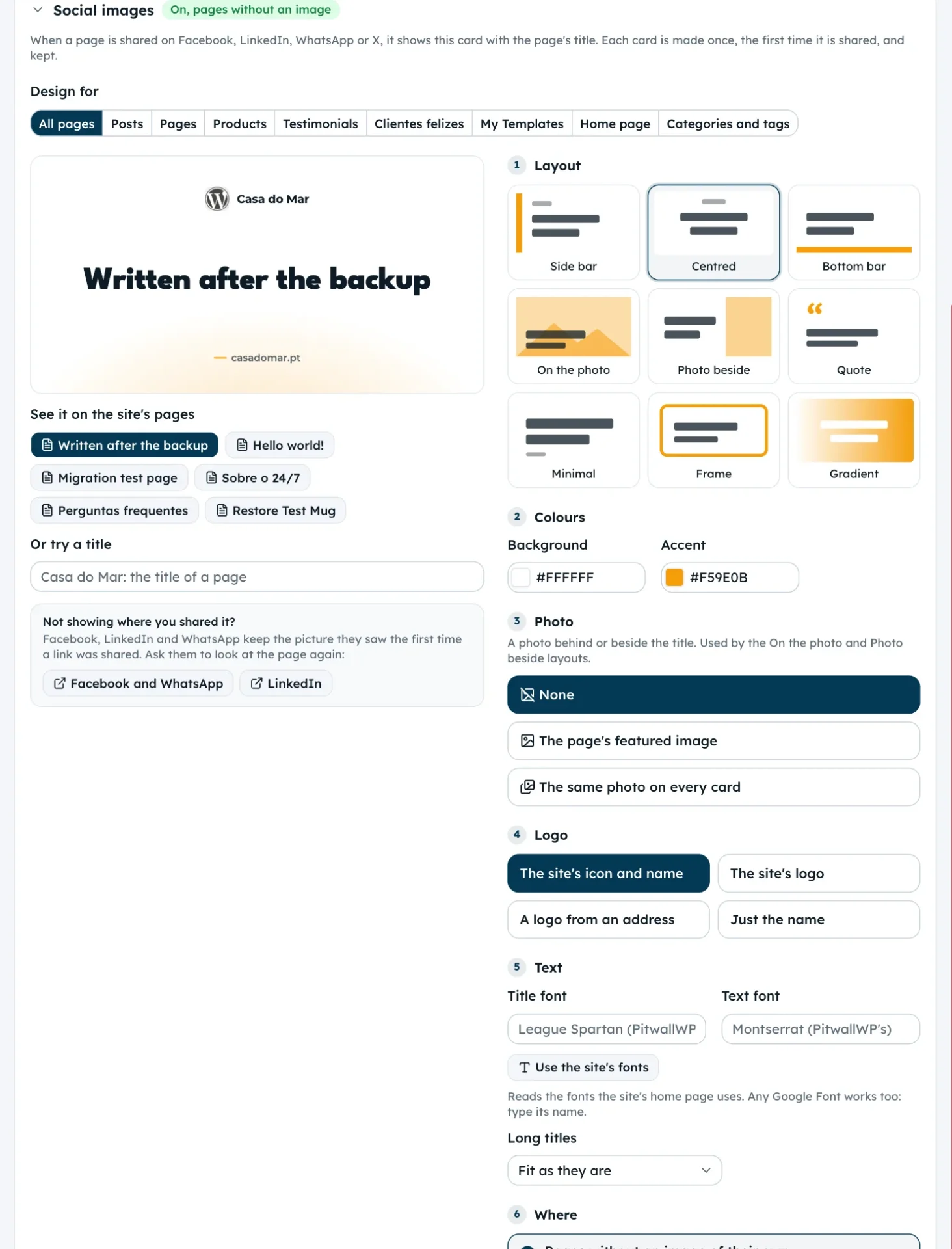 SEO Social share imagesWhen someone shares a page on WhatsApp, LinkedIn or Facebook, it shows a proper image: the page’s title and photo, in the site’s colours, fonts and logo.
| ✓ | – | – | – |
| Google watch SEO Google watchTwo quiet problems that empty a site of visitors. PitwallWP checks every day that Google has not flagged a site as dangerous, and warns you when a site tells search engines to stay away.
| ✓ | ? | ◐in the security check | ? |
| Clients | ||||
Clients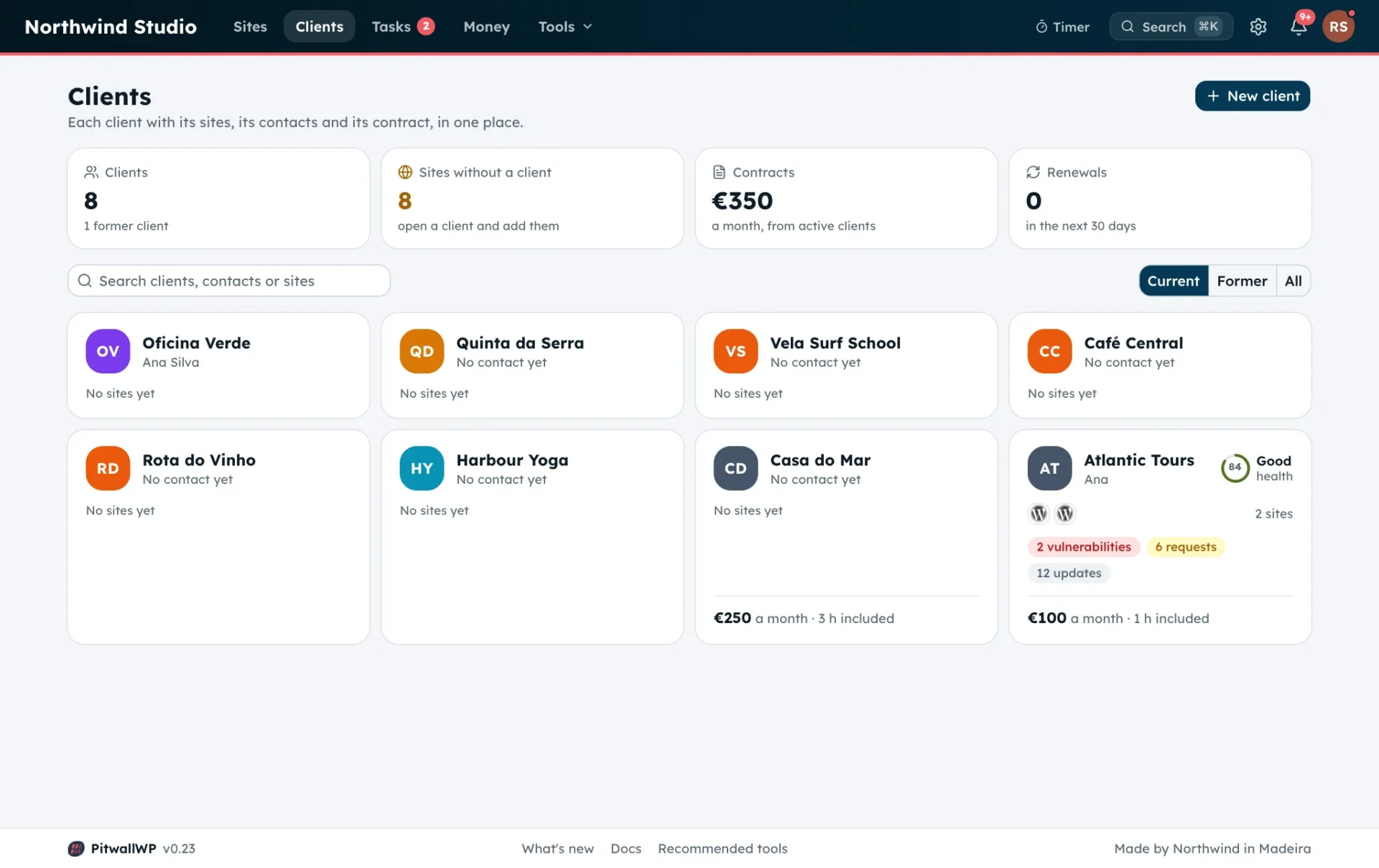 Clients ClientsEvery client in one place: its sites, its people and its contract. See health and requests at a glance, renewals coming up, and send the monthly report to every contact you mark.
| ✓ | ◐client accounts | ◐client groups in reports | +Clients extension |
Client area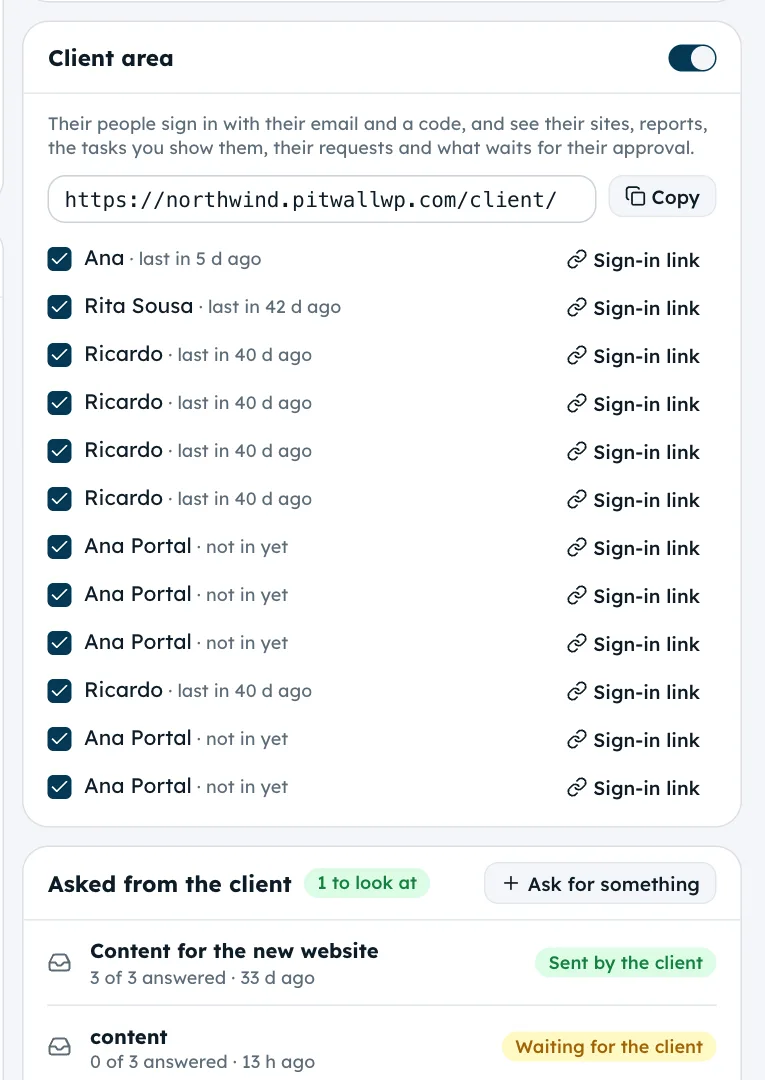 Clients Client areaYour clients sign in with a code by email, no password to forget. They see their sites, every monthly report, the tasks you share, their requests and the work waiting for their approval.
| ✓ | ◐client dashboard access | ◐client report links | ◐Client Portal extension |
Client reports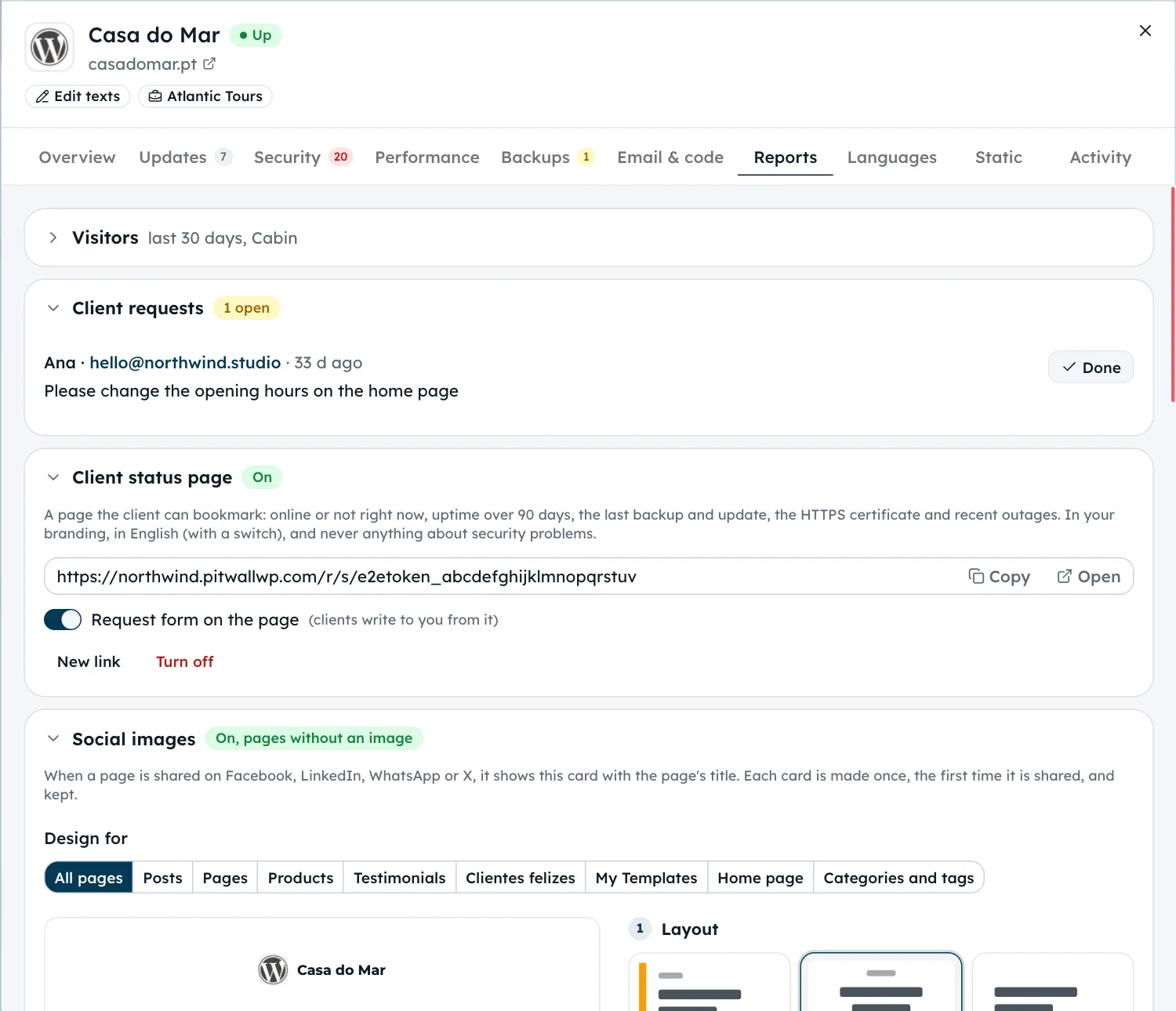 Clients Client reportsOn the 1st, every client gets a report in your branding, as a page and a PDF, in English or Portuguese. It shows the work done and the numbers that matter to them: leads, sales and visitors, next to uptime and updates.
| ✓ | ◐ | ◐$1 per site | ◐Pro Reports |
Status page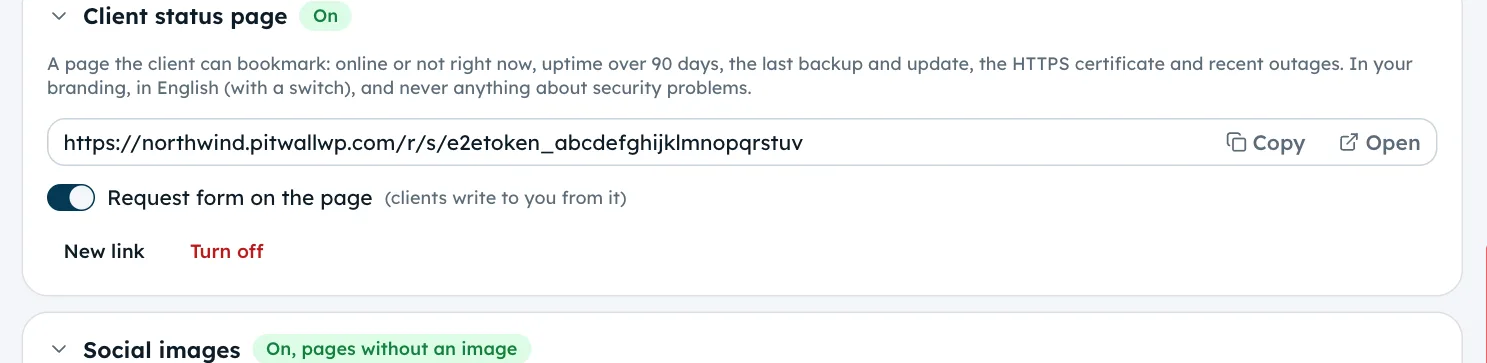 Clients Status pageGive each client a page that shows their site is looked after: live uptime, the latest updates and backups. A form on it sends you requests, which land in your inbox per site.
| ✓ | ◐client dashboard access | – | – |
Client edit modeOnly PitwallWP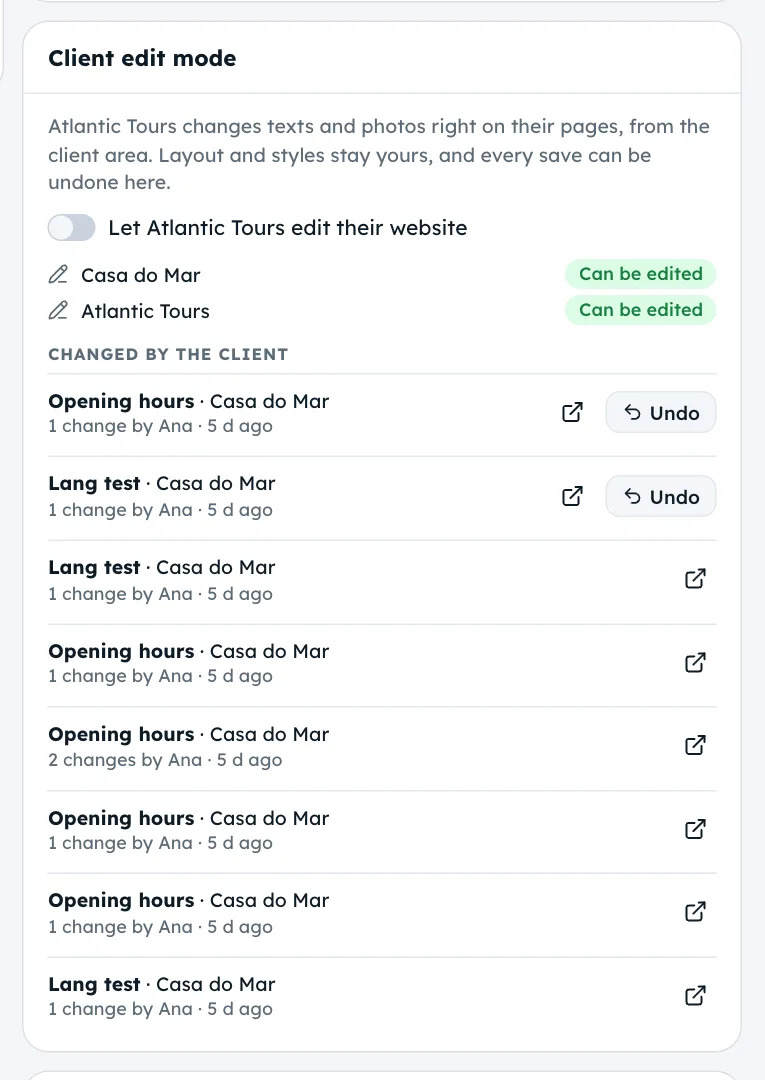 Clients Client edit modeLet clients change the words and photos on their pages themselves, right on the page, from the client area. The design stays yours, and you can undo any save from the dashboard.
| ✓ | – | – | – |
File transferOnly PitwallWP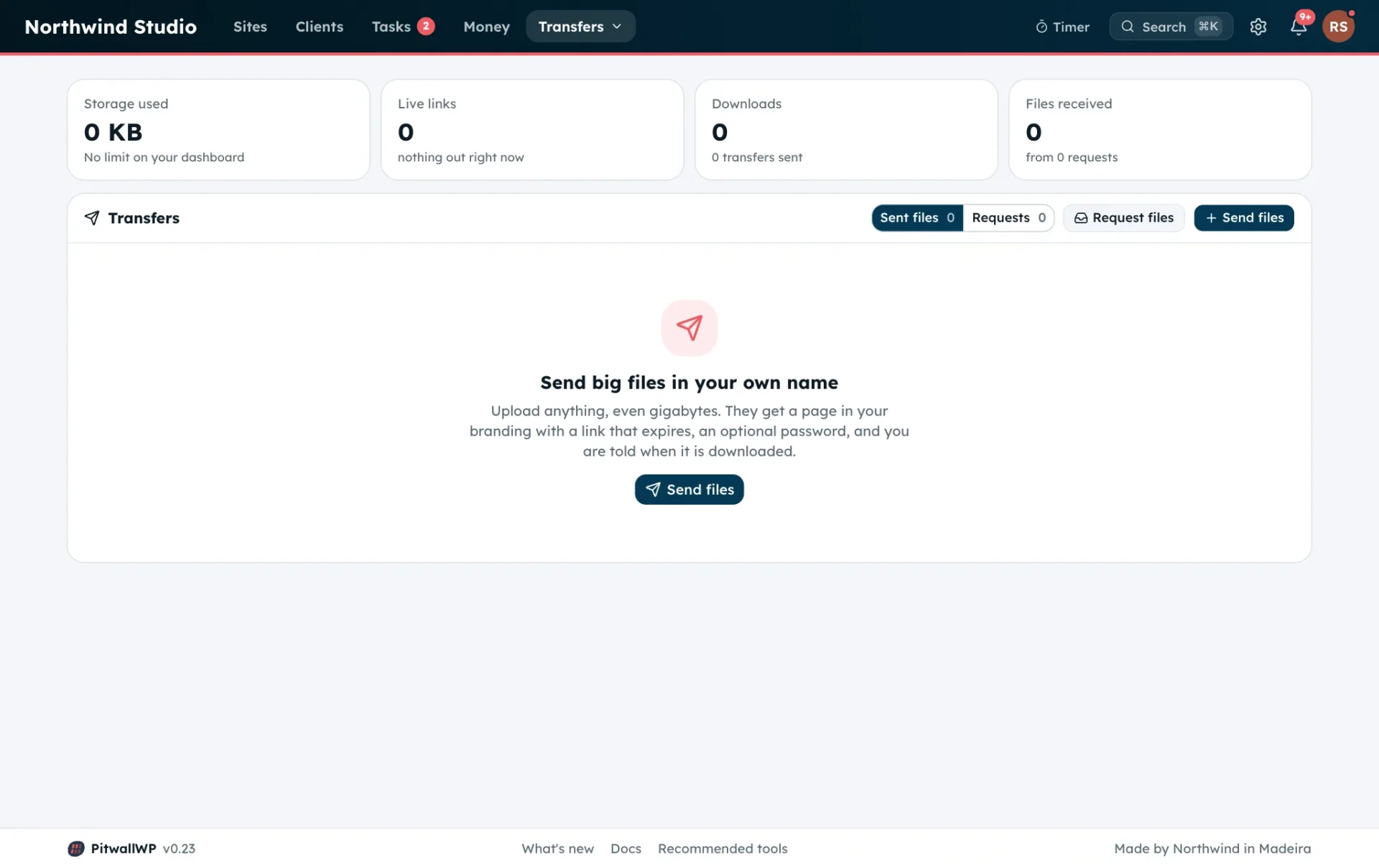 Clients File transferSend big files with a link that expires, or ask a client for files on an upload page with no account. Everything is in your branding and deleted when the time is up.
| ✓ | – | – | – |
| Video messagesOnly PitwallWP Clients Video messagesShow a client how to edit a page, what changed or what went wrong, instead of writing it. Record your screen with your camera in a bubble, and the link is ready the moment you stop, on a page in your branding.
| ✓ | – | – | – |
Client pagesOnly PitwallWP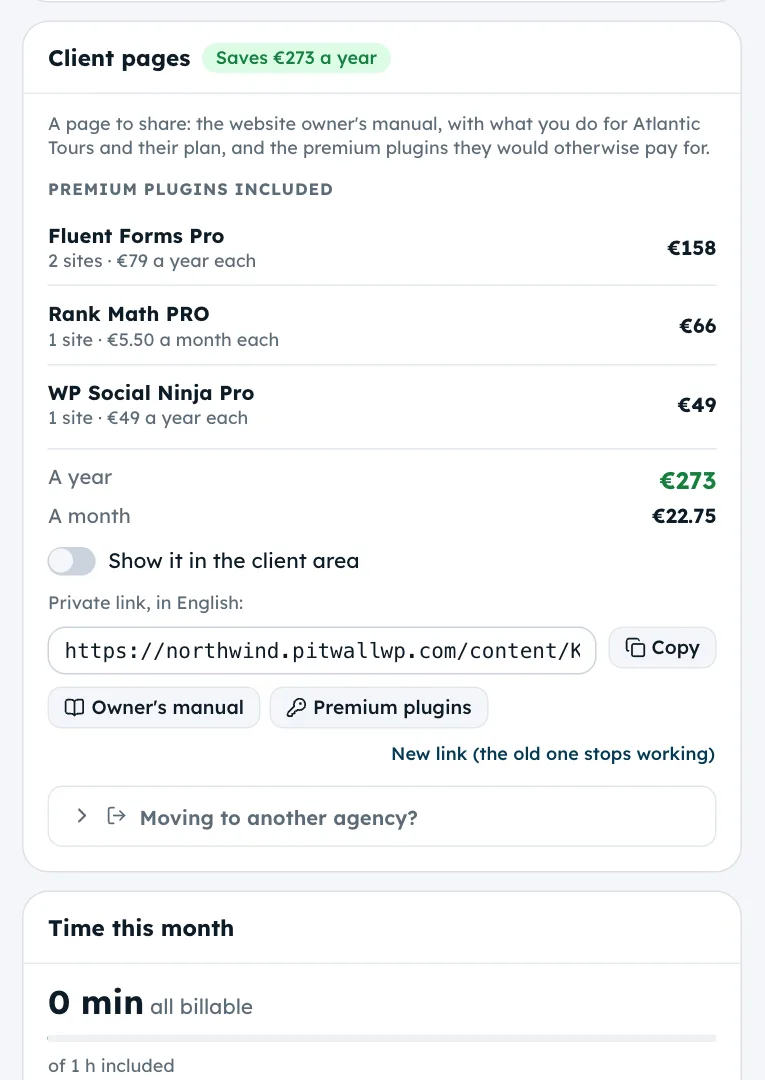 Clients Client pagesThree pages for each client, in your branding and their language, made from real numbers. They explain what you do, what it saves the client, and what happens if they leave.
| ✓ | – | – | – |
Your brand and domain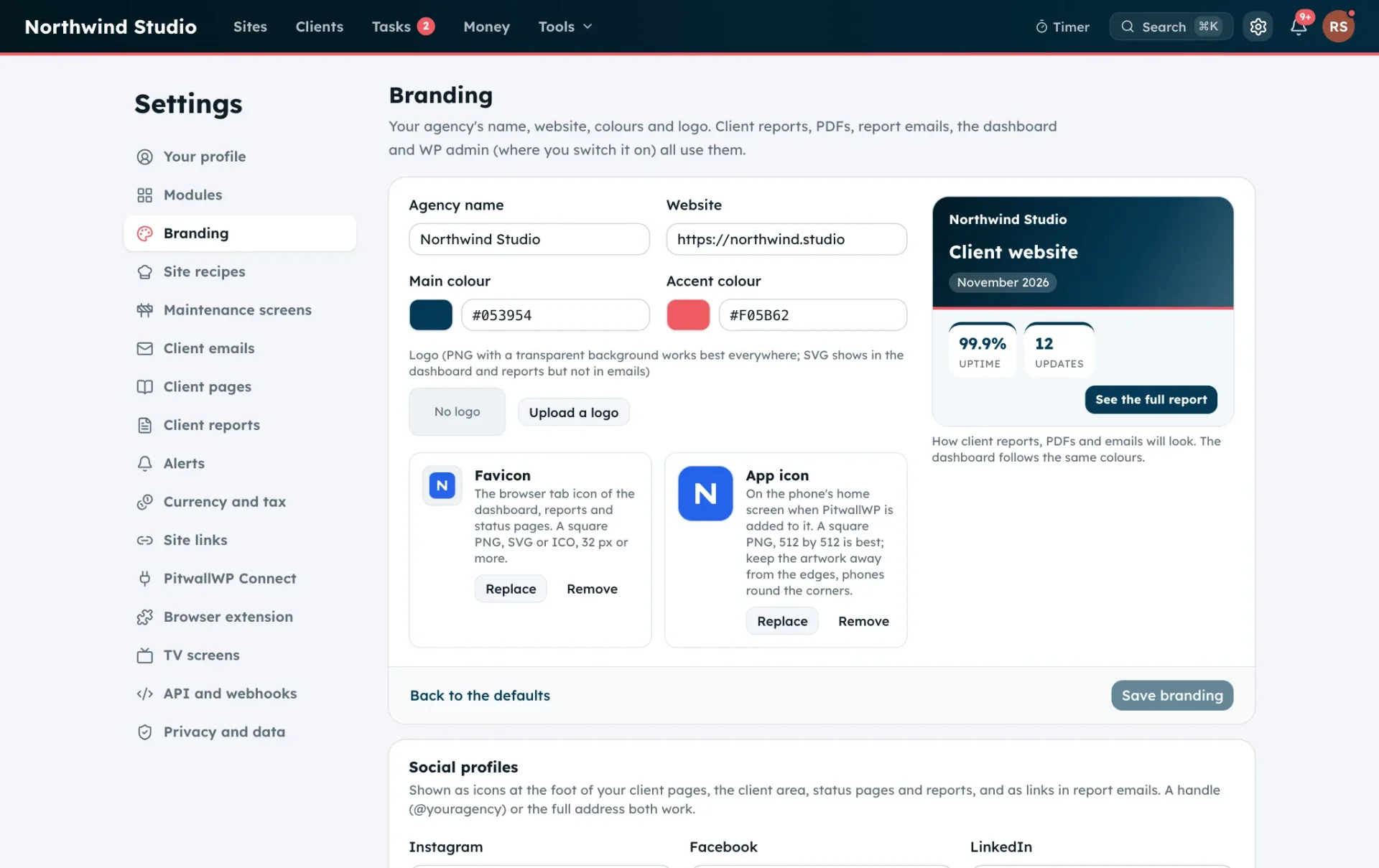 Clients Your brand and domainEverything your clients open carries your brand and your address. They never see PitwallWP.
| ✓ | ◐ | ◐white label, paid | ◐it is your own WordPress |
Client mode in WP admin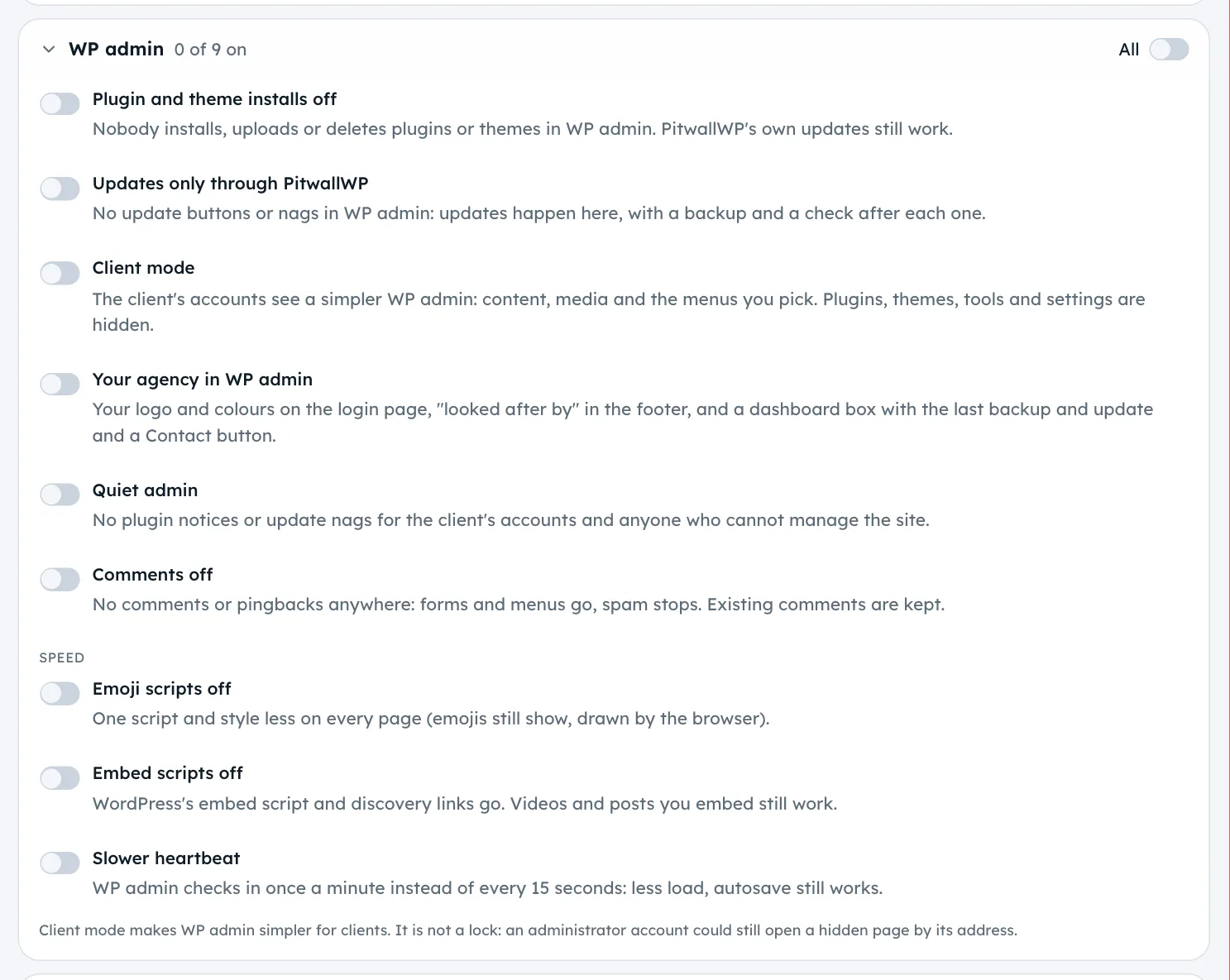 Clients Client mode in WP adminWhen clients sign in to their WordPress, they see a cleaner admin with your agency’s branding and how to reach you.
| ✓ | ◐ | €white label | +extensions |
| Money | ||||
Profit per client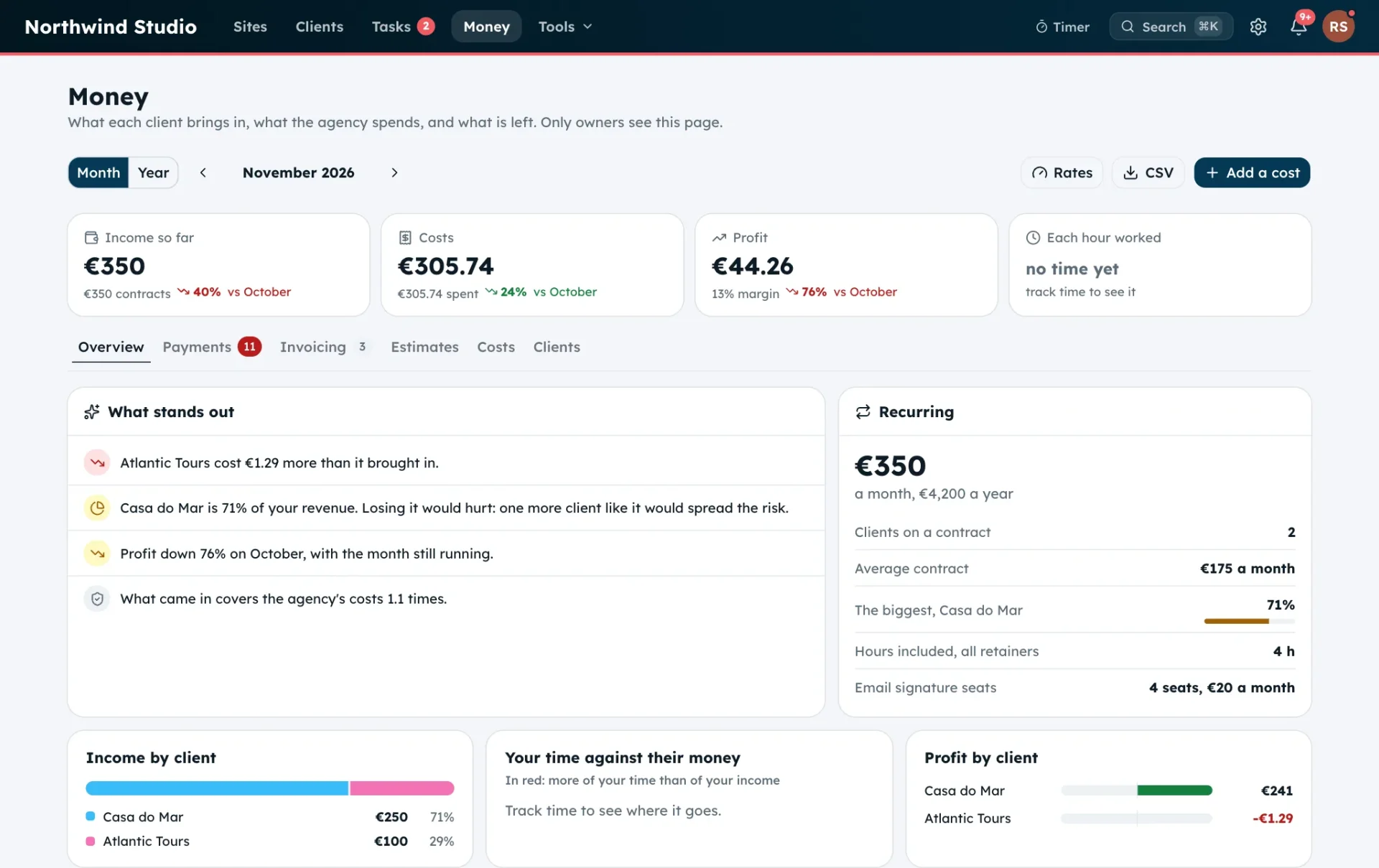 Money Profit per clientMoney shows what each client really earns you: its income against its own costs, its share of hosting and licences, and the time your team spent. It points out what stands out each month in plain words.
| ✓ | ◐ | ◐ | ◐ |
Contracts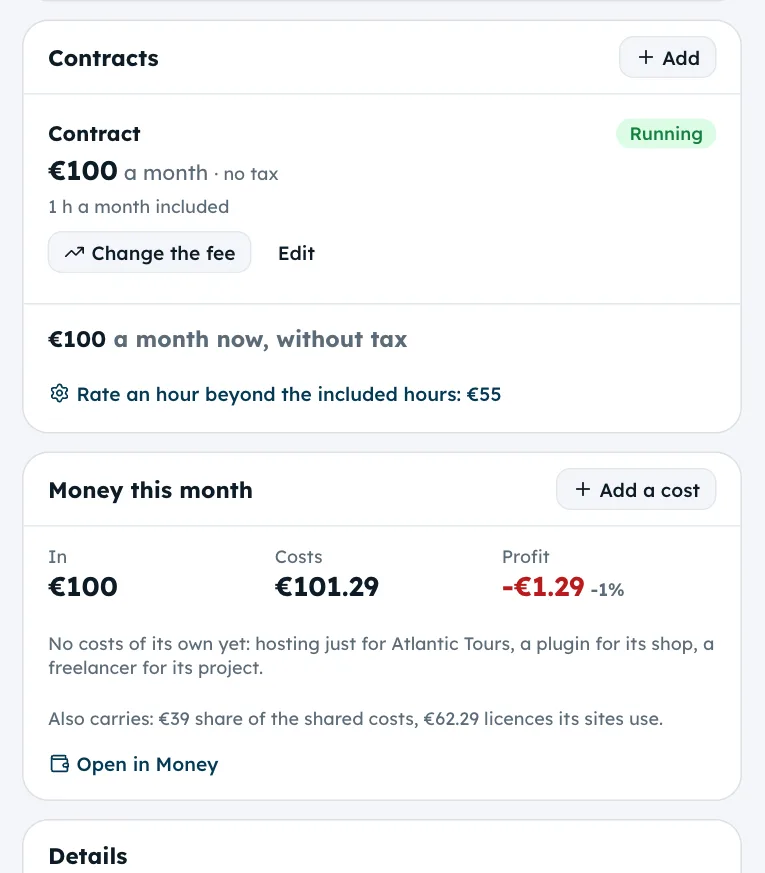 Money ContractsKeep every contract a client has, side by side or one after another. Change a fee from a chosen day without rewriting the past.
| ✓ | – | – | ◐ |
Costs and payments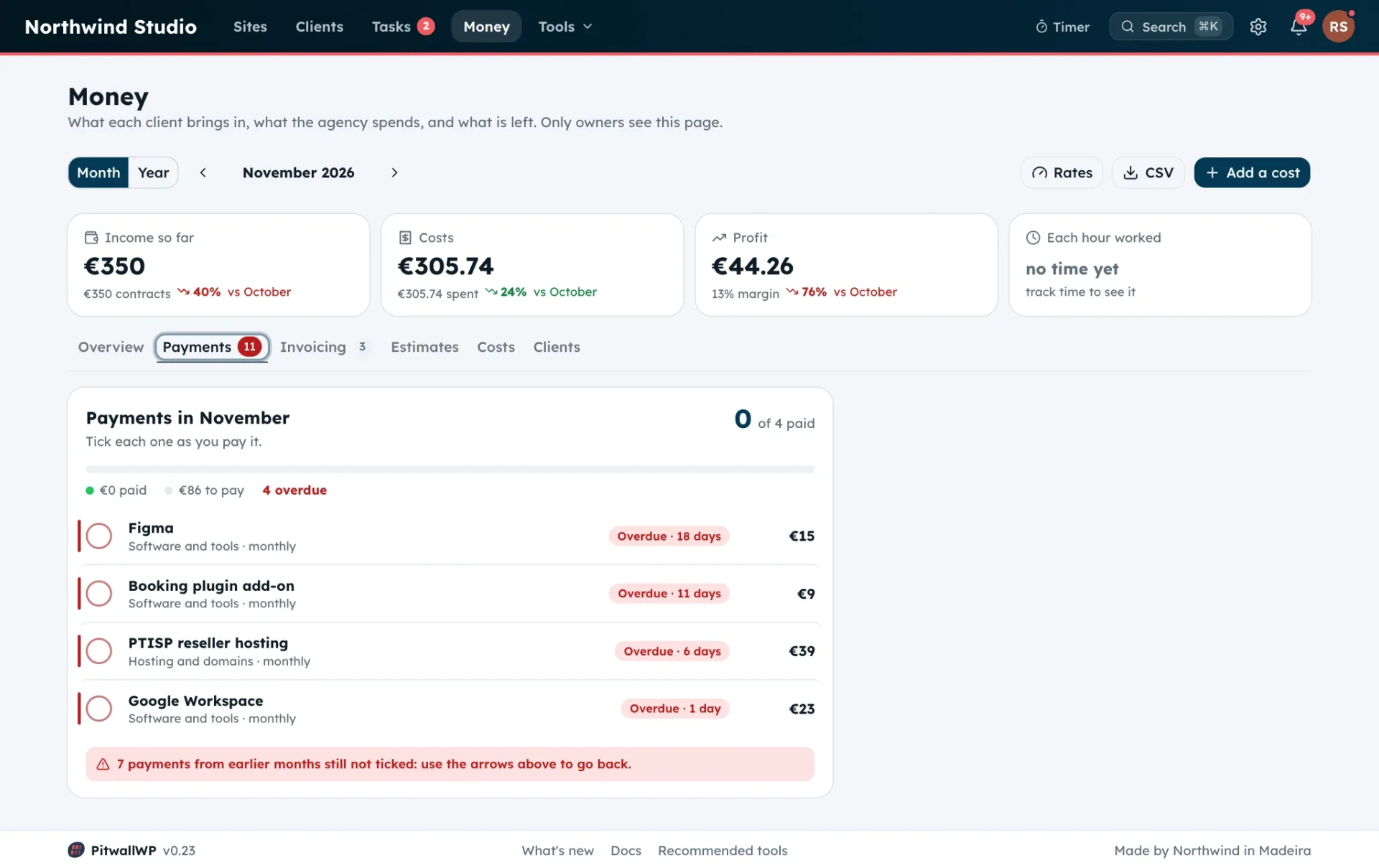 Money Costs and paymentsEvery cost and licence appears in the month it falls due. Tick each one as you pay it, see what is overdue, and let renewal dates move on by themselves.
| ✓ | – | – | ◐ |
| LicencesOnly PitwallWP Money LicencesPitwallWP finds the premium licences on your sites, flags the ones about to expire, and keeps your keys in an encrypted vault. It counts the sites each licence allows against the sites using it.
| ✓ | – | – | – |
EstimatesOnly PitwallWP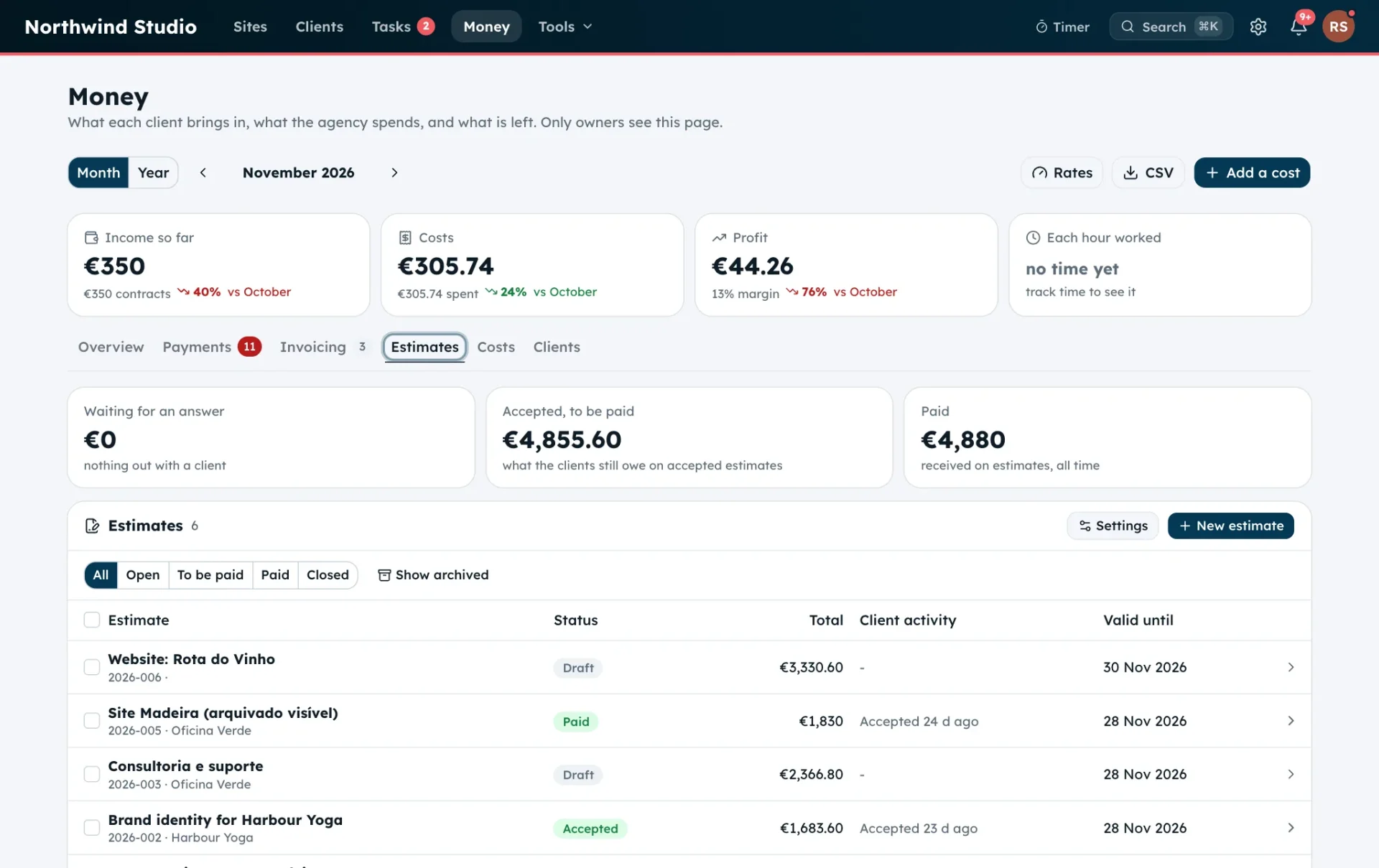 Money EstimatesSend a quote with optional extras. The client reads it on a private page in your branding, ticks extras, accepts with their name and pays on your own FluentCart checkout. The estimate marks itself paid.
| ✓ | – | – | – |
InvoicesOnly PitwallWP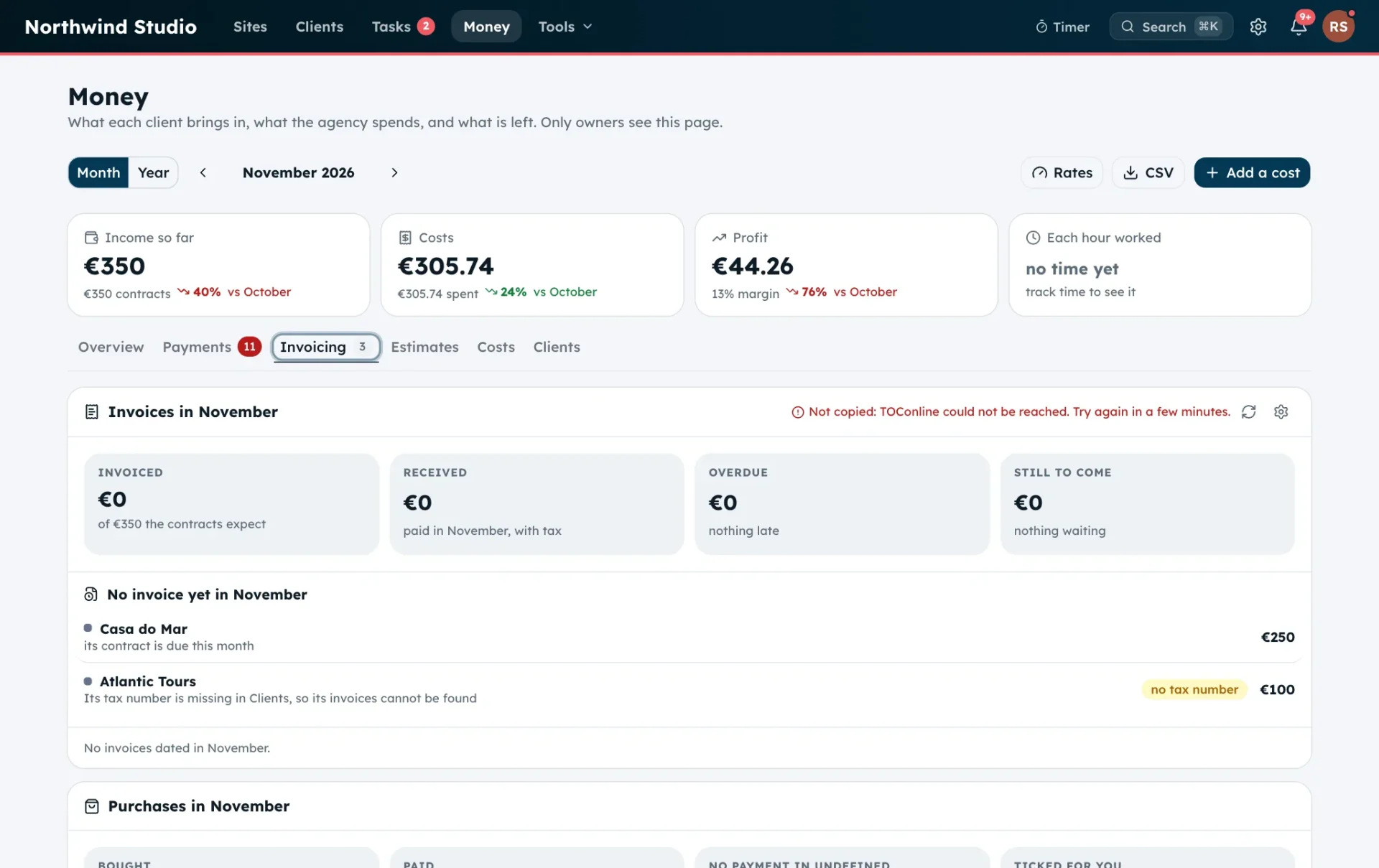 Money InvoicesConnect TOConline once. Money shows what was invoiced and received each month against what the contracts expect, the overdue invoices and the contracts with no invoice yet.
| ✓ | – | – | – |
| Services | ||||
Link pagesOnly PitwallWP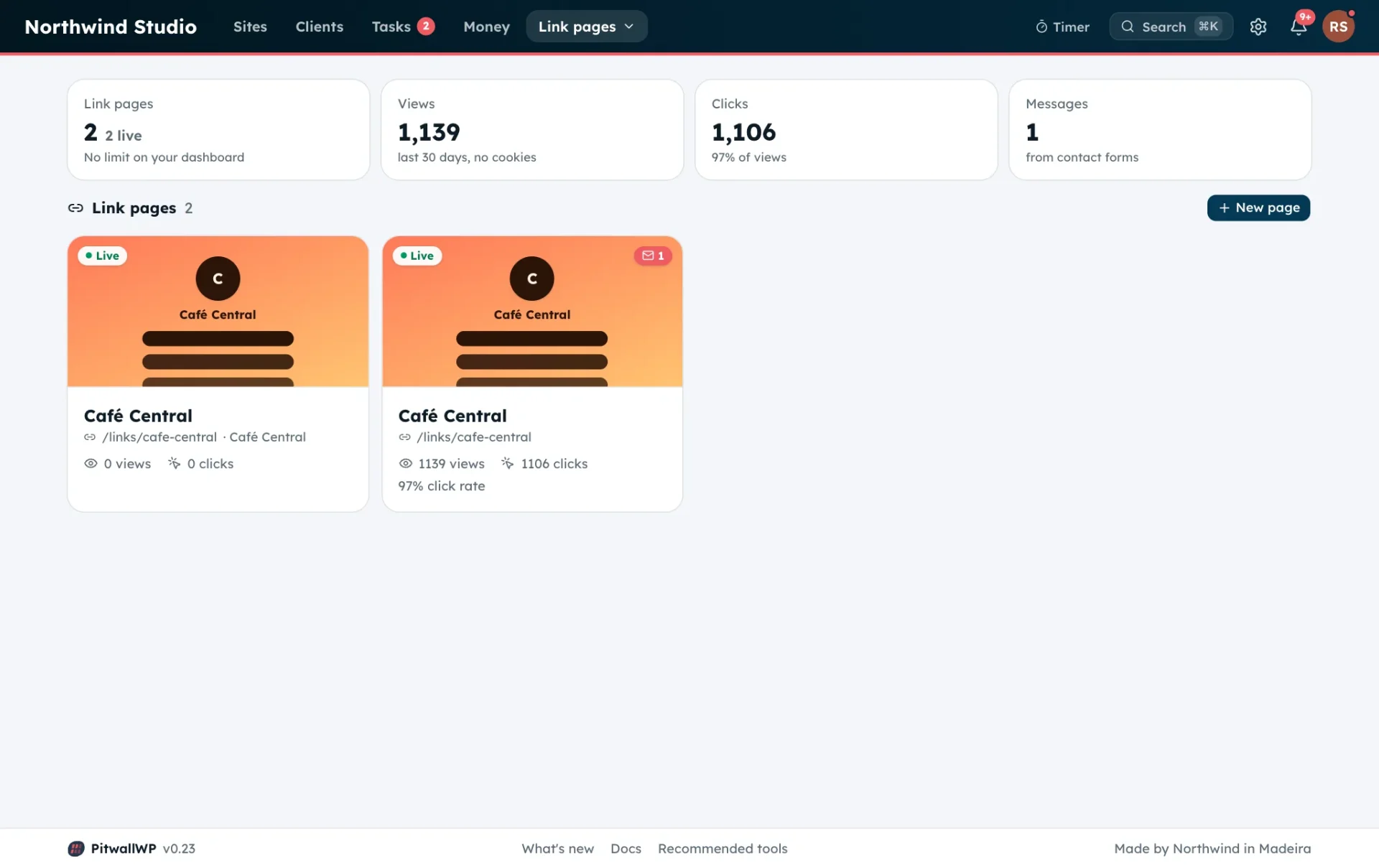 Services Link pagesMake a link in bio page for each client, with no outside service and no platform branding. Links, WhatsApp, opening hours, a map, a contact form and a booking button, in the client’s colours and on their own domain.
| ✓ | – | – | – |
Email signaturesOnly PitwallWP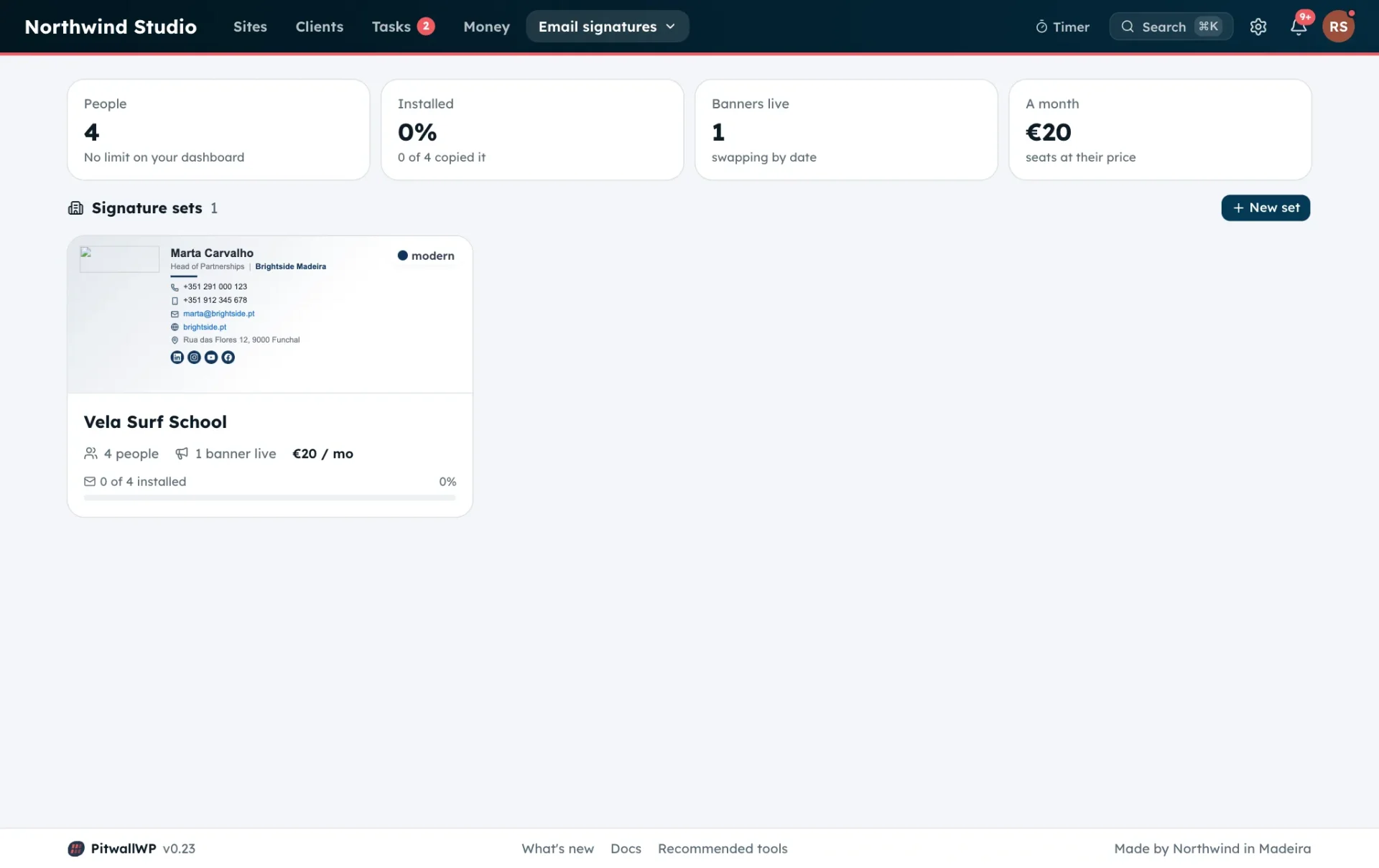 Services Email signaturesDesign a signature for each client company, with a variant per department. Every person gets a private page that installs it in Gmail, Outlook or Apple Mail in a minute.
| ✓ | – | – | – |
TranslationsOnly PitwallWP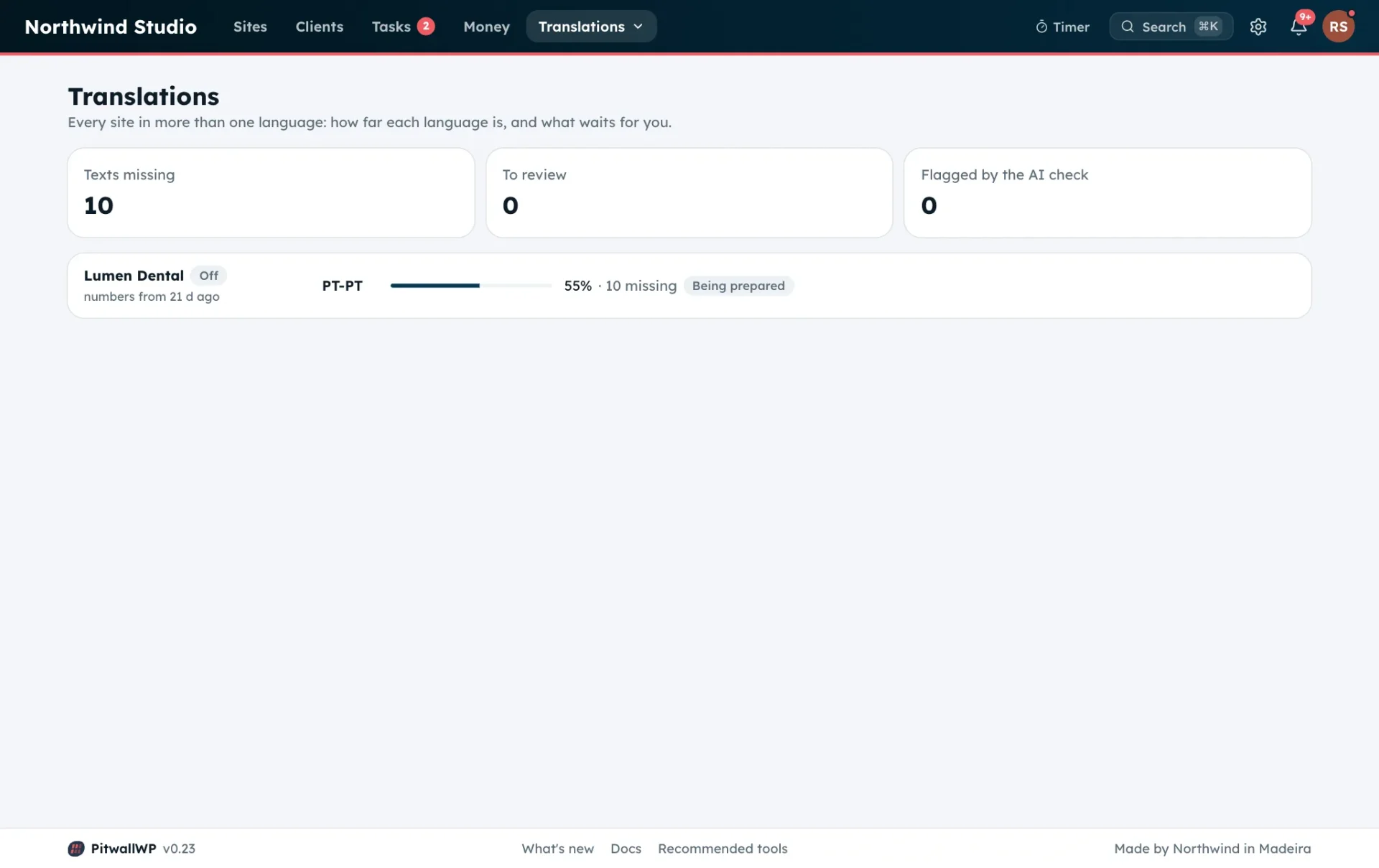 Services TranslationsPut a site in more languages at /en/, /es/ and more, with any theme or builder. Claude translates every text with the client’s glossary, and you review next to the original.
| ✓ | – | – | – |
| Cookie consentOnly PitwallWP Services Cookie consentSet your cookie banner once and switch it on site by site. Trackers and embeds wait for the visitor’s yes, Google Consent Mode v2 is set, and each site gets a privacy statement and cookie policy that keep themselves up to date.
| ✓ | – | – | – |
| A/B testsOnly PitwallWP Services A/B testsTry two versions of a heading or a button. Half the visitors see each, PitwallWP counts the enquiries, and the winner stays after 14 days.
| ✓ | – | – | ? |
| Build | ||||
AI site plannerOnly PitwallWP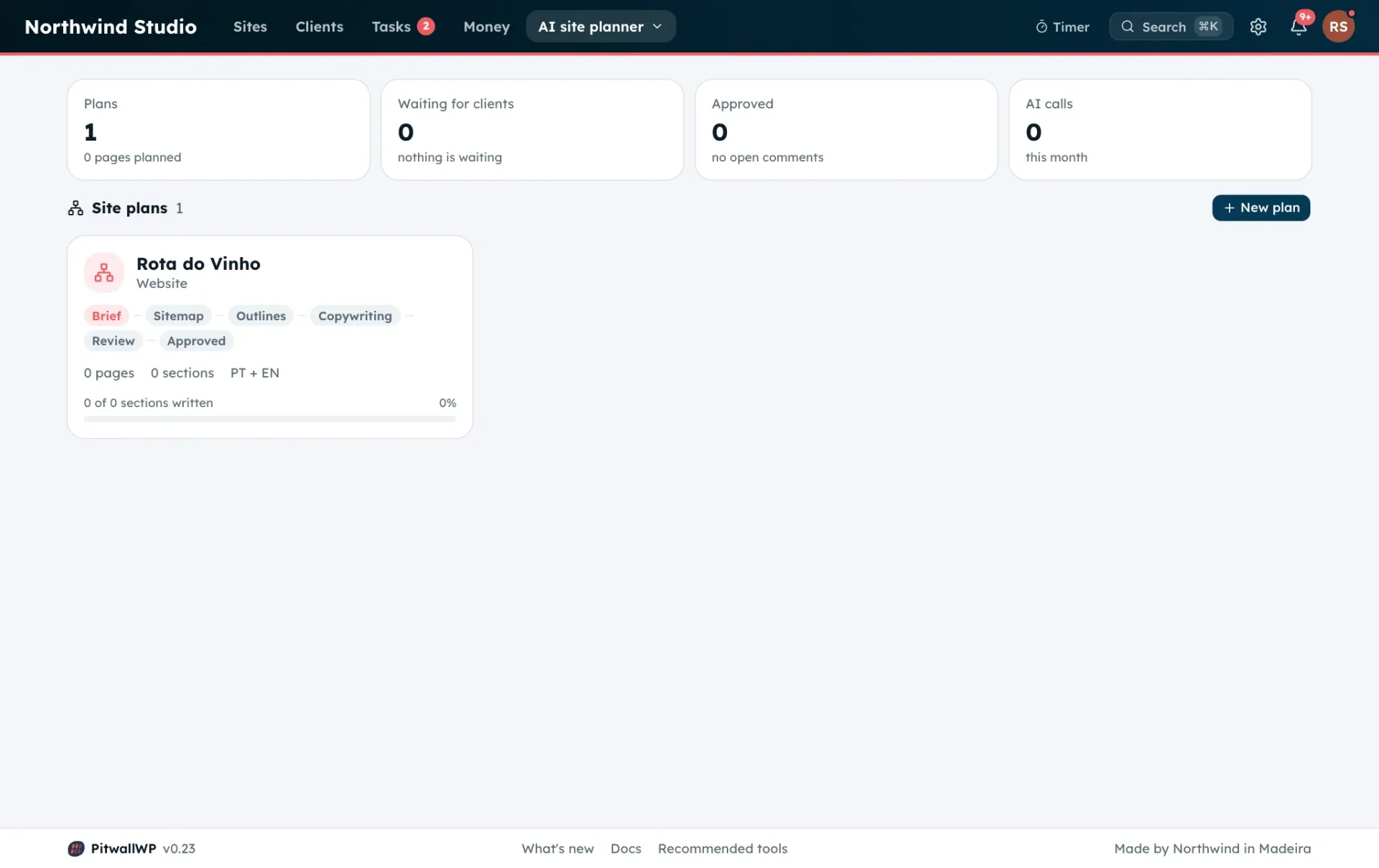 Build AI site plannerAsk the client a few good questions. Claude proposes the sitemap and you drag it into shape, then it outlines every page and writes the copy. The client approves it on a page in your branding, and the plan becomes draft pages on their Bricks site.
| ✓ | – | – | – |
Site recipes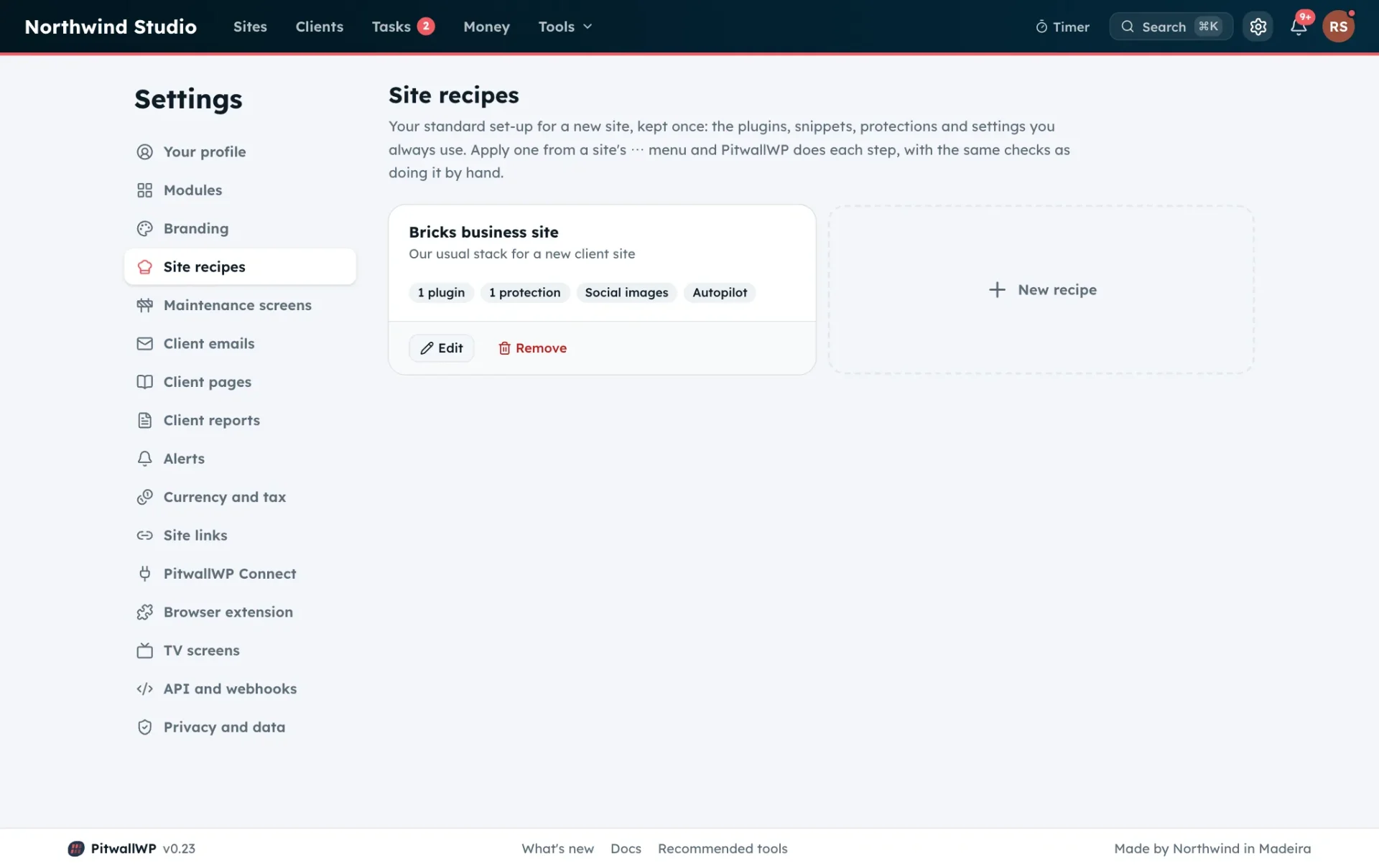 Build Site recipesKeep your agency’s standard set-up once: plugins, settings and snippets. Apply it to every new site in one click.
| ✓ | ? | ? | ? |
Snippets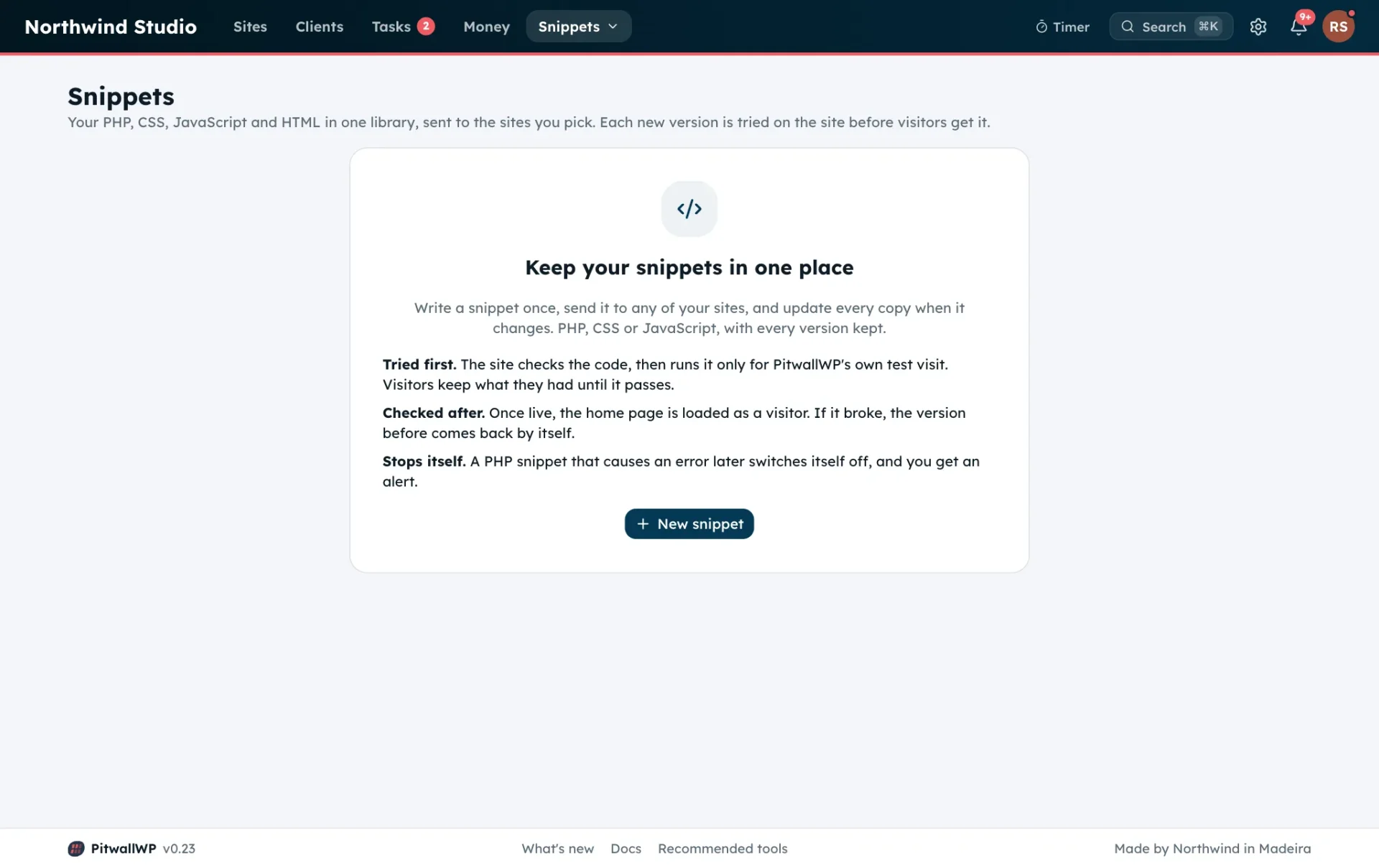 Build SnippetsKeep your snippets in one library with every version. Send them to the sites you pick: each new version is tried on the site before visitors get it, and checked again after.
| ✓ | ◐ | – | – |
Maintenance and coming soon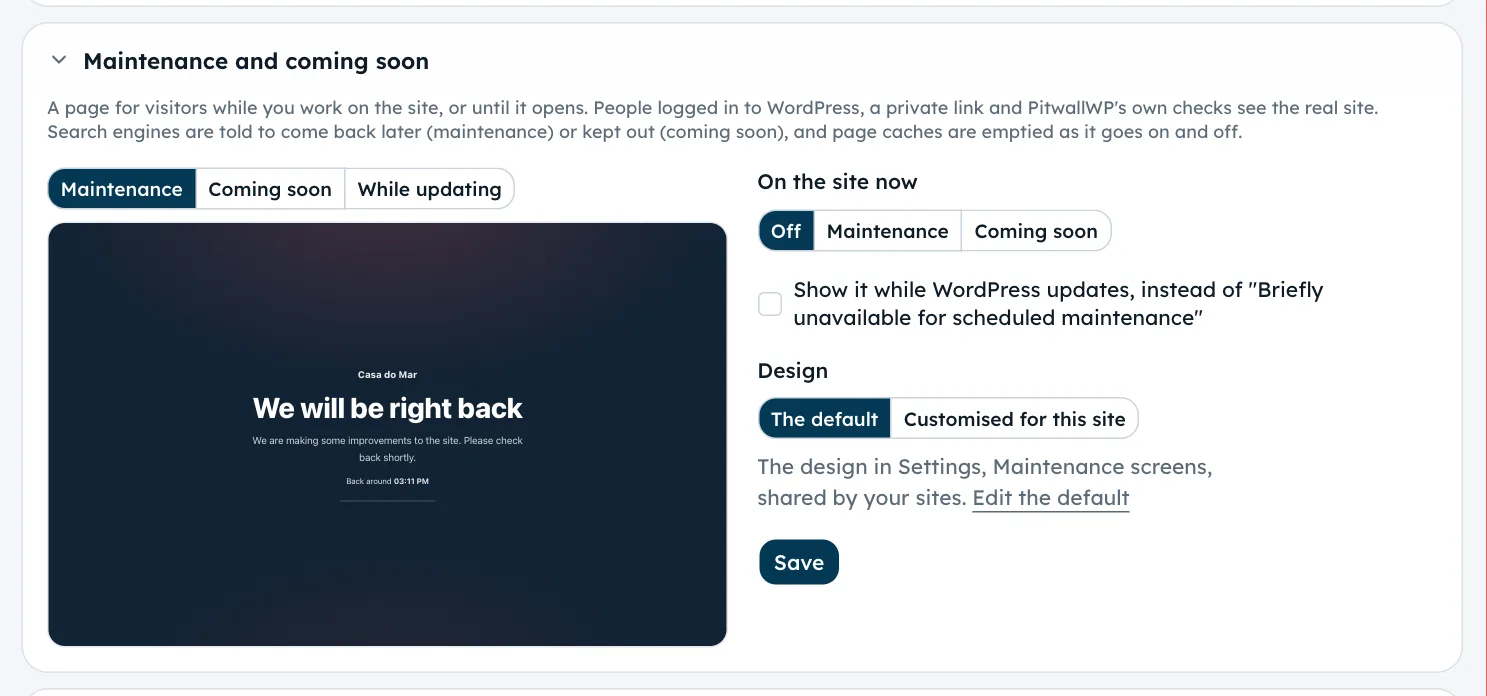 Build Maintenance and coming soonShow visitors a page in your design while you work on a site, or until it opens. Your client sees the real site through a private preview link.
| ✓ | ◐maintenance mode only | ◐ | +separate plugin |
| Team | ||||
| Team and roles Team Team and rolesAdd your whole team as owner, technician or viewer, at no extra cost. Everyone signs in with two-factor, and you see who is working on which site right now.
| ✓ | ◐ | ◐ | ◐ |
Tasks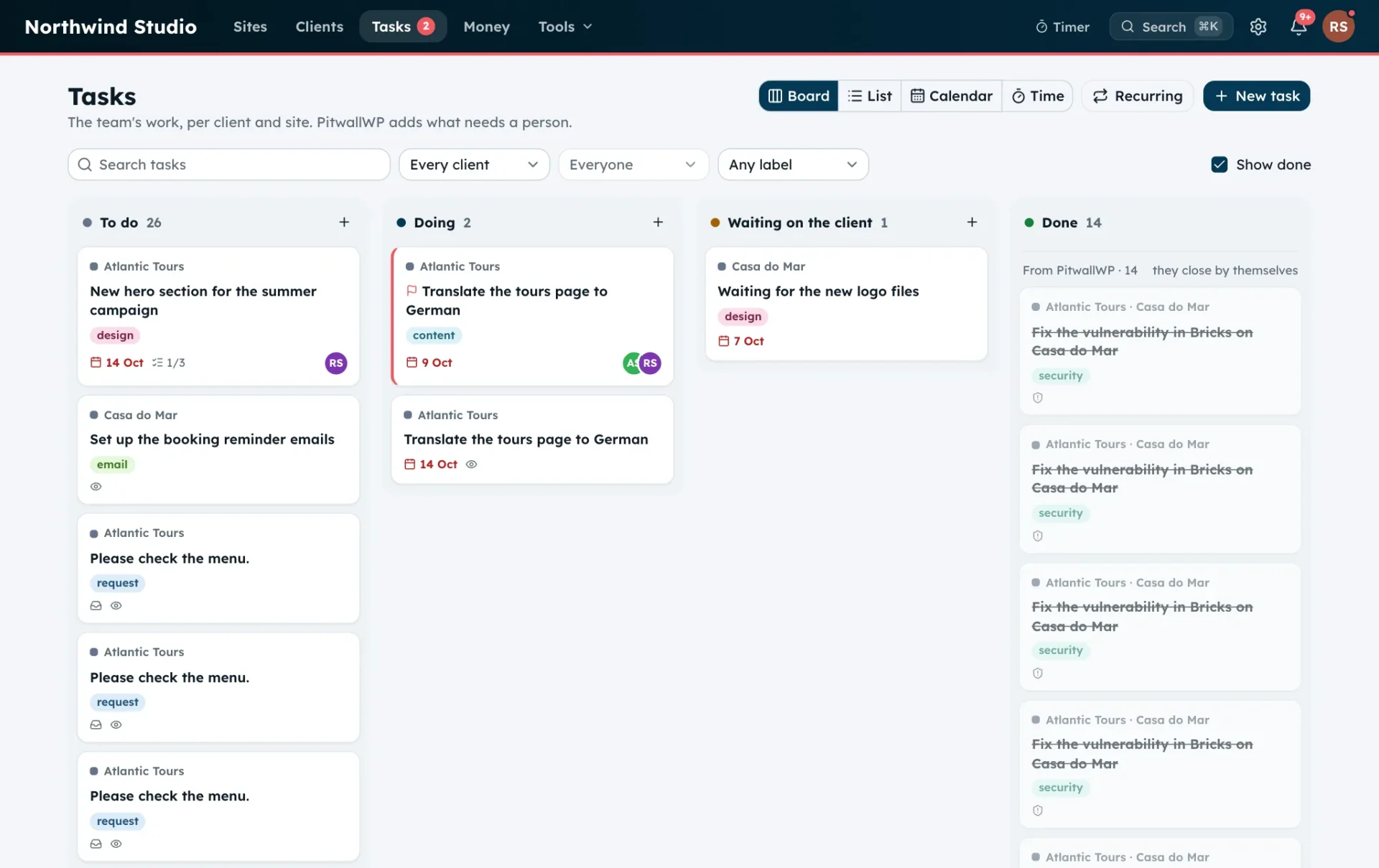 Team TasksPlan the work per client and site on a board, a list or a calendar. PitwallWP turns problems into tasks and closes them when the problem goes.
| ✓ | – | – | ◐third-party integrations |
Time tracker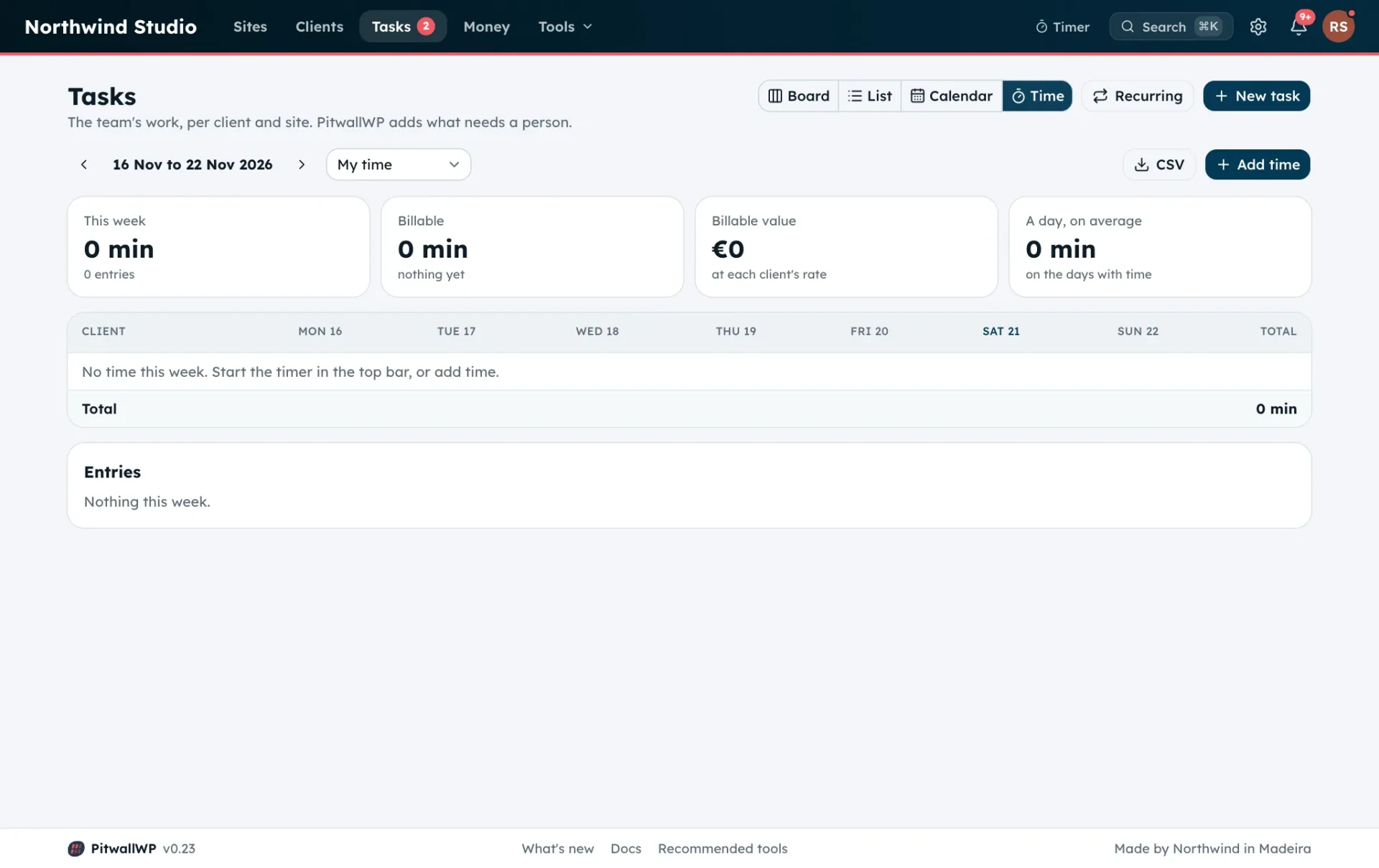 Team Time trackerStart the timer from the top bar and it keeps running on any device. Log time on a task, site or client, and see the week with what it is worth.
| ✓ | – | – | +time tracking extension |
Alerts and morning summary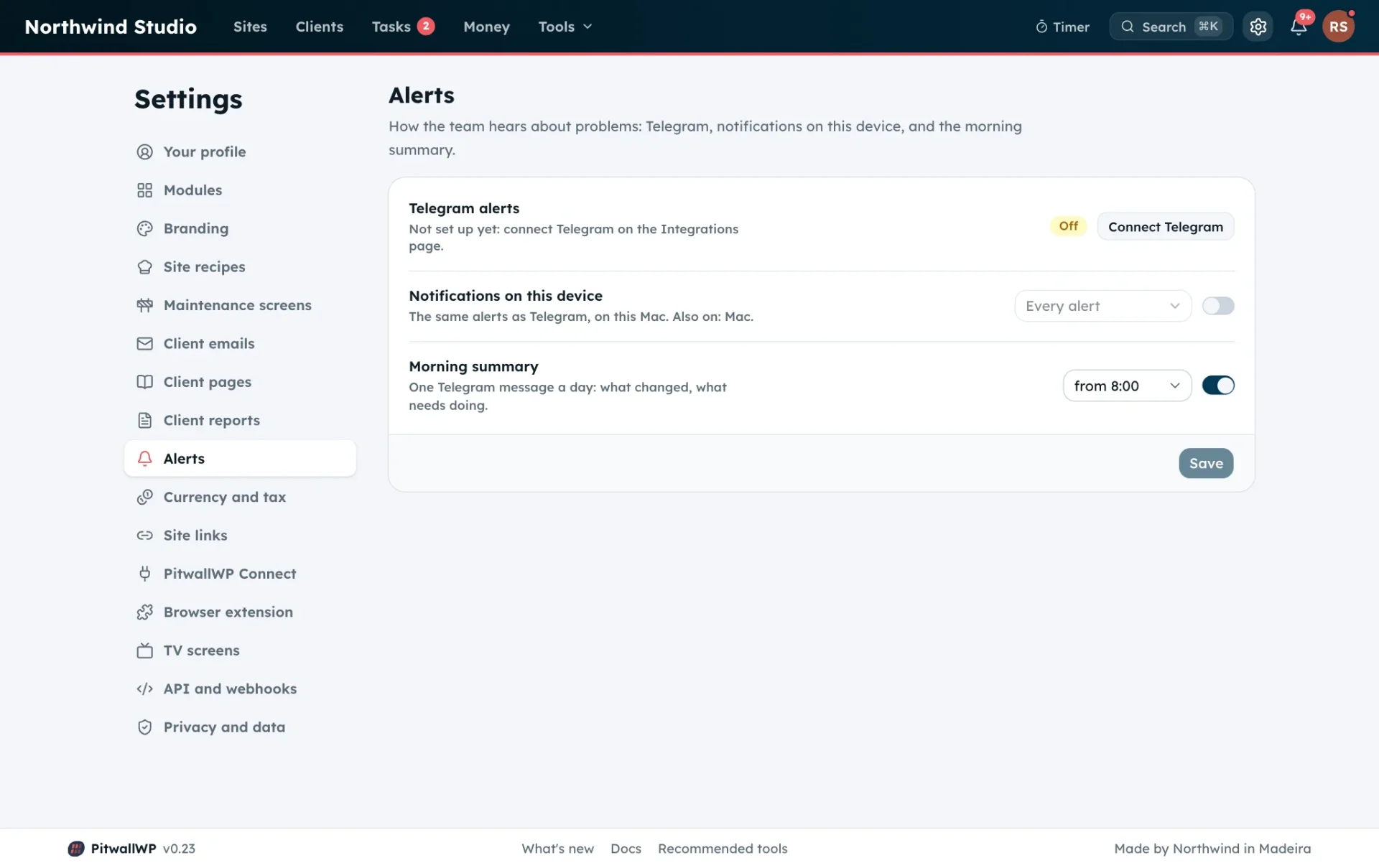 Team Alerts and morning summaryChoose where each alert goes: the bell, Telegram or a phone notification. Each morning, one message says what changed and what needs doing.
| ✓ | ◐email, Slack | ||
InsightsOnly PitwallWP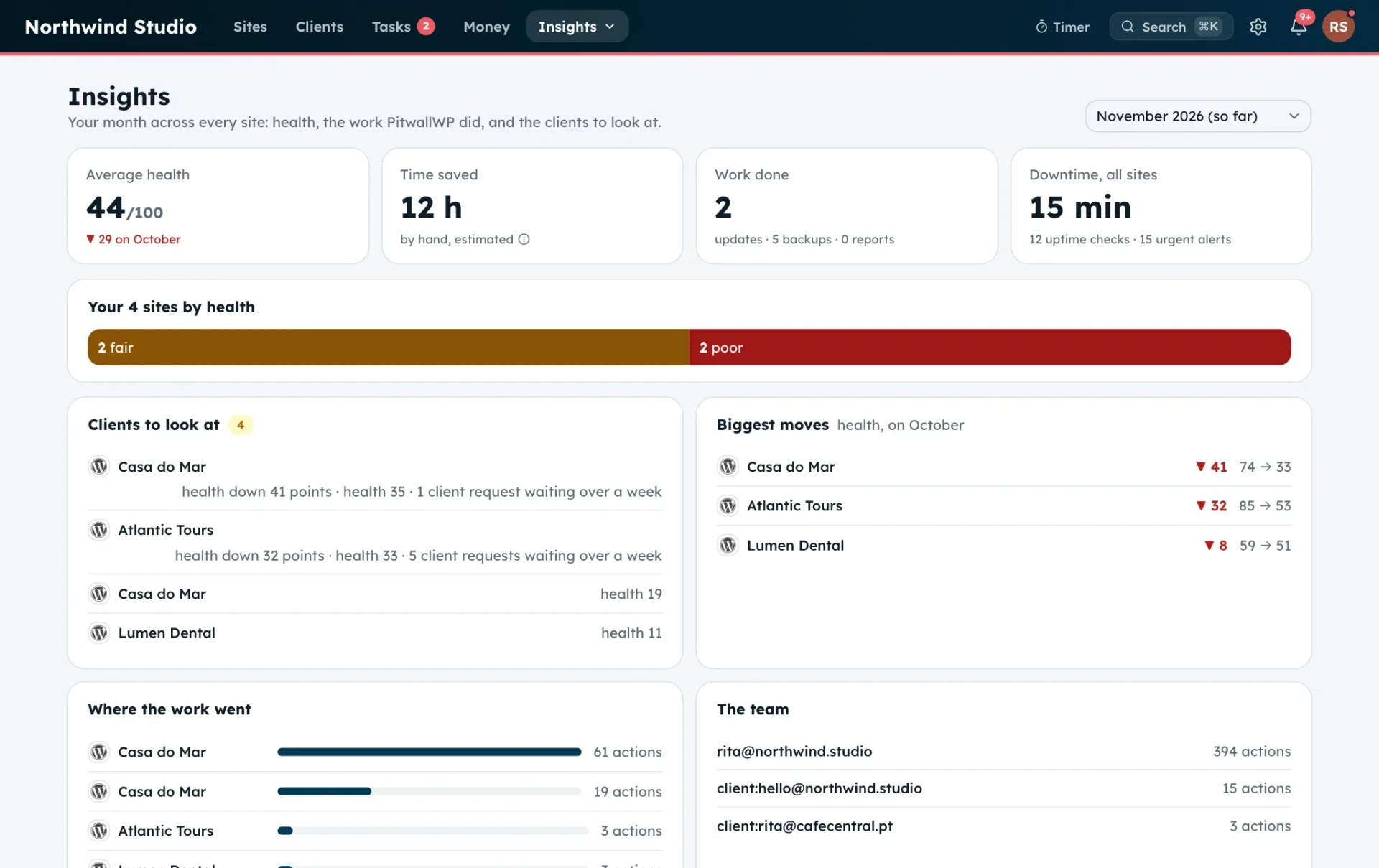 Team InsightsOne page for the agency owner: how the sites are doing overall, how much time PitwallWP saved, which clients are at risk and where the team’s work went.
| ✓ | – | – | – |
| Everyday | ||||
PitwallWP on your TVOnly PitwallWP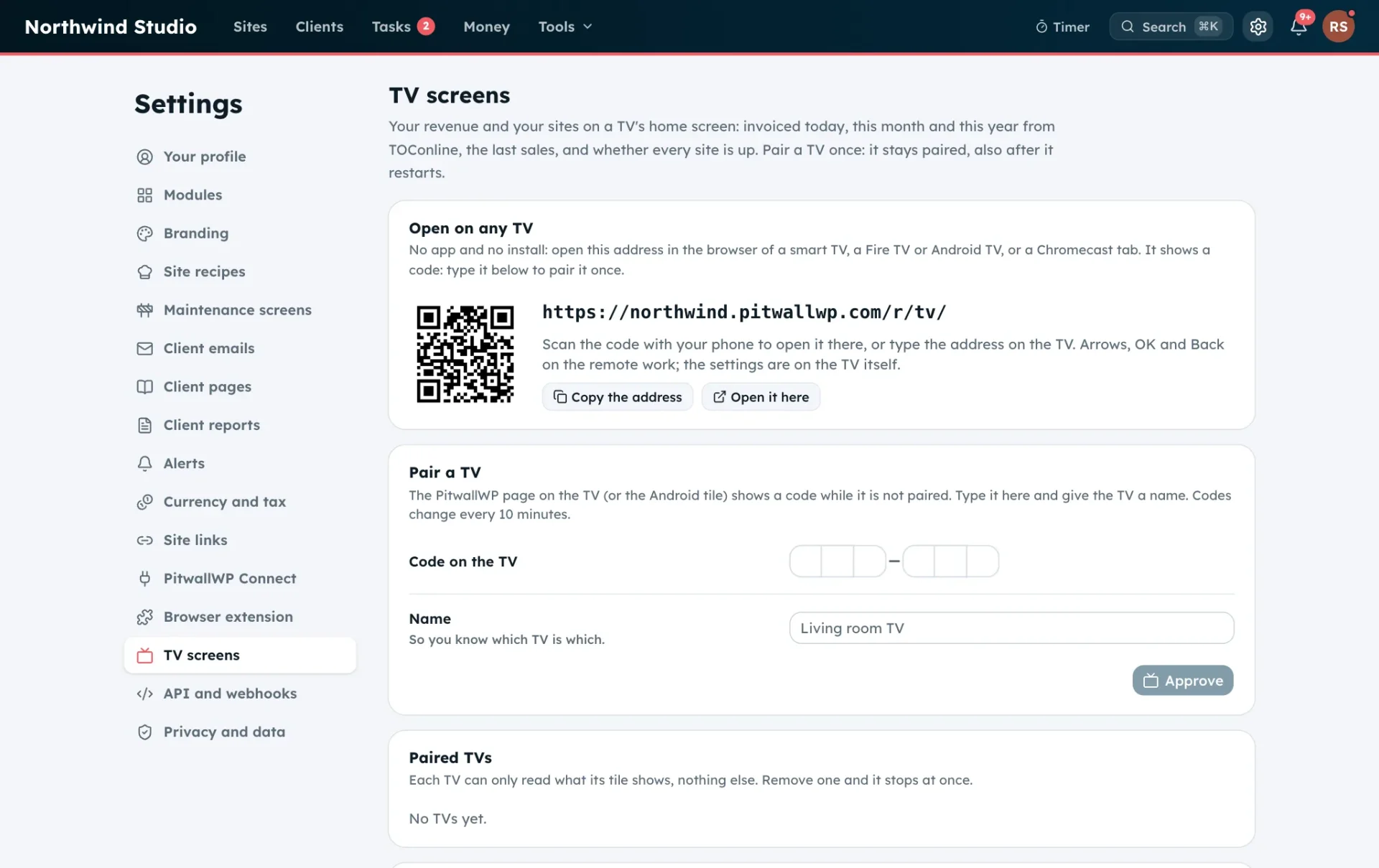 Everyday PitwallWP on your TVOpen your PitwallWP address followed by /tv on any TV and pair it once with a code. It shows what was invoiced and your monthly goal, the morning briefing, and one press away, every site live on the wall.
| ✓ | – | – | – |
| On your own websiteOnly PitwallWP Everyday On your own websiteYour agency’s own WordPress dashboard shows a PitwallWP panel: sites that need you, updates, this month’s revenue against the goal and open estimates.
| ✓ | – | – | – |
Browser extension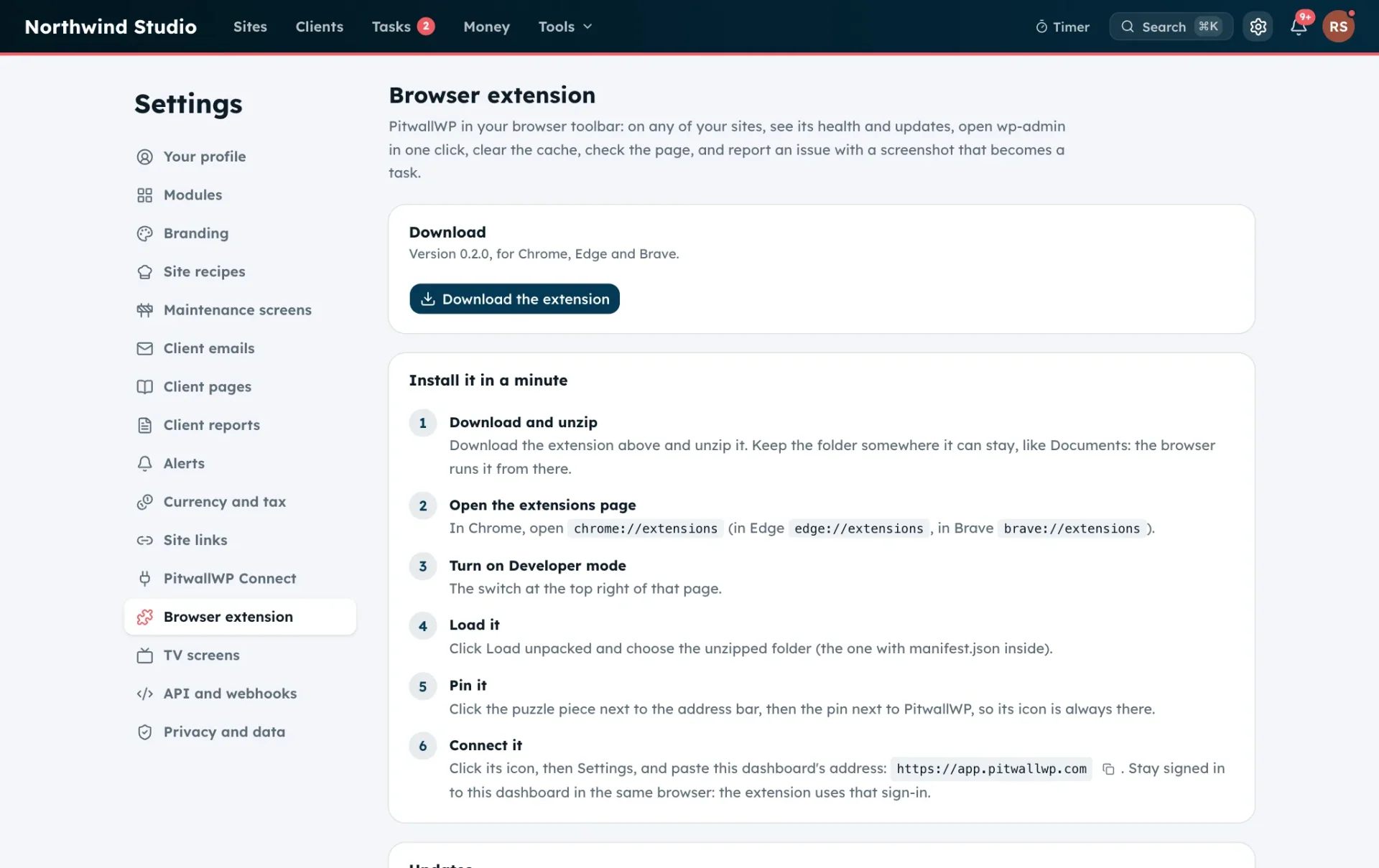 Everyday Browser extensionOn any page of a client’s site, the extension shows its health and updates, opens wp-admin, clears the cache and reports an issue with a drawn-on screenshot straight to the tasks board.
| ✓ | – | ◐ | ◐ |
Phone app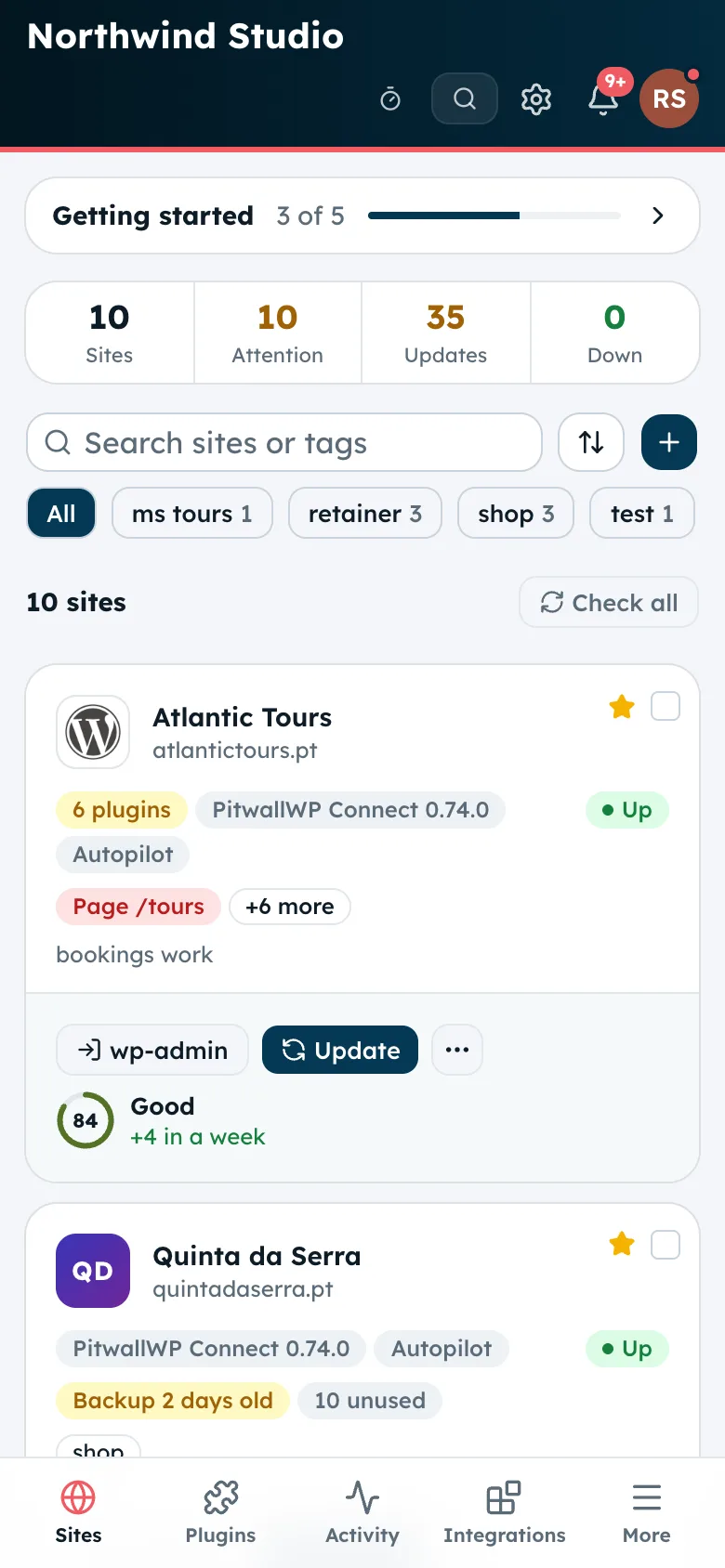 Everyday Phone appAdd PitwallWP to your phone’s home screen. It opens like an app, with a layout made for small screens and notifications for your alerts.
| ✓ | ◐ | ◐ | – |
AI help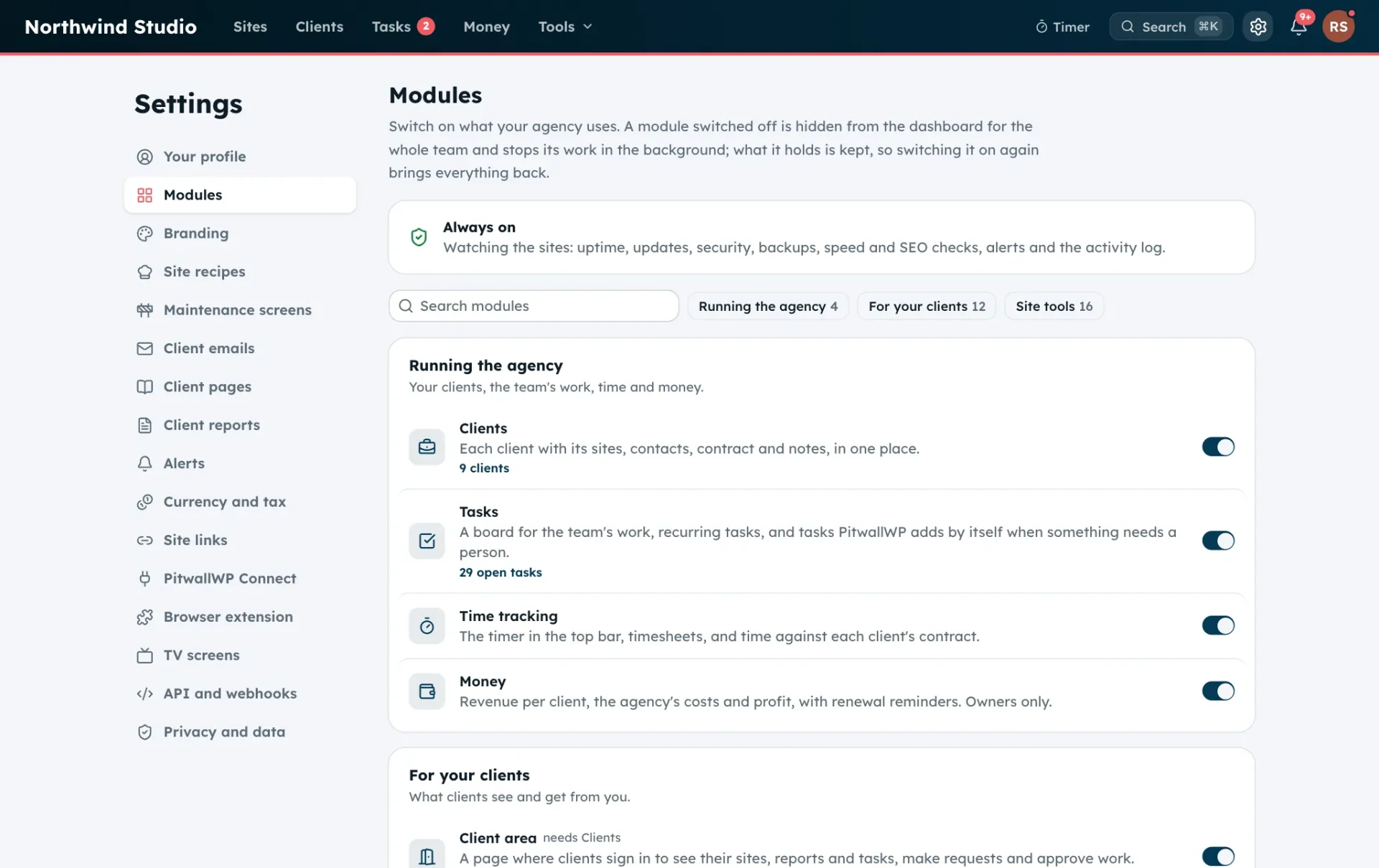 Everyday AI helpClaude helps where writing takes time: report notes, plain explanations of errors and vulnerabilities, and alt texts for images. It uses your own key, and nothing is sent until you click.
| ✓ | ? | ? | ? |
Make it yours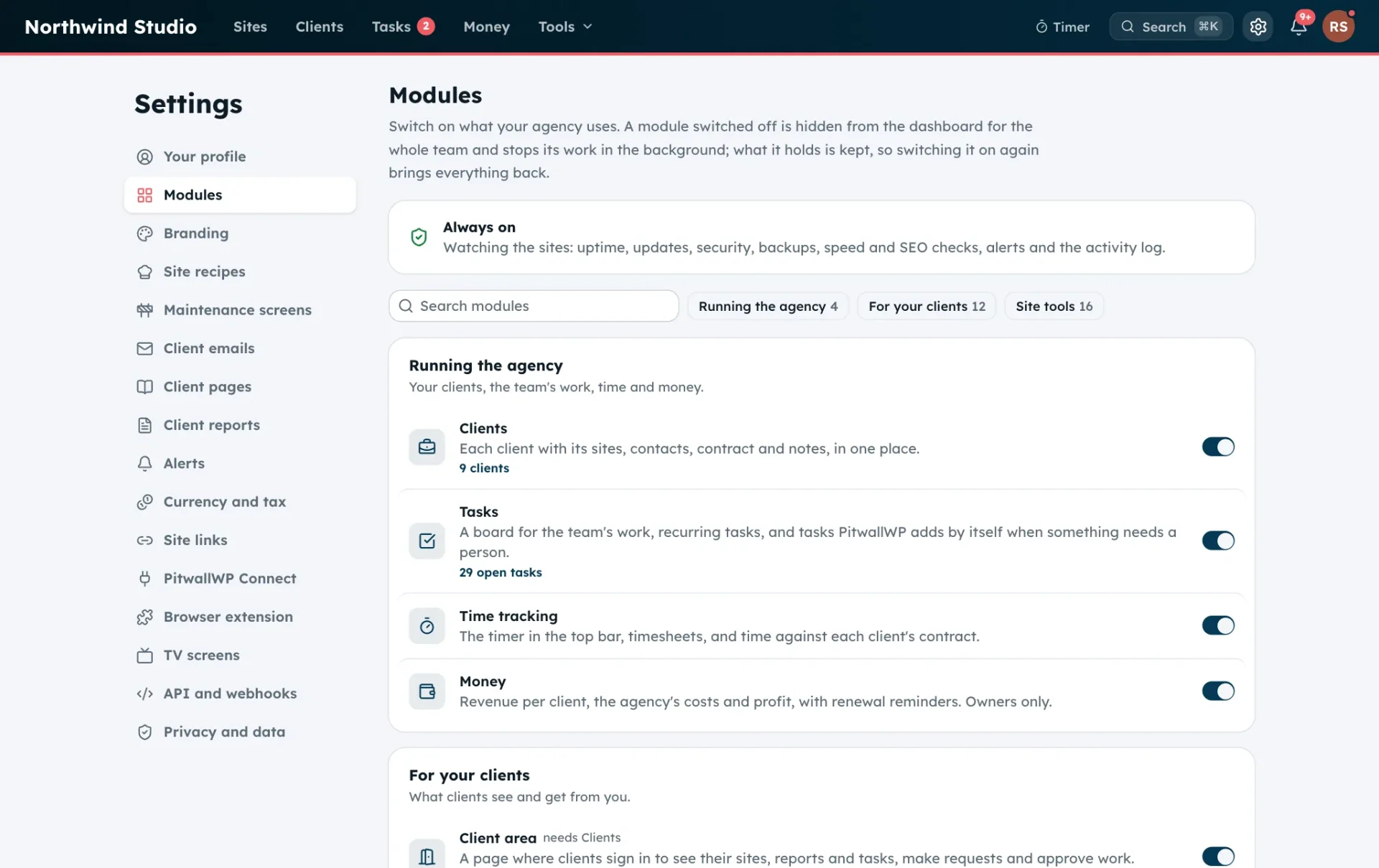 Everyday Make it yoursTurn off the parts your agency does not use: they disappear for the whole team and stop working in the background, and come back as they were. Each person chooses English or Portuguese.
| ✓ | ◐ | ◐ | ◐plugins and extensions |
| Integrations | ||||
Forms, shops and SEO plugins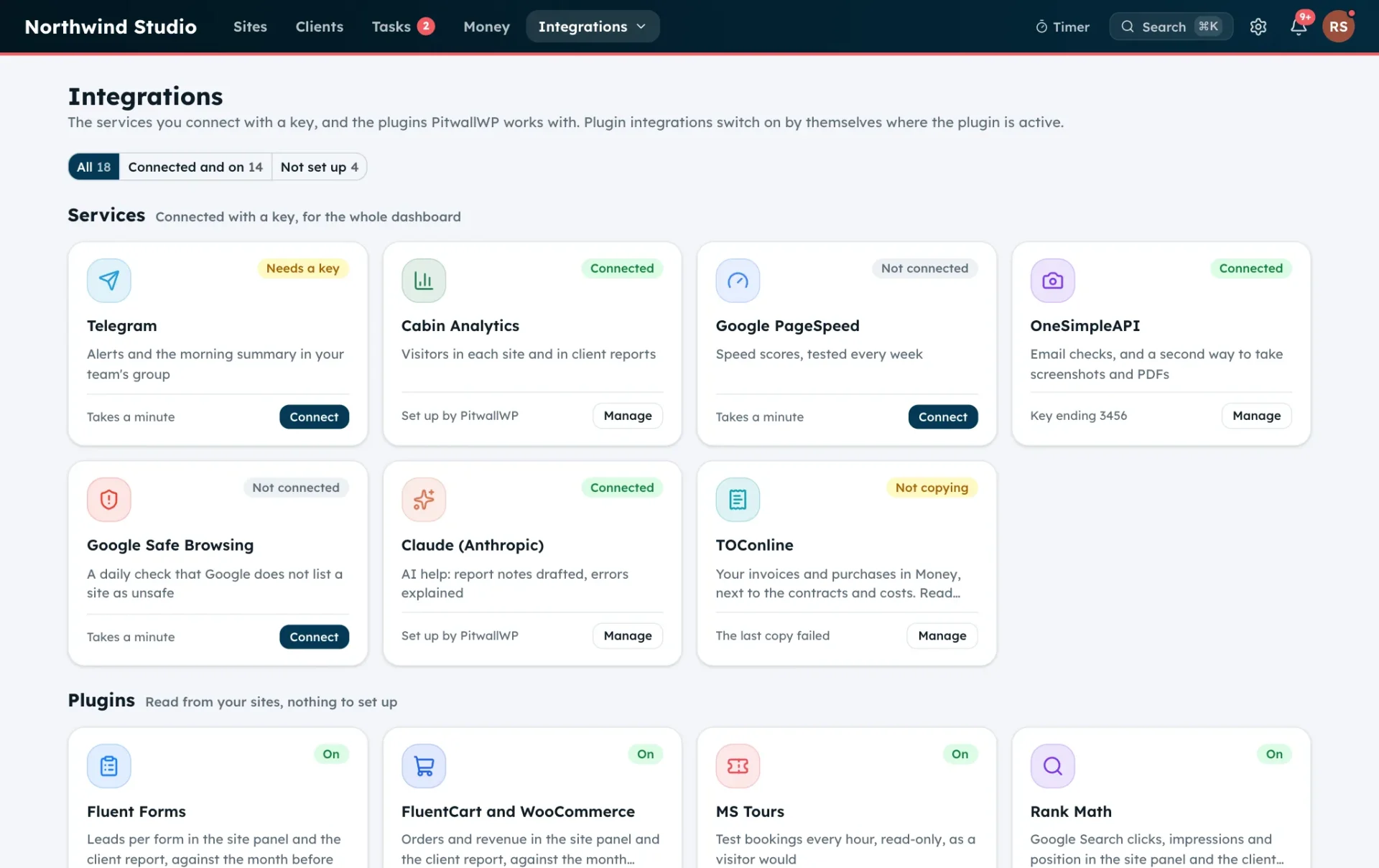 Integrations Forms, shops and SEO pluginsPitwallWP reads the plugins your clients’ sites already run and shows their numbers where they matter: in the dashboard, in alerts and in the monthly report.
| ✓ | – | ◐ | ◐WooCommerce extension |
| ReviewsOnly PitwallWP Integrations ReviewsSee the reviews each site collects in one place, and approve the waiting ones without opening WP admin.
| ✓any post type, set up per site; in the client report | – | – | – |
API and webhooks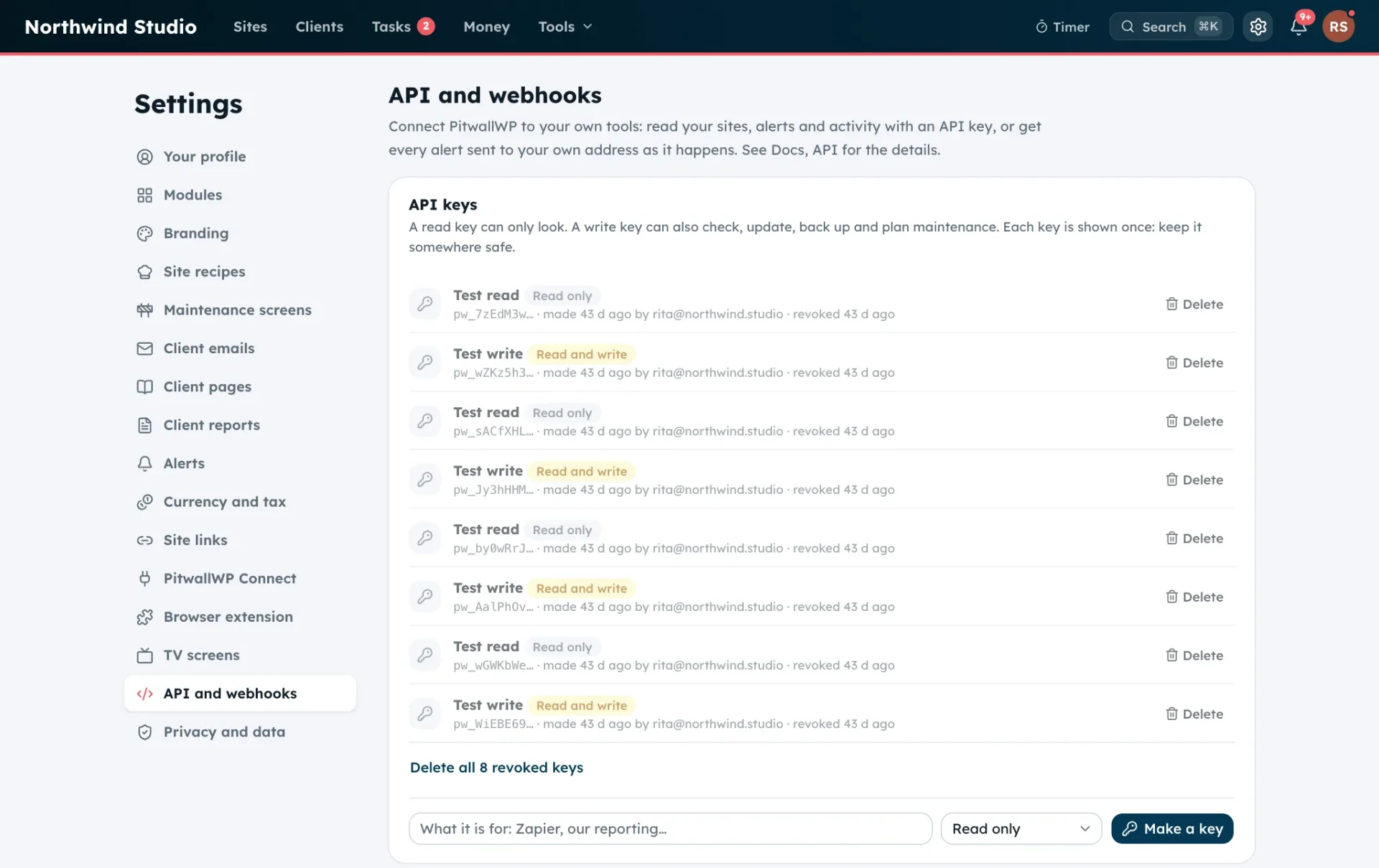 Integrations API and webhooksUse the public API to read your sites, alerts and activity, or run checks and updates from your own tools. Webhooks send every alert to your own address as it happens.
| ✓documented with examples in three languages | ◐ | – | ◐ |
| Not yet in PitwallWP | ||||
| Comments moderation across sites Not yet in PitwallWP Comments moderation | – | ? | ✓ | + |
| Status page on the agency's own domain Not yet in PitwallWP Status page on your domain | –needs pitwallwp.com on Cloudflare | ? | – | – |
Fair is fair
If one of these matters most to you, one of the others may suit you better today.
Approve and remove comments on every site from one place.
Client status pages on the agency's own domain, like status.agency.com.
For 30 sites
30 sites, every feature, unlimited team, 75 GB of backups.
€1.99 a site. Security and hourly backups are extra.
Free core; each add-on $1 to $2 a site, or $150 a month for all of them.
Pro, self-hosted: plus your own server, its upkeep and third-party extensions.
Prices as each company publishes them, checked on 9 October 2026. ManageWP's range is a few add-ons at $1 a site up to its all-in bundle. Sources on the comparison page.
Checked on 9 October 2026, from each company's own pages and independent reviews. "Not in their public material" means we could not find it, not that it does not exist. Something wrong or out of date? Tell us and we will correct it.
Questions
Yes. Connect your sites alongside your current tool, compare for two weeks, then decide: there is nothing to uninstall first. The 14-day trial has every feature, and if you cancel before it ends you pay nothing.
About two minutes per site: install PitwallWP Connect, paste a connection code, done. PitwallWP looks at the site straight away.
No. Pay monthly or yearly and cancel any time. Your plan runs to the end of the period you paid for.
No. PitwallWP is hosted: you add PitwallWP Connect to each client site and sign in to your dashboard. There is no server of yours to run or update.
From each company’s own pages and independent reviews, with every source and the date we checked listed under the comparison. When we could not find a feature in their public material, we say exactly that and never count it as missing.
Start today
Connect a site and compare what PitwallWP finds with what your current tool tells you.